Case study 04 · Carolina Carports · Construction
A sales system and configurator for carports, garages and barns
CCI ERP is a web platform for carport manufacturers, retailers and installers. It replaced Excel tables the client had used for over 20 years with one workflow — from designing a building in 3D to scheduling the crew that installs it.
- Role
- UX/UI Designer
- Timeline
- 6 months, 2022
- Company
- Existek
- Platforms
- Web app
Scope


Overview
From spreadsheets to one platform
CCI ERP is a web platform that covers the whole life of a carport building — creating, selling and installing it. It is made for carport manufacturers, retailers and installers, and it re-creates the Excel tables the client had used for over 20 years.
I joined the discovery phase alongside business analysts, then designed more than 100 screens and pop-ups while the requirements kept evolving, working closely with developers through implementation. The work covered user research, wireframing and prototyping, visual design and iterative usability testing.
- Design tool — customers build a carport in 3D and see the price update in real time.
- Order management — sales track every order from quote to final payment.
- Scheduling — confirmed orders become installation jobs grouped by region and crew.
- Admin tools — inventory, users and pricing in one place.
Workflow
Four stages, from design to installation
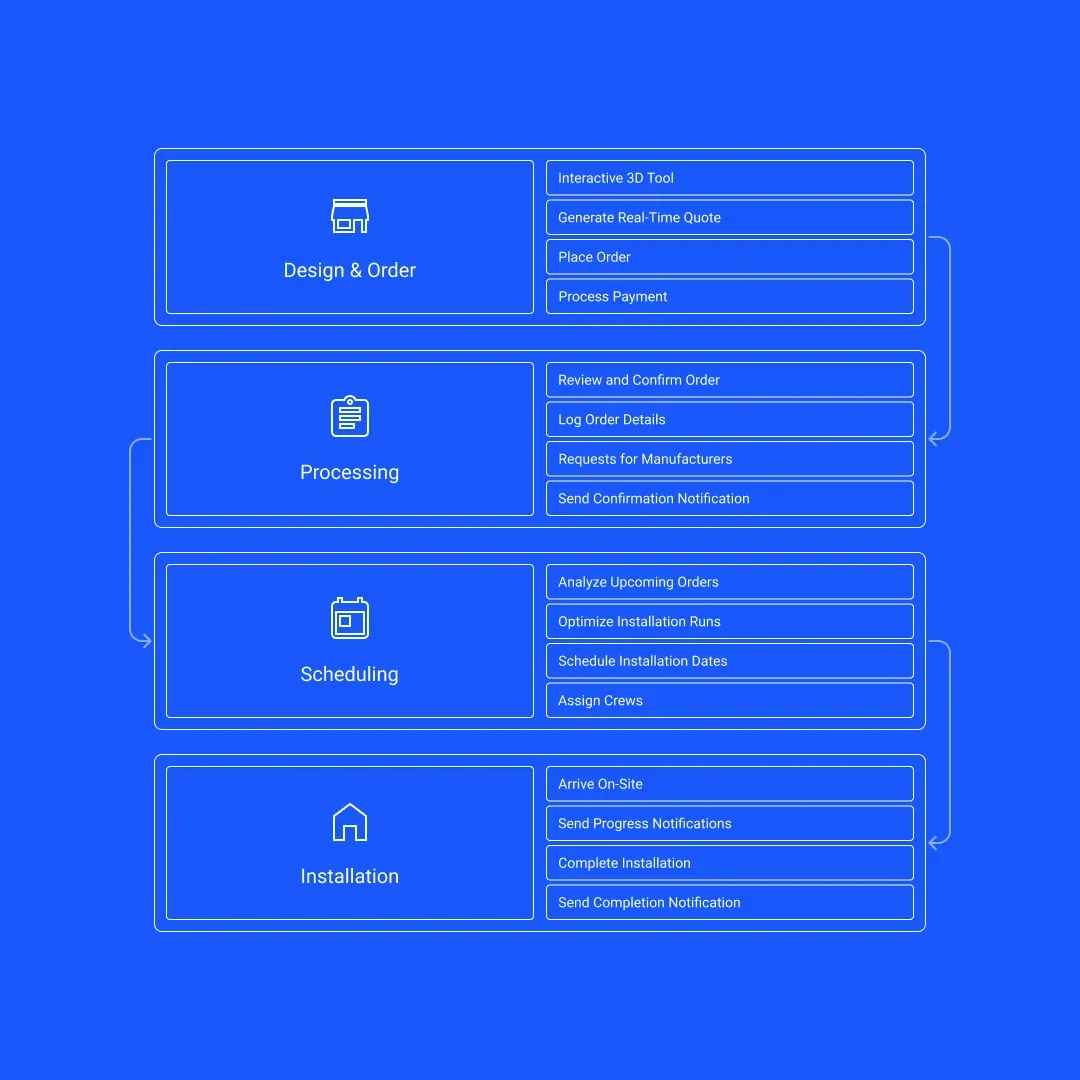
- Design & order
- Customers use the interactive 3D tool to design their carport.
- The system generates a real-time quote and allows the customer to place an order.
- Payment is processed through the integrated gateway.
- Order processing
- The order is reviewed and confirmed by the sales team.
- The order details are logged into the system, and the customer receives a confirmation notification.
- Order specials requested from manufacturers to produce and prepare.
- Scheduling installation
- System managers analyze upcoming orders and optimize installation runs based on location and crew availability.
- Installation dates are scheduled and added to the calendar.
- Crew members receive their assignments and necessary details.
- Installation
- The installation team arrives on-site and completes the installation as per the specifications.
- Customers receive notifications about the progress and completion of the installation.
Key features
Five parts of one system
Carport design tool
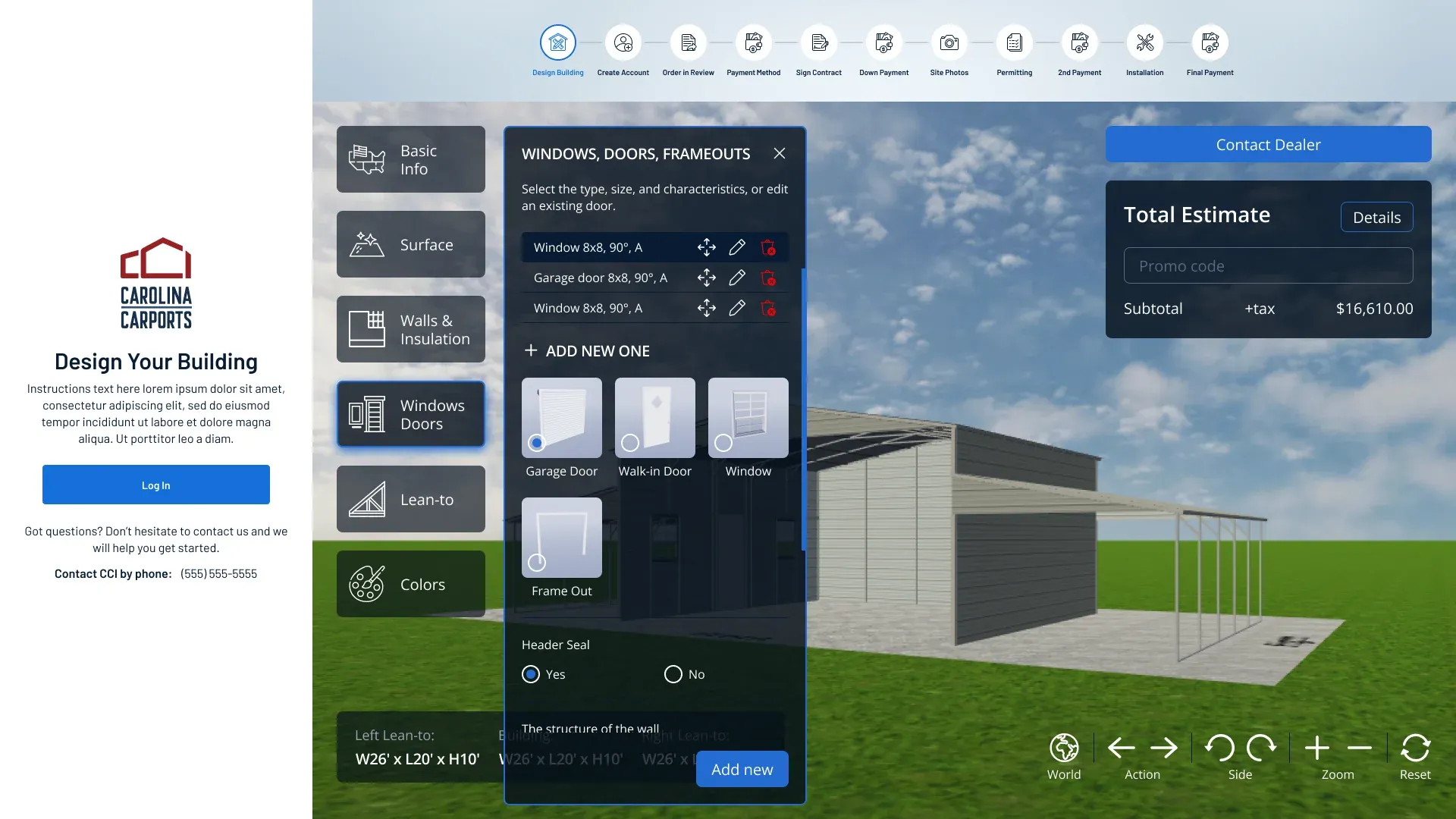
Customers design a carport in an interactive 3D view, one option group at a time — basic info, surface, walls and insulation, windows and doors, lean-tos and colors. A stepper at the top shows where the order is, from design to final payment.
- Interactive 3D designer — users can design custom carports using an intuitive 3D interface: dimensions, materials, roof styles, colors and numerous additional features.
- Real-time pricing — as users modify the design, the price updates instantly, providing immediate cost estimates.
- Save designs — customers can save their designs to their accounts and print detailed specifications.
- Accessible for both manager and customer.
Customer portal
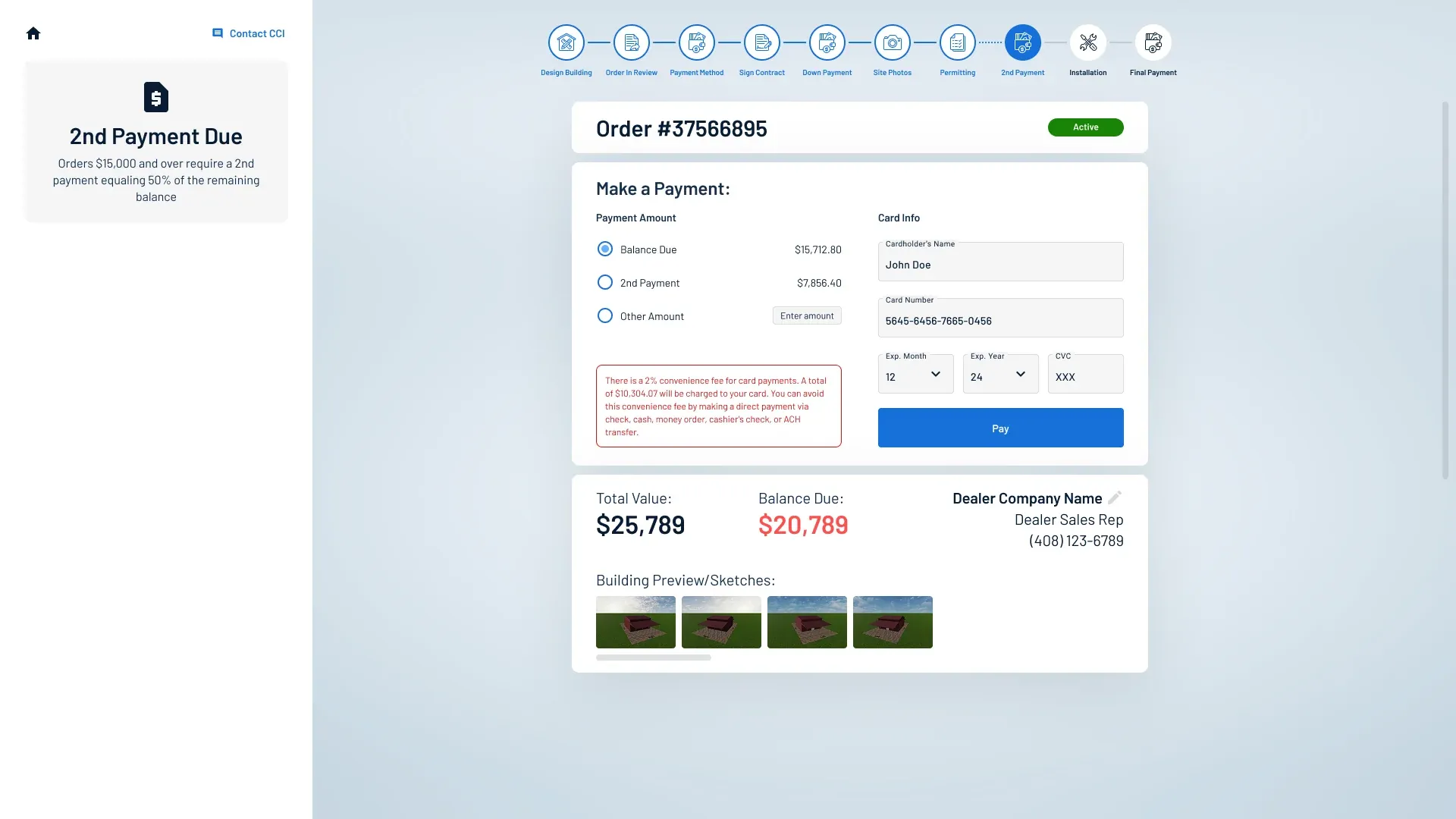
After the design is finished, the customer follows the order in a portal: what is due now, what has been paid, and what comes next.
- Configurator — the 3D carport design tool from the previous step.
- Order history — customers can view their order history, including past designs, current order statuses and upcoming installations.
- Notifications — automatic notifications for order updates, schedule changes and upcoming installations, by email and in the app.
- Mobile version — created to track the order status on the go and to provide additional info from both sides.
Order management system
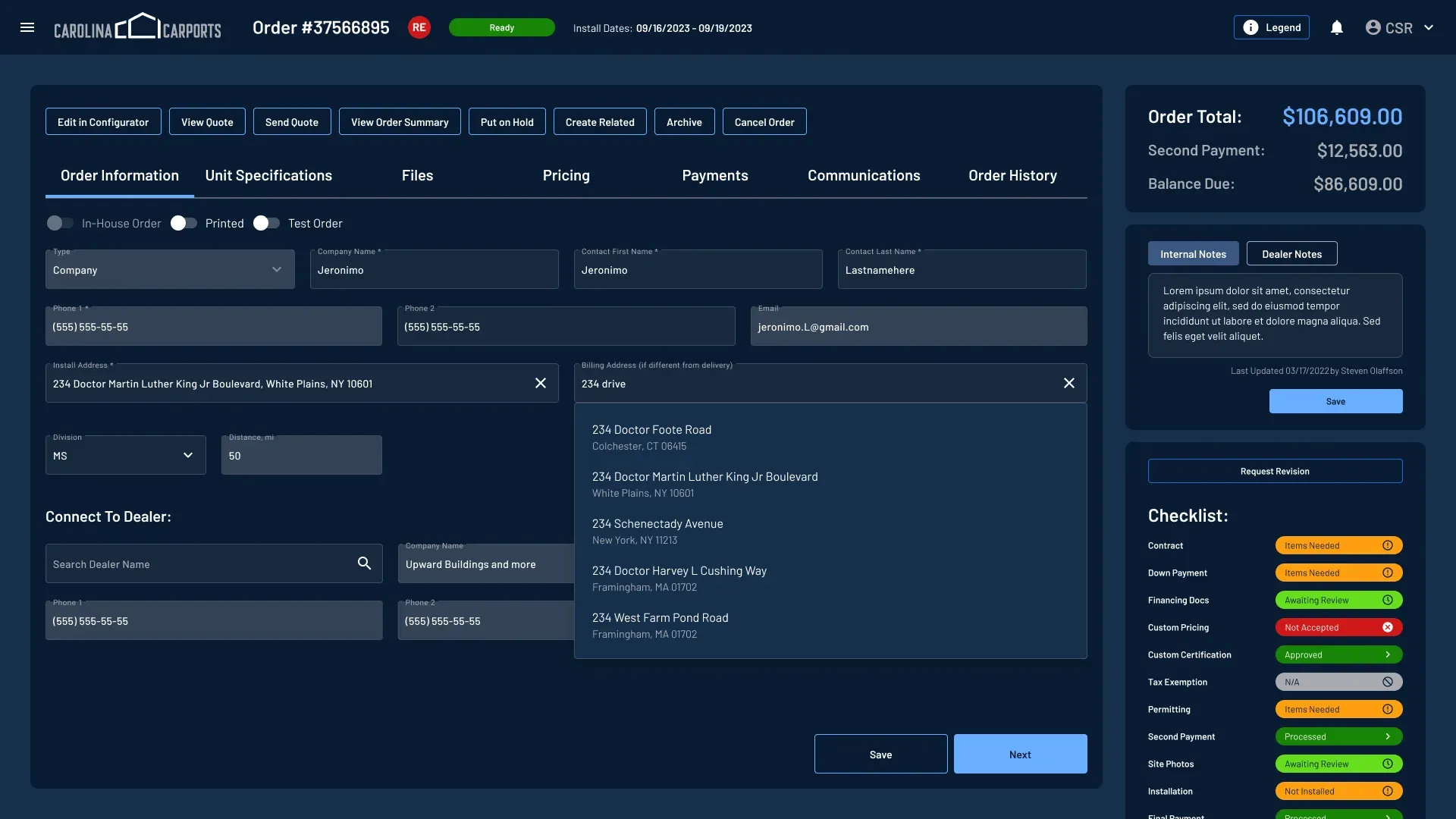
Once the design is finalized, sales staff work with the order in a dark, dense workspace: tabs for information, specifications, files, pricing, payments, communications and history, with the totals, notes and an approval checklist always in view on the right.
- Order creation — users can create a detailed order, including all specifications, pricing and customer information.
- Order tracking — status updates on orders from creation to fulfillment. Customers and staff can track the progress in real time.
- Payment integration — secure payment gateway integration to handle transactions, including deposits and final payments.
Scheduling and installation management
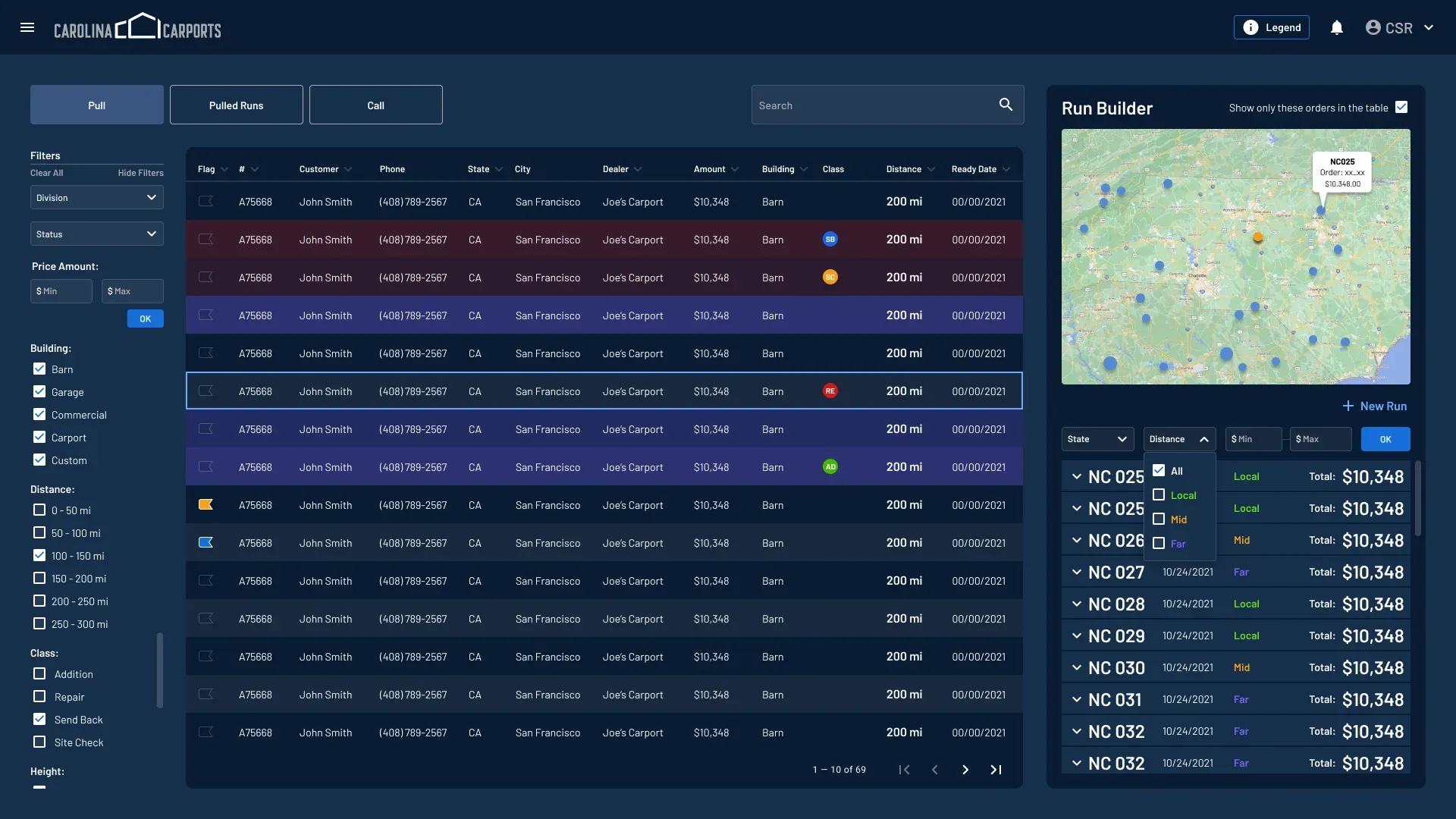
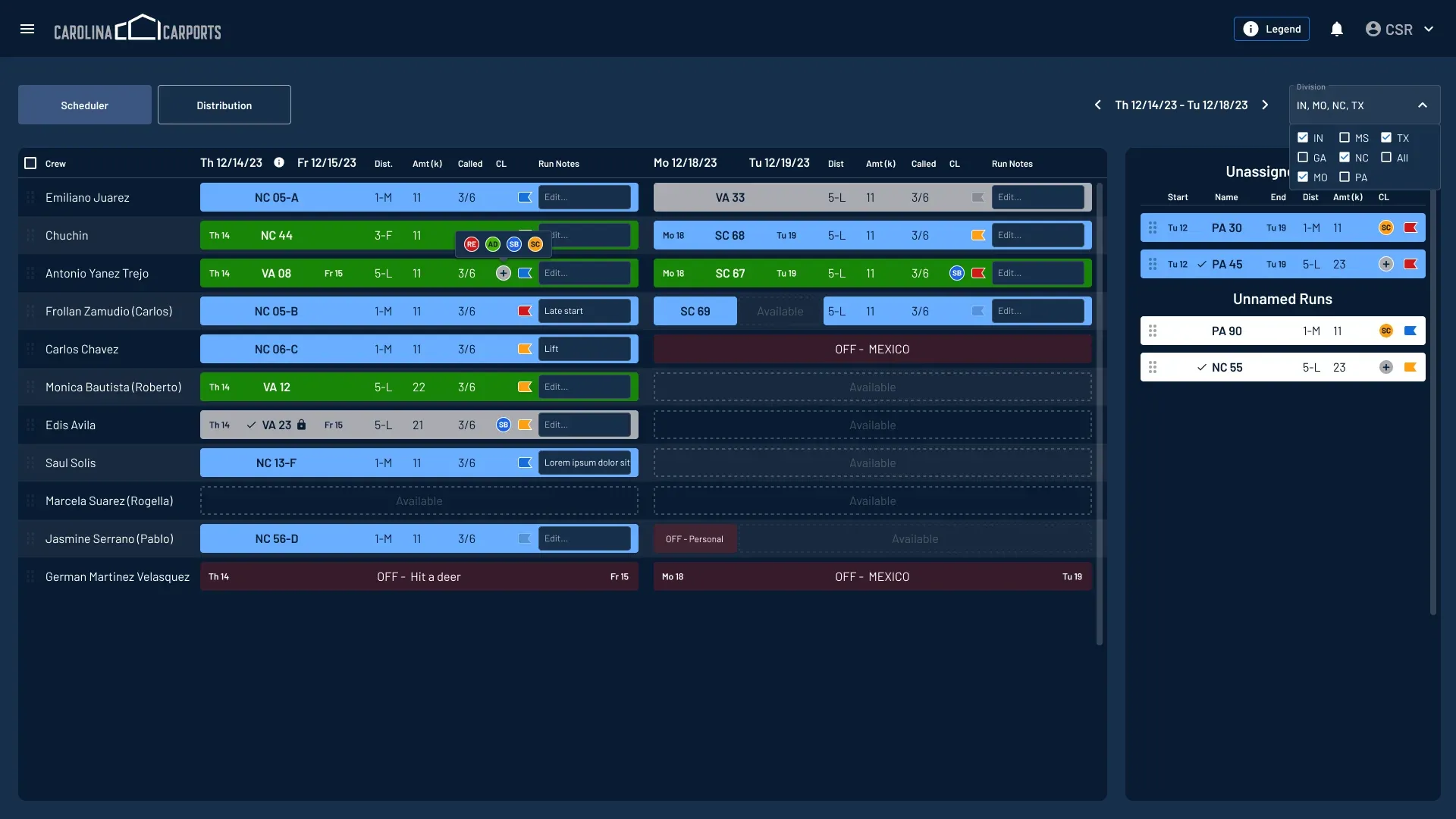
Confirmed orders are pulled into runs and placed on a calendar of crews.
- Run creation — after an order is confirmed, the system helps create installation runs, grouping nearby orders for efficient scheduling.
- Installer management — assign specific tasks and installations to available crews, ensuring optimal use of labor and minimizing downtime.
- Unassignation — remove crews from their tasks, create OFF-dates, reassign to another installer.
Administrative tools
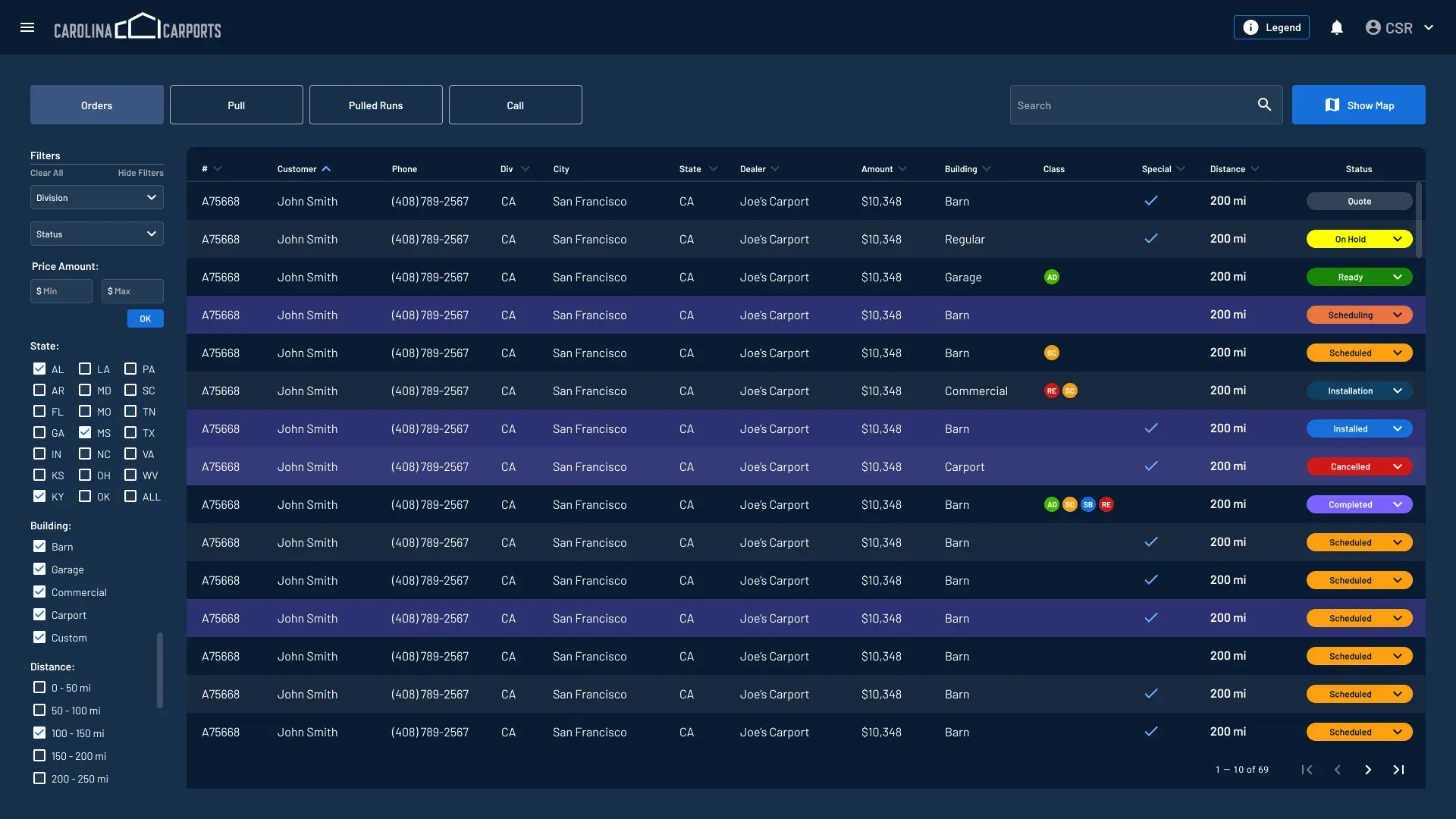
Everything that keeps the system running sits behind the same navigation.
- Inventory management — tracks materials and inventory levels, automatically updating as orders are placed and fulfilled.
- User management — controls access and permissions for staff, ensuring that sensitive information is only available to authorized personnel.
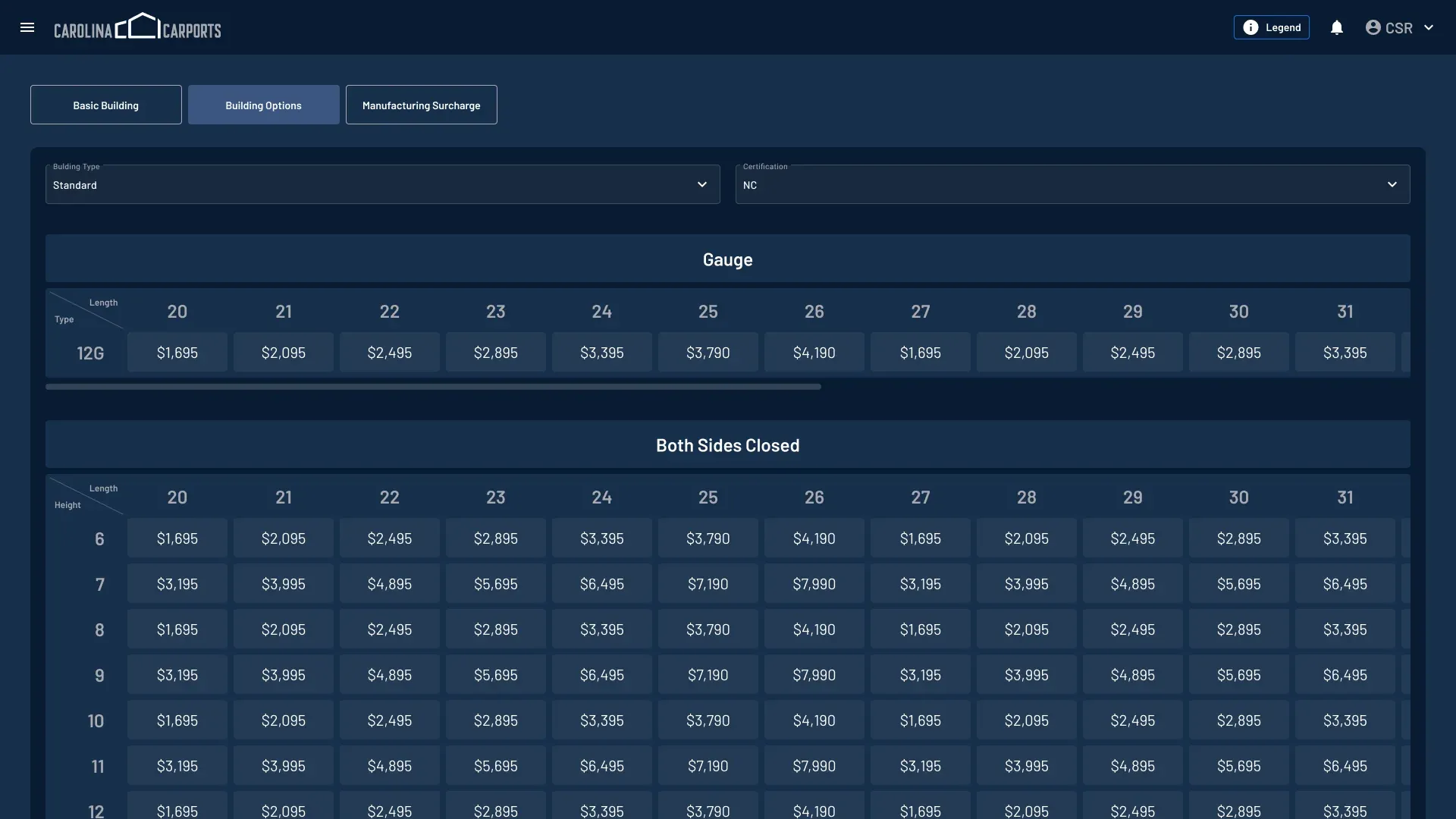
- Pricing management — allows to set, adjust and manage building options, discounts and manufacturing surcharge, ensuring accurate and competitive quotes for clients.
Results
One platform for the whole business
- Efficiency — streamlines the design-to-installation process, reducing lead times and increasing productivity.
- Customer satisfaction — enhances customer experience with real-time updates and a user-friendly interface.
- Cost savings — optimizes resource allocation and reduces travel time for installation crews.
- Scalability — supports businesses of all sizes, from small retailers to large manufacturers.
CCI ERP is designed to be a robust solution, addressing the needs of the carport industry by integrating design, sales and installation management into a single, cohesive platform.