Case study 01 · LinkHMS · HealthTech
A hospital management system light enough for small clinics
LinkHMS is a cloud platform for hospitals and clinics in Central Africa. Most hospital systems are heavy, outdated and built for large institutions — I designed one that a single doctor can run alone, with every feature, and a whole clinic team can share — set up and in use from day one.
- Role
- UX/UI Designer
- Timeline
- 30 months, 2024–26
- Company
- Existek
- Platforms
- Web app, desktop-first
Research


Problem
Hospital software ignores the small clinic
Most HMS products are heavy, dated and aimed at large hospitals. Smaller clinics and solo practitioners are left juggling paper records and slow tools that were never meant for them.
Research
What makes a hospital system work
I surveyed 12 healthcare professionals, interviewed 5 of them and analysed 4 competing products to understand how they manage patients, scheduling and communication.
- Clinicians juggle several systems for records, appointments and communication.
- Staff value being able to tailor patient records and scheduling to their own workflow.
- Existing tools feel outdated, hard to use and unreliable.
- A clear dashboard for scheduling and patients is essential for quick decisions.
The old software we’re using is extremely slow and clunky. It takes forever to update patient records or schedule appointments, and half the time, the system crashes.
Abdoulaye B., Doctor
Handwritten records make managing appointments difficult and time-consuming. A modern system would save time and prevent mistakes.
Priya S., Administrative Assistant
I grouped the findings in an affinity diagram, graded features by importance and built a persona — Kwame, a physical therapist working across several public and private clinics — to test every decision against.
Meet Kwame, the primary user
- Name
- Kwame, 36
- Occupation
- Physical therapist
- Location
- Central Africa
- Archetype
- The Efficient Caregiver
- Environment
- Multiple public and private clinics
- Tech
- 100% desktop
“Managing patient records and appointments was a constant struggle with slow software and endless paperwork. It took time away from patient care.”
Goals
- Faster access to medical records.
- Streamlined appointment scheduling.
- Less administrative workload.
- Better communication with other staff.
Frustrations
- Outdated systems that delay access to patient data.
- Difficulty managing large volumes of paperwork.
- Lack of integration between different departments.
Personality
- Conscientious and reliable.
- Organized and open-minded.
- Empathetic and adaptable.
Process
From sketches to a tested flow
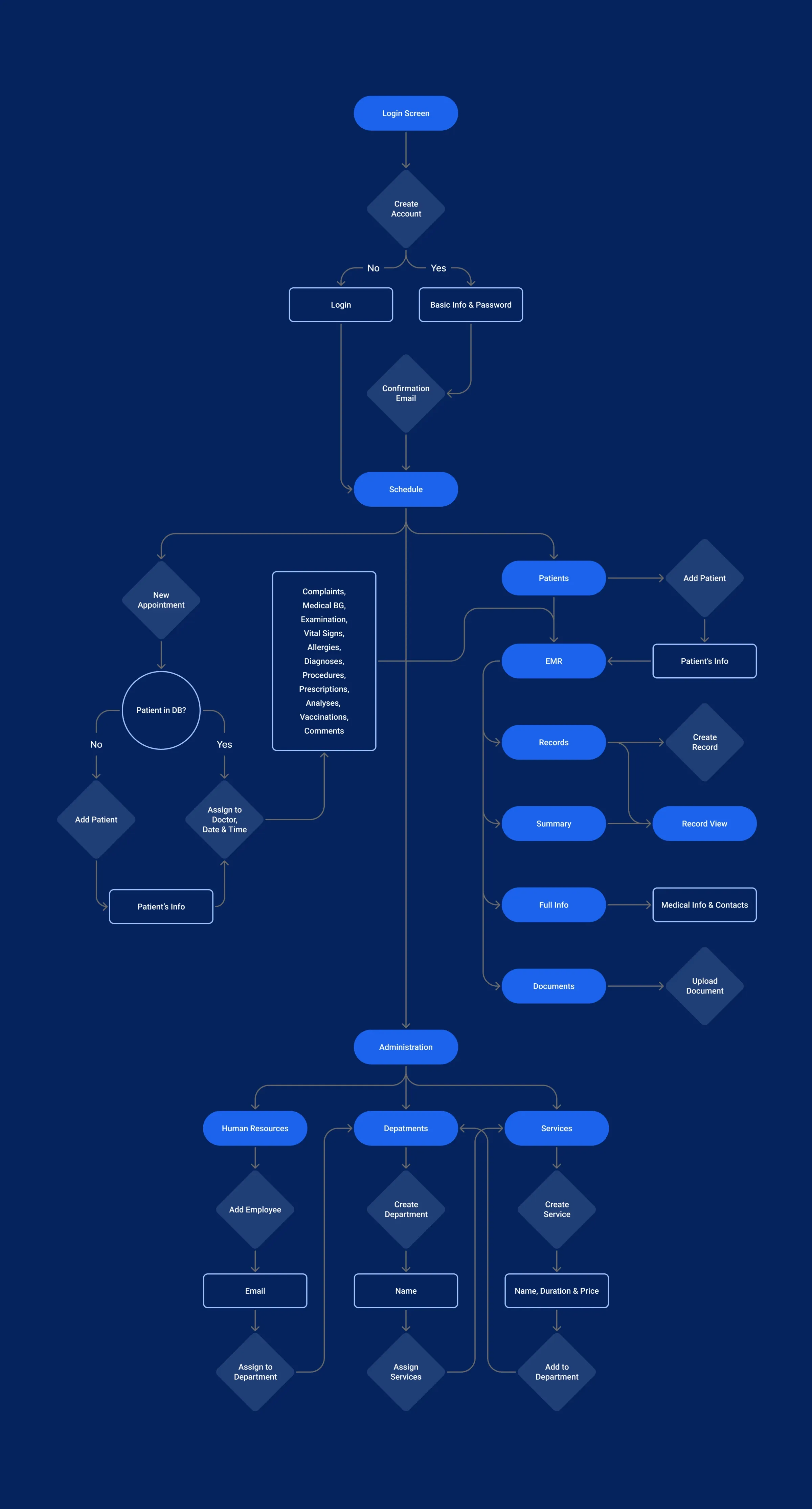
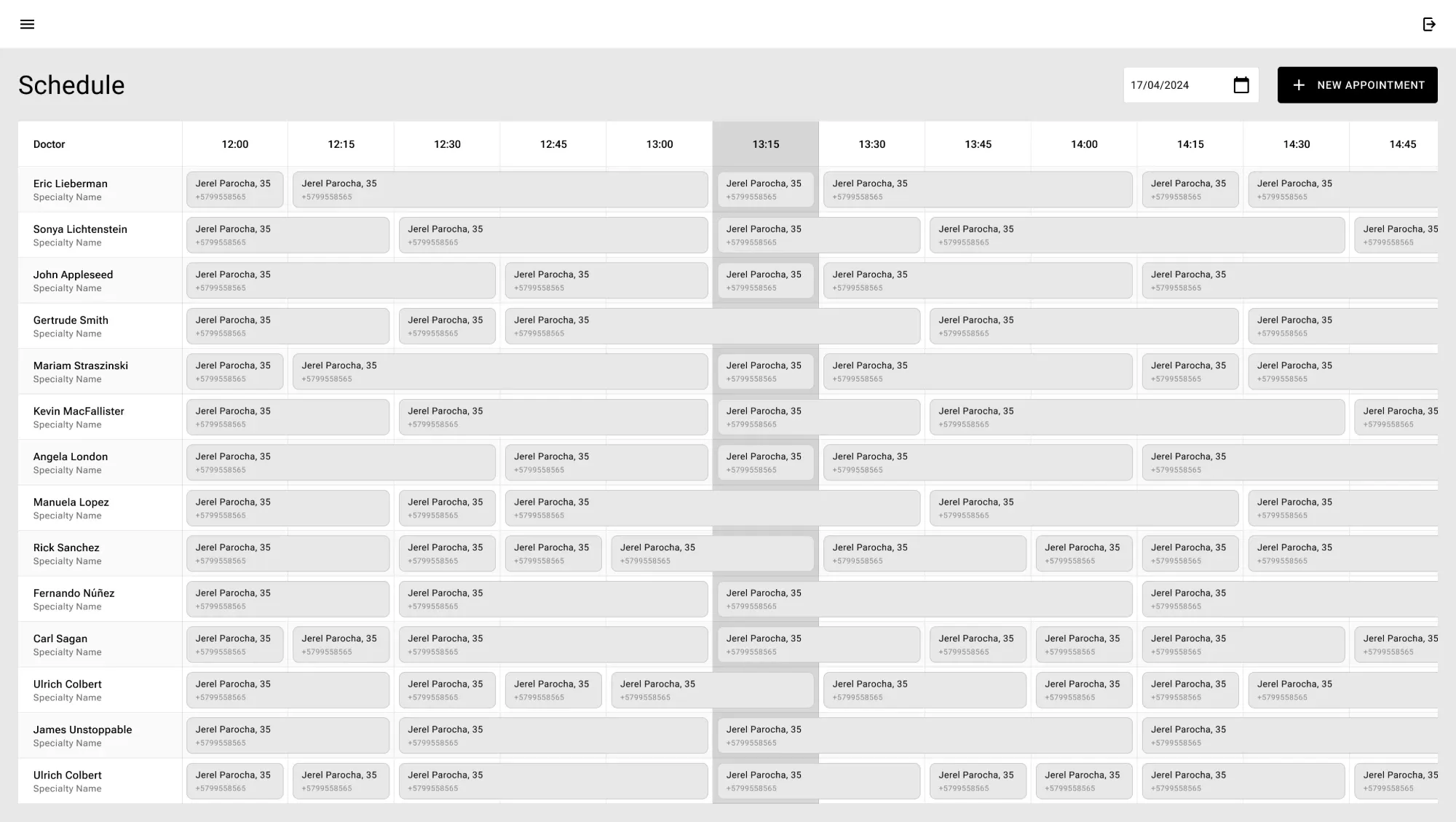
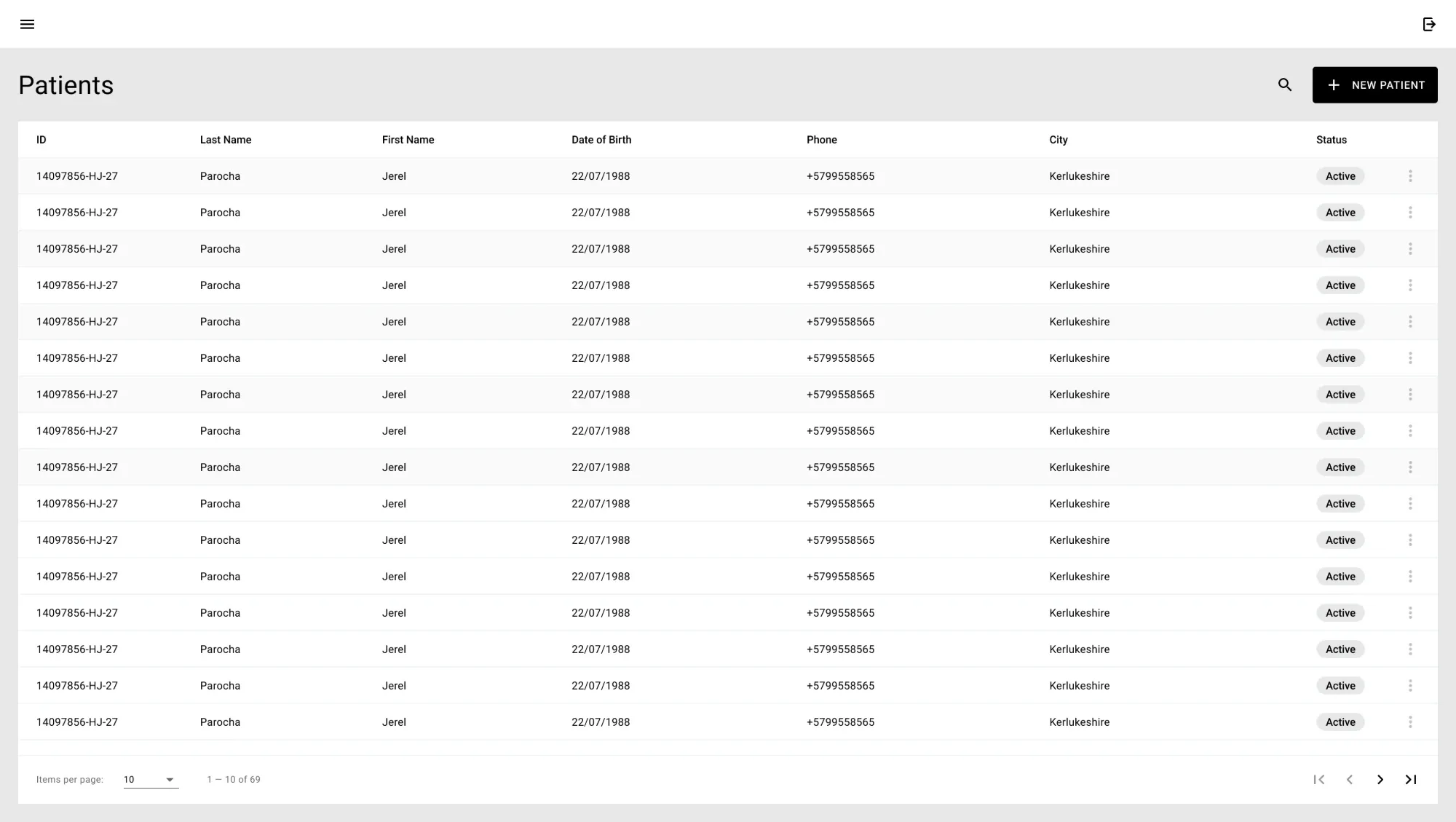
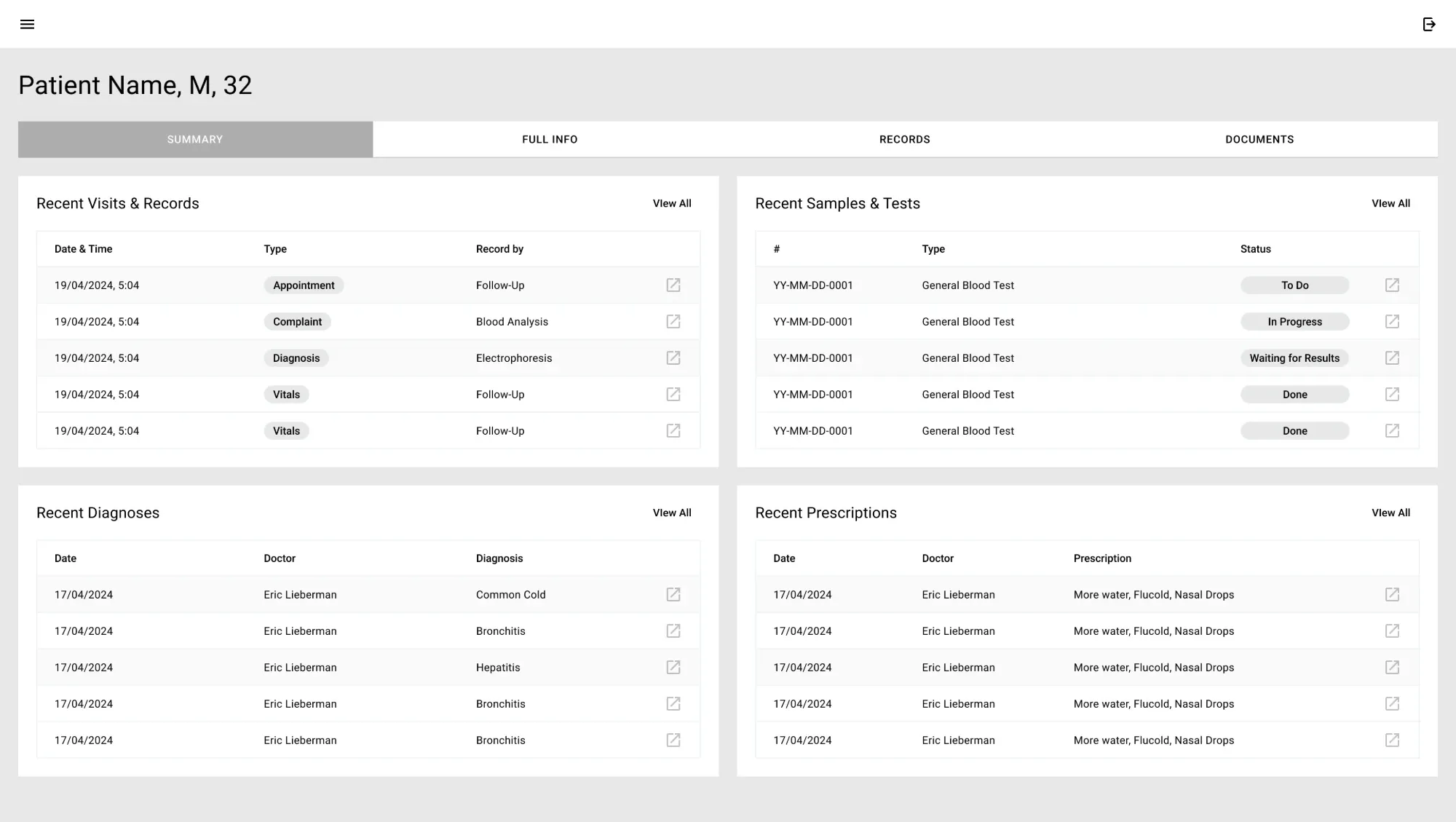
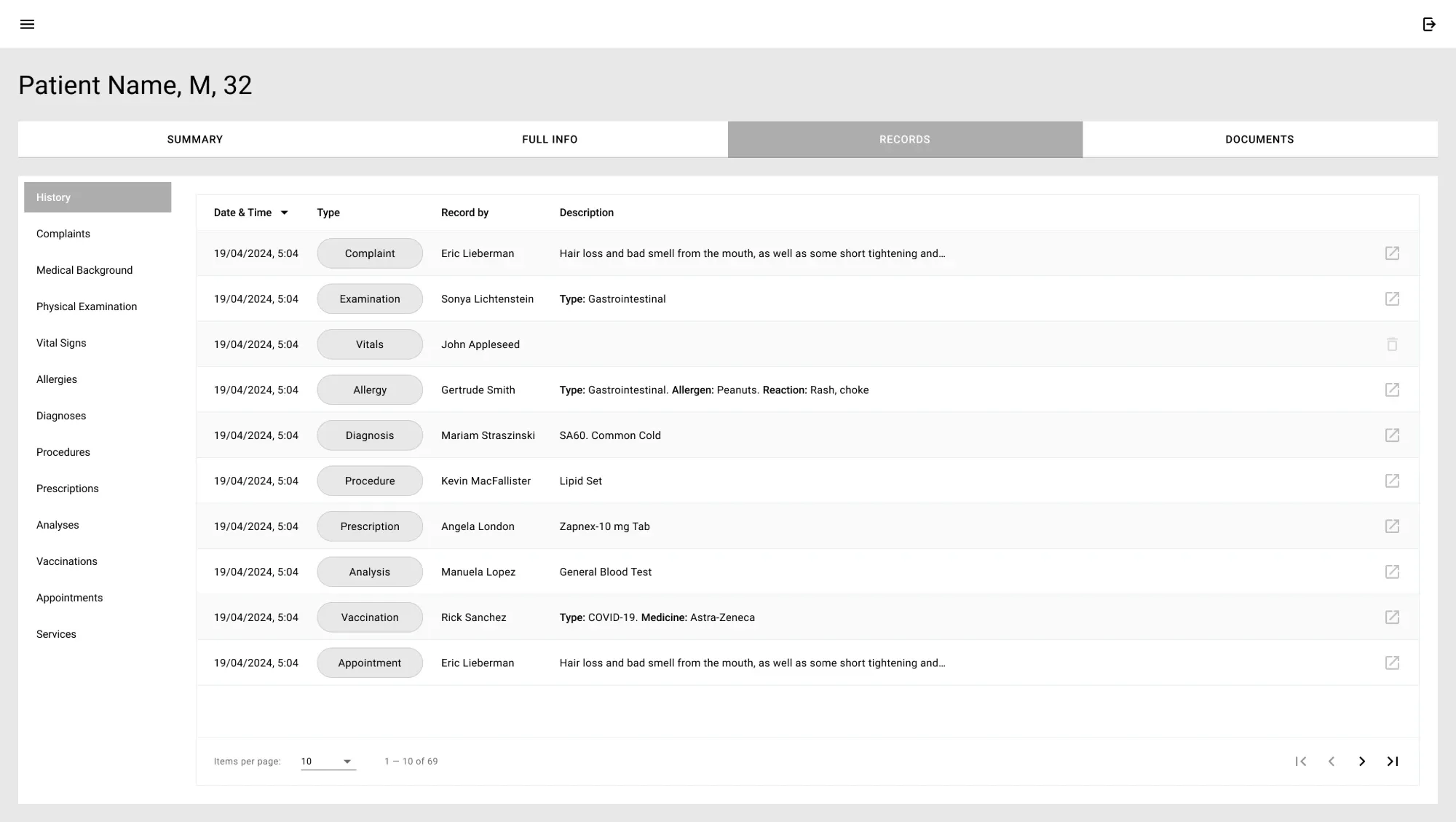
I started with hand-drawn sketches to decide what each screen needed, then mapped the user flow and built a low-fidelity prototype in Figma. A usability study showed where the task flow broke down; a second round confirmed the fixes before any high-fidelity work.
Scope
From the front desk to the finance office
LinkHMS covers a clinic’s whole day. Before the flows themselves, here is the look and the building blocks every screen shares.
Visual identity
Calm, clinical, recognisable
With that much to cover, the product needed a face of its own. A distinct identity set LinkHMS apart from dated competitors. The UI takes its cue from modern healthcare facilities: clean, minimal and patient-centric.
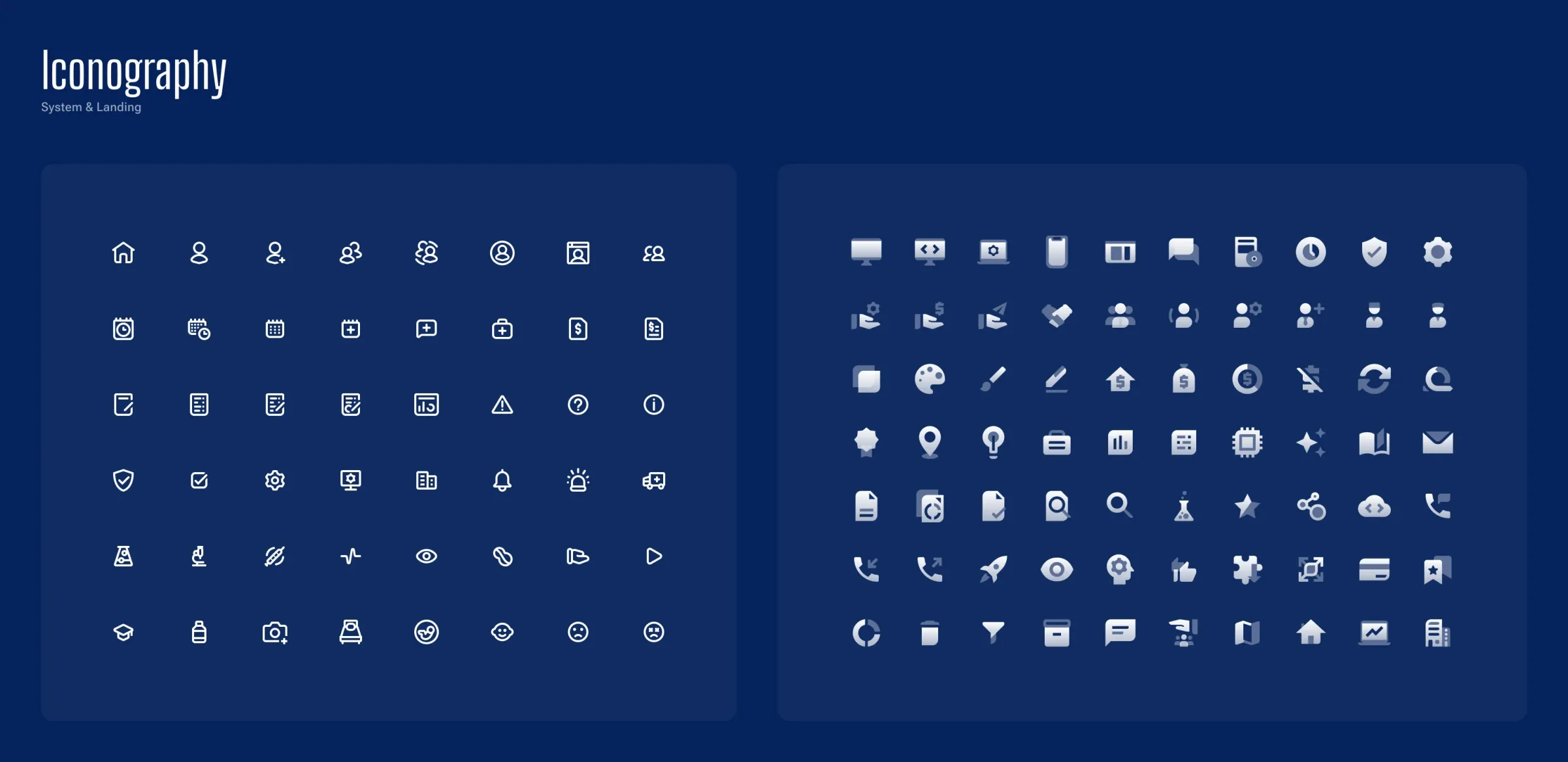
A variety of Google Icons was also used.
Design system
Small pieces, used everywhere
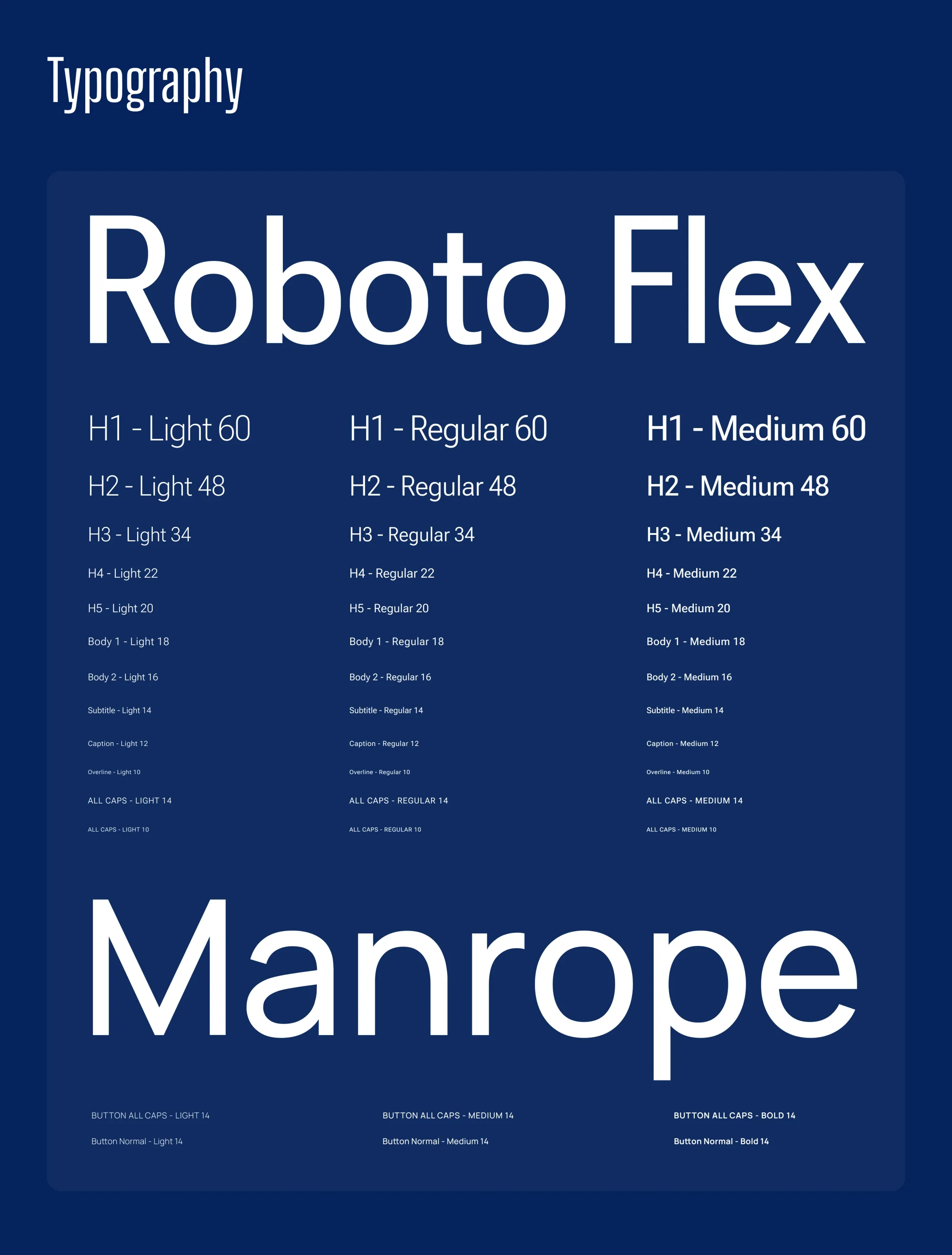
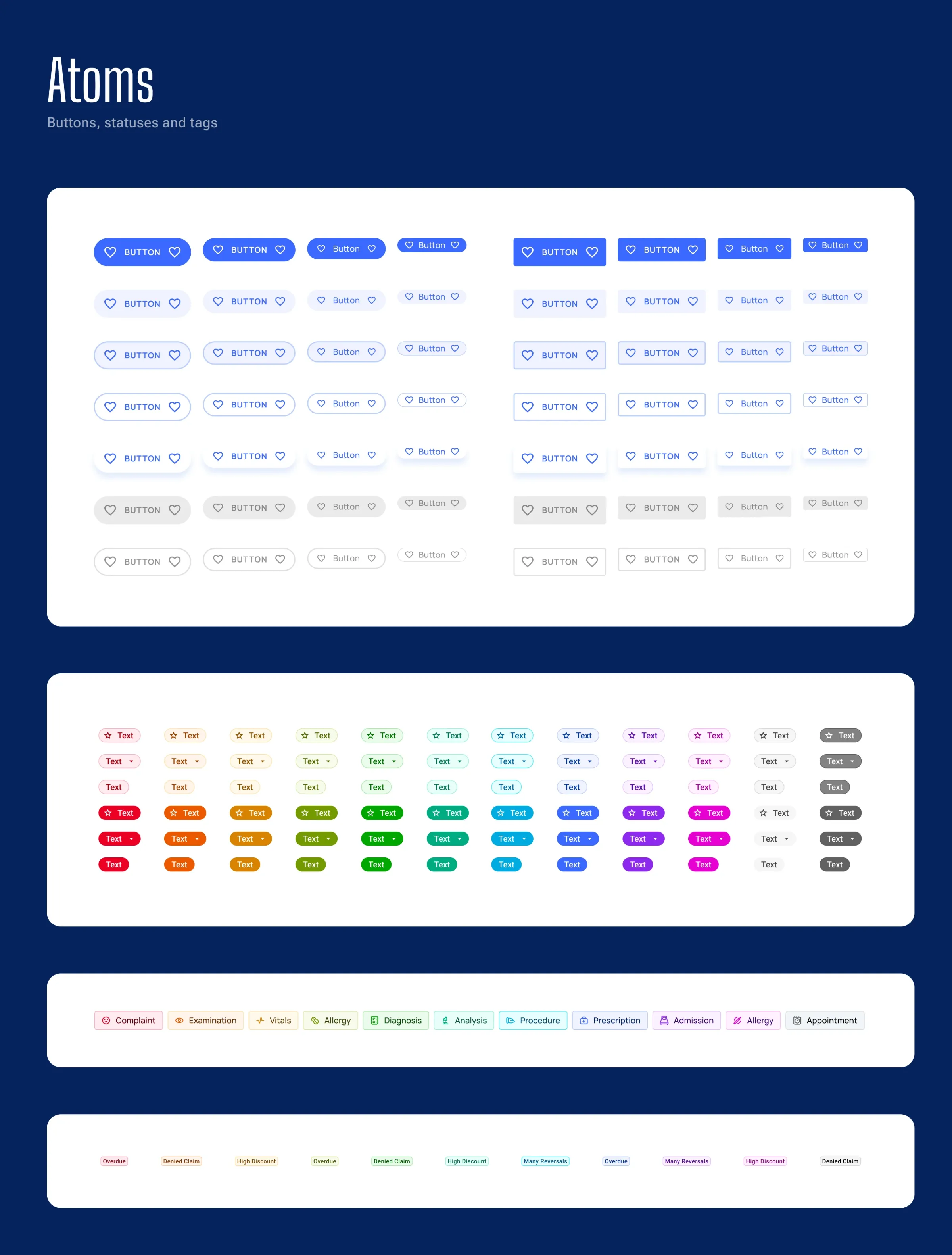
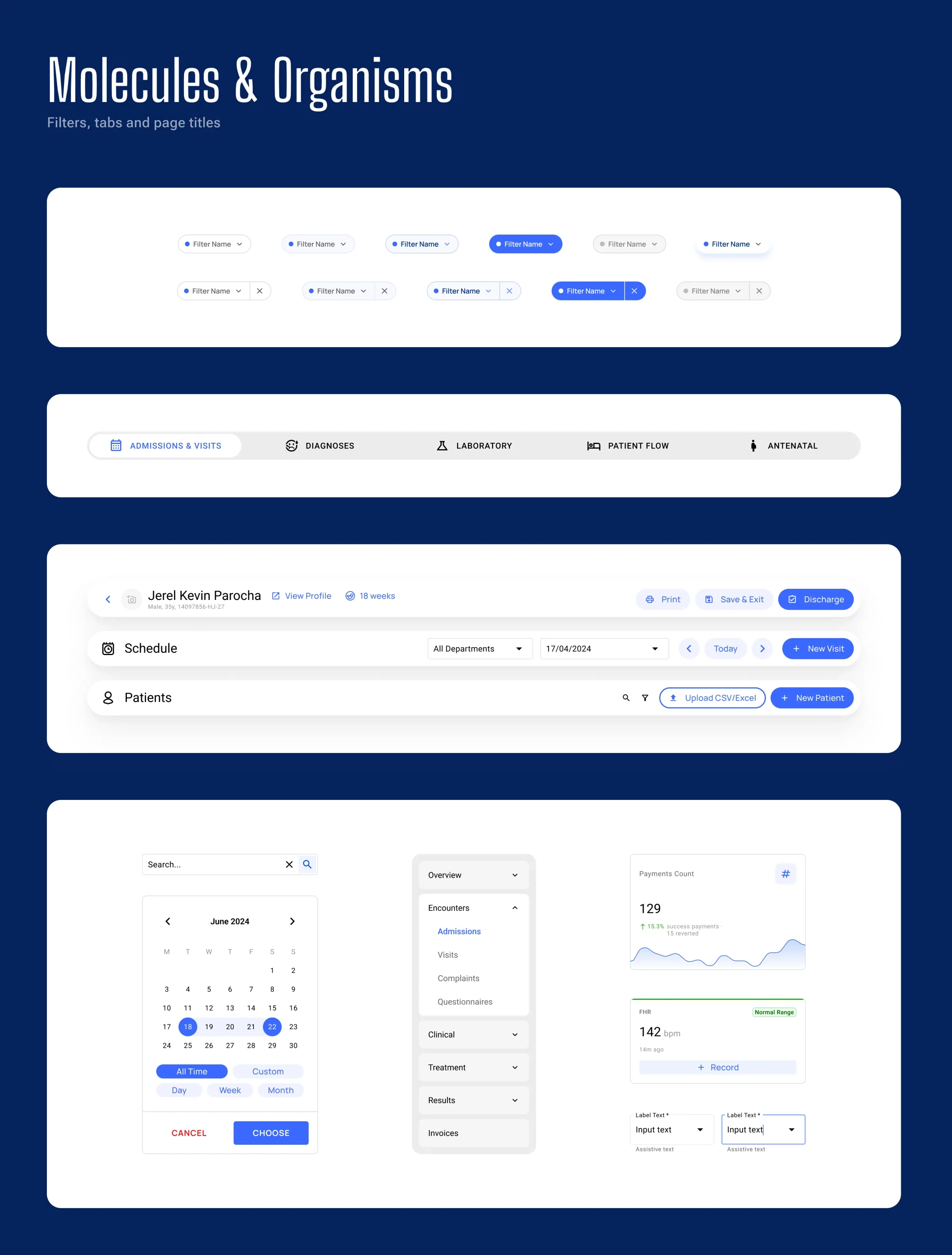
To keep the interface consistent as it grows, I defined design tokens for numeric values, colour and type, and built every component on top of them.
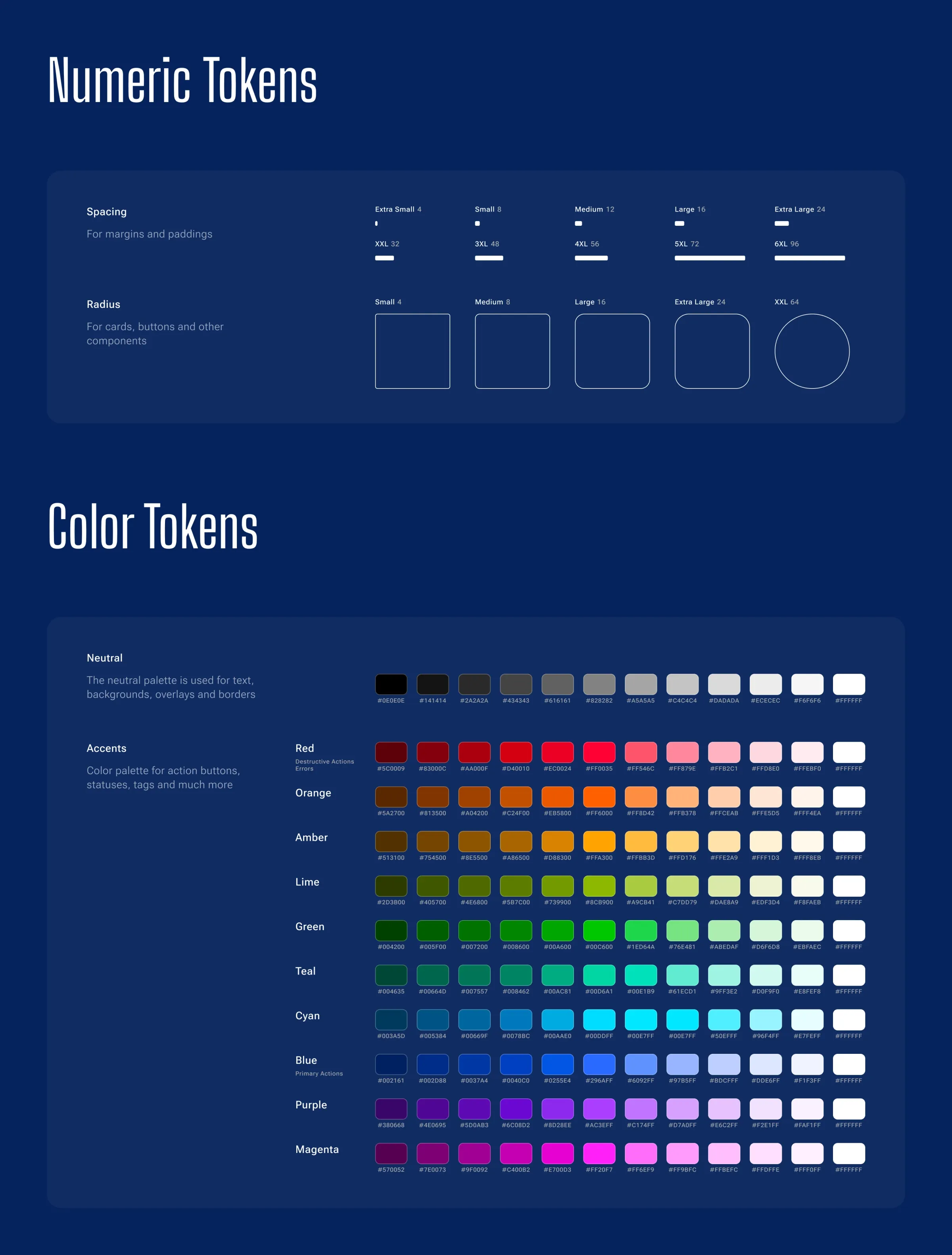
The components follow the atomic approach: small elements first, then the blocks assembled from them.
Key decisions
Nine flows that run a clinic
With the identity and the components in place, here are the flows where speed mattered most.
Set up a clinic with a guided tour
There is one LinkHMS for everyone: a doctor working alone gets every feature, and a clinic team shares the same system with roles. After sign-up, a guided tour walks through the first set-up: it creates a department, a service and a user, ticking them off in a “Let’s set up your clinic” checklist, and the home screen keeps the remaining steps in view. The tour can be skipped and restarted at any time from the menu.
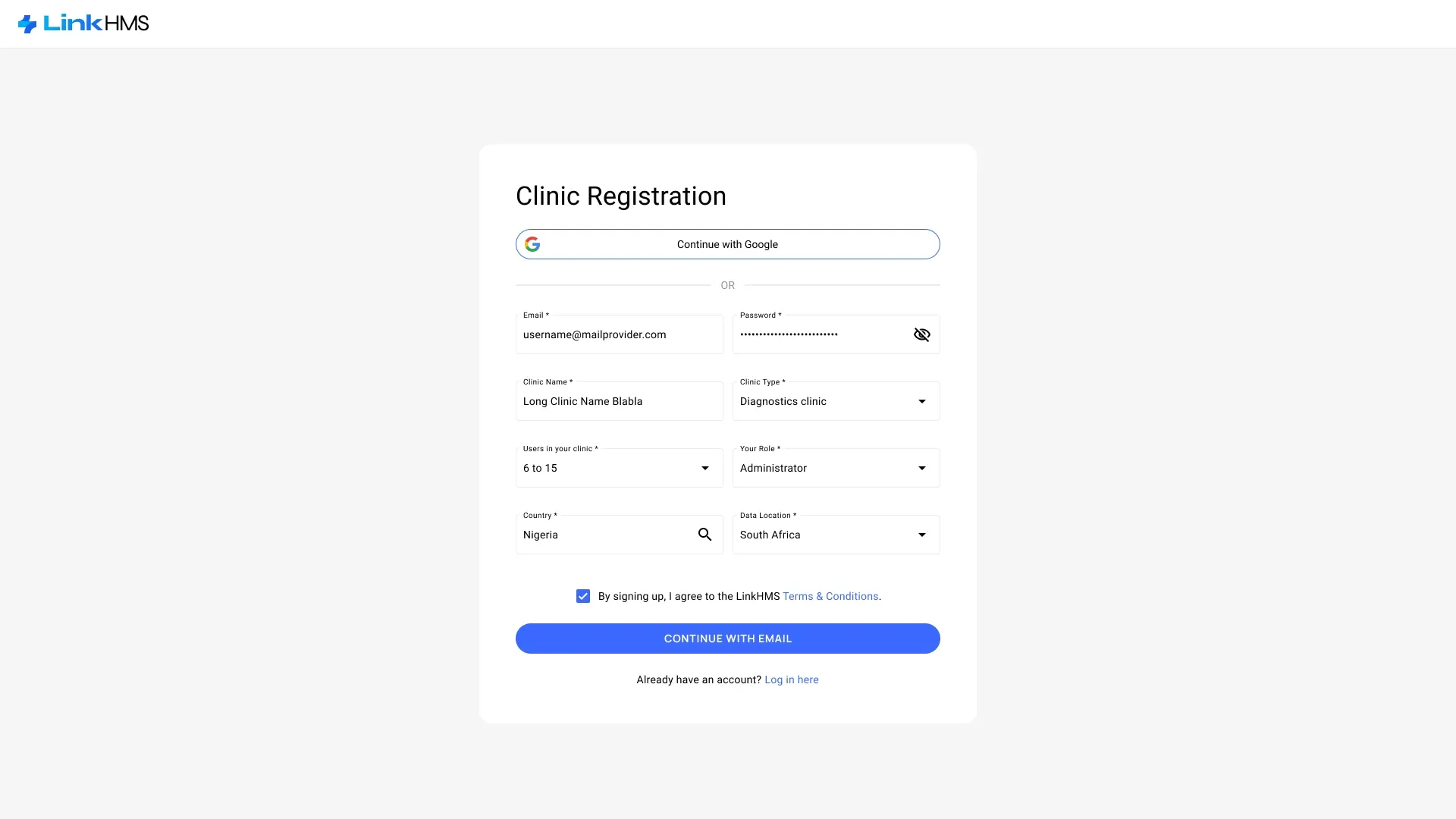
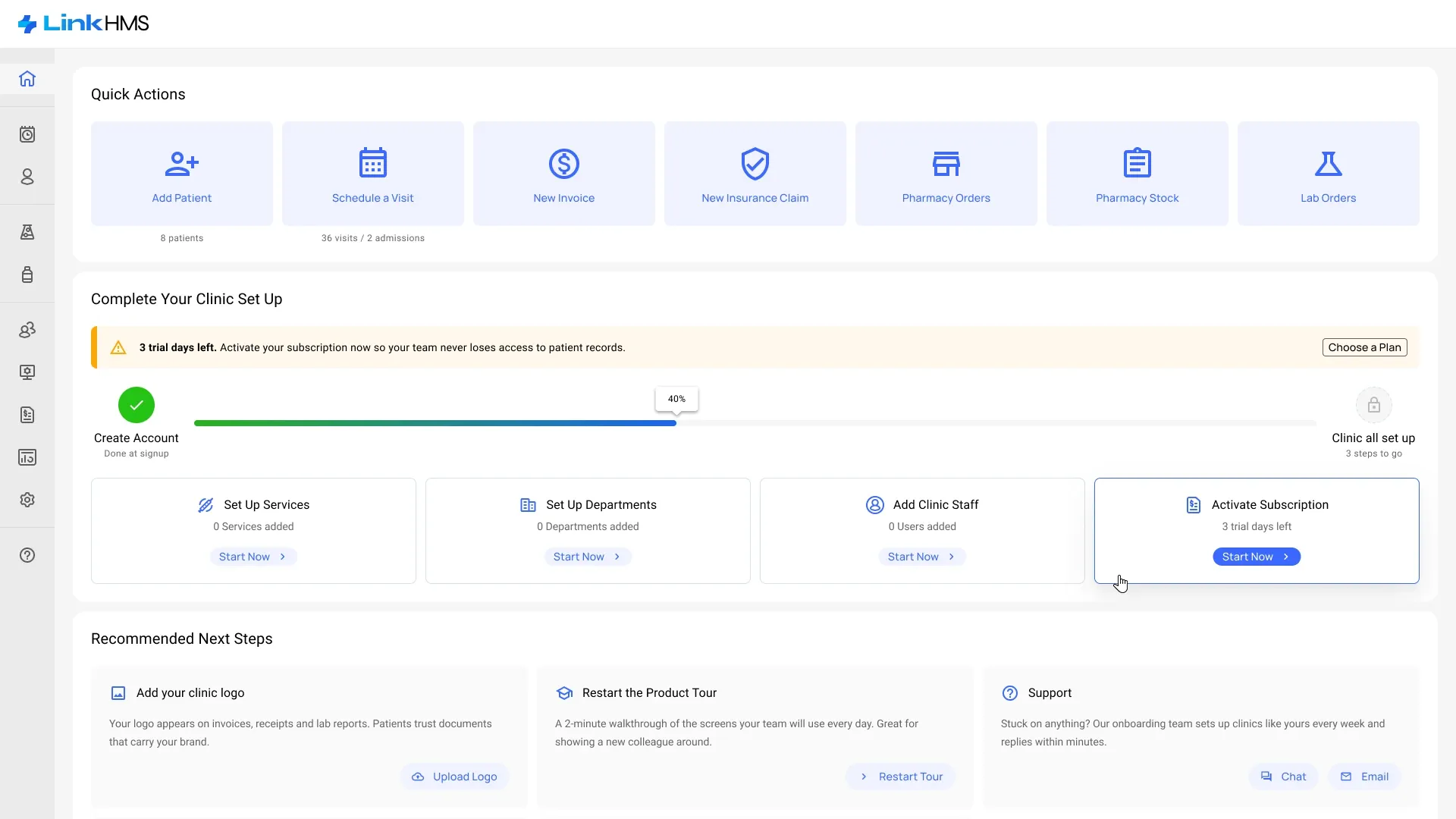
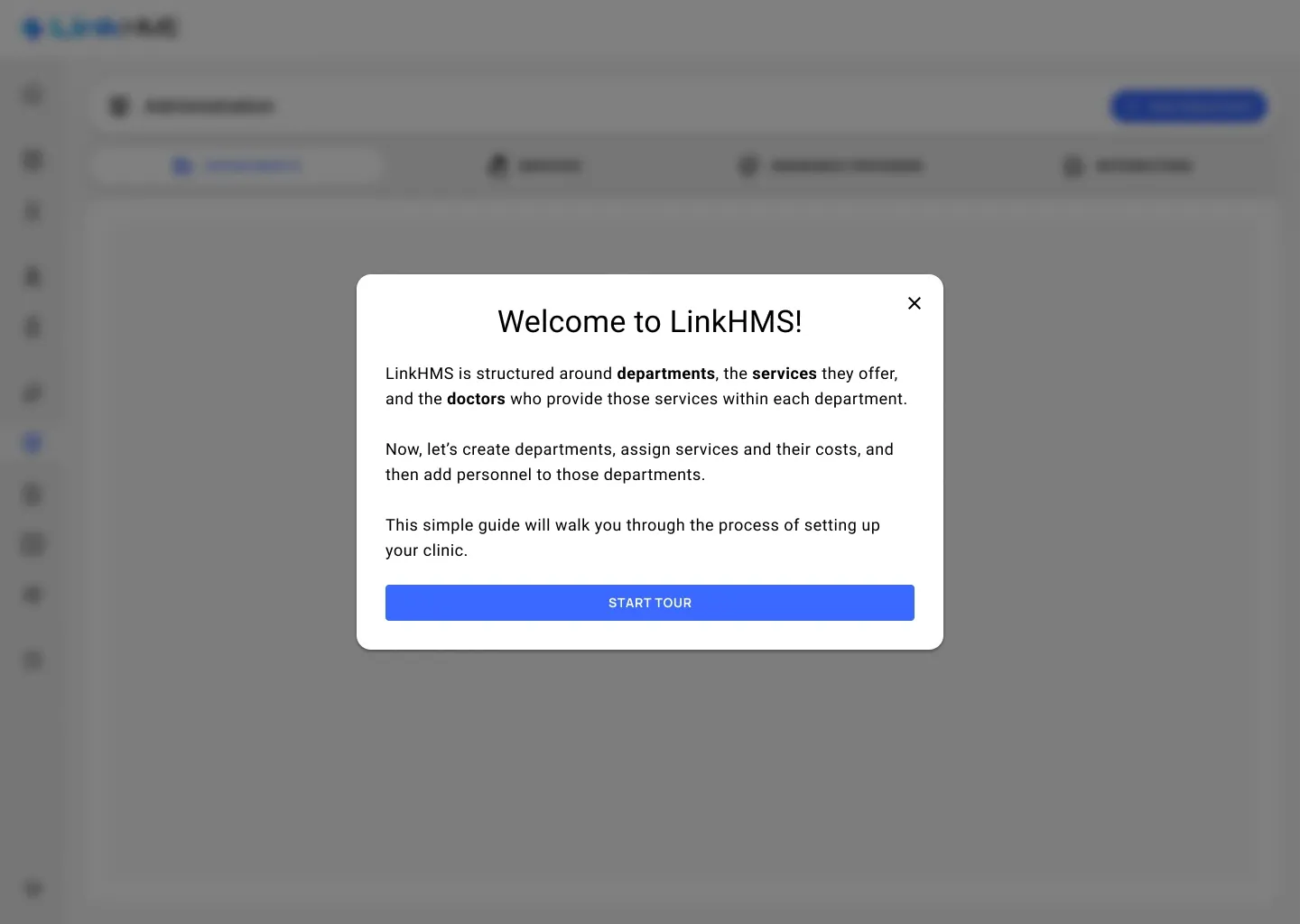
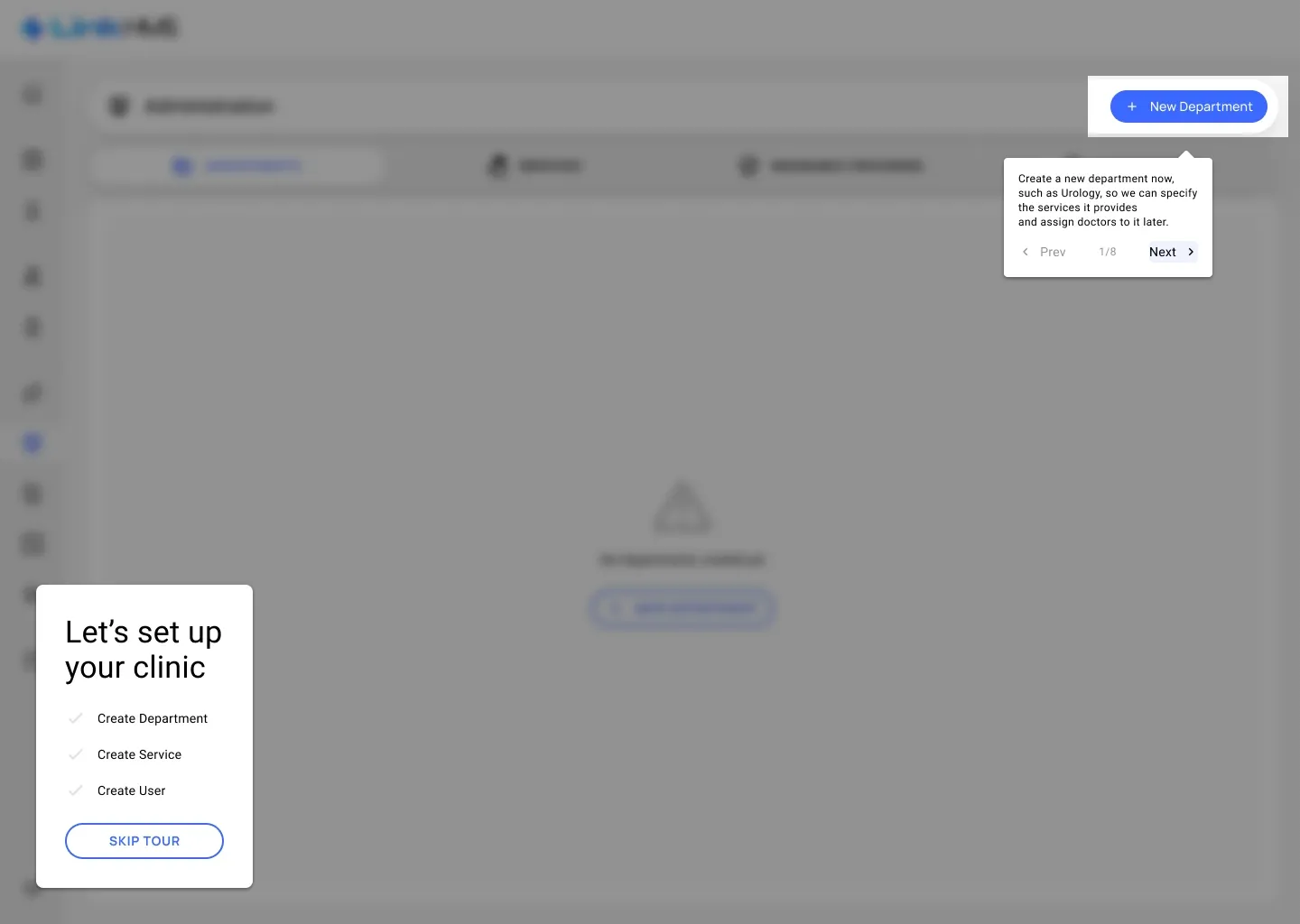
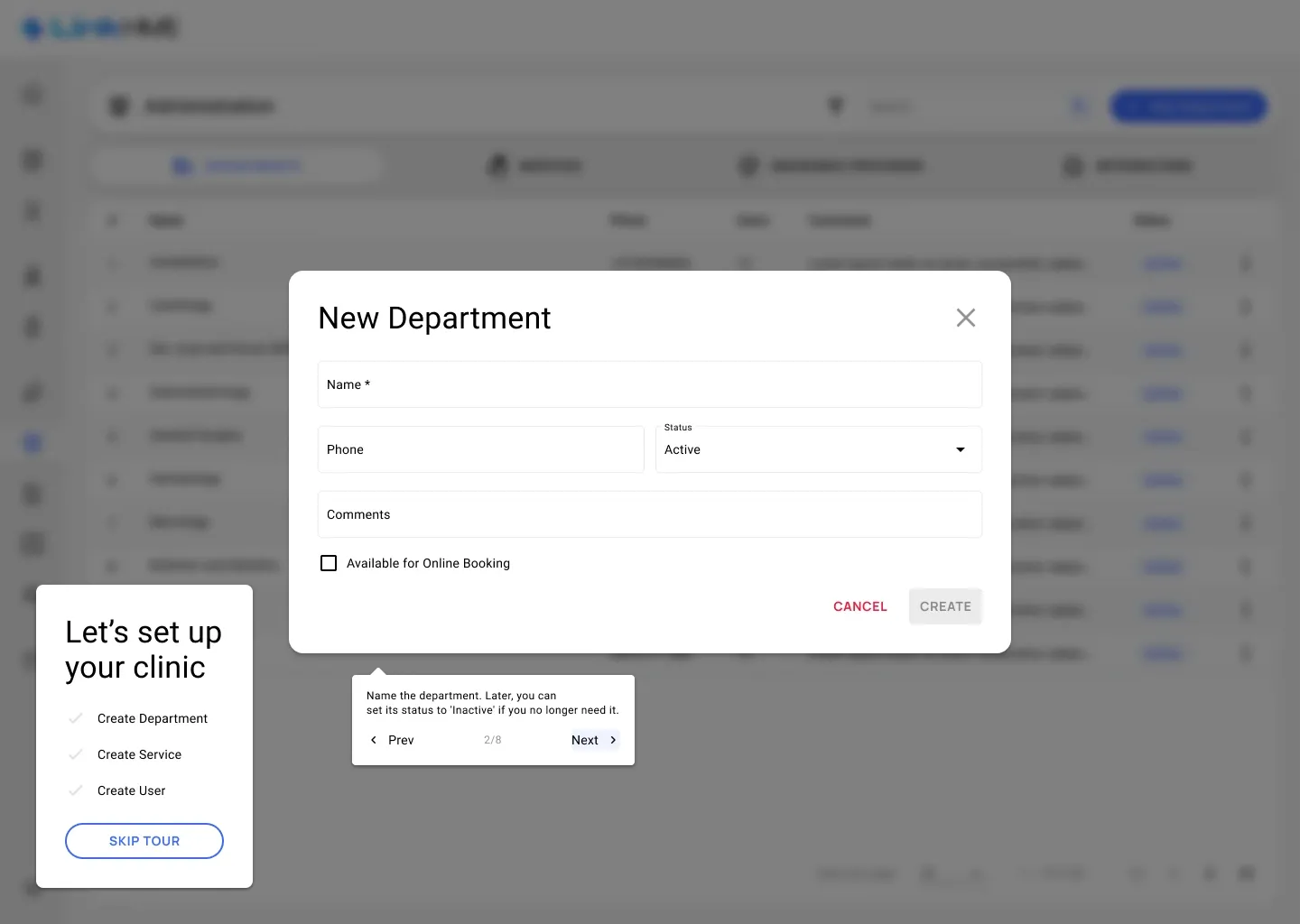
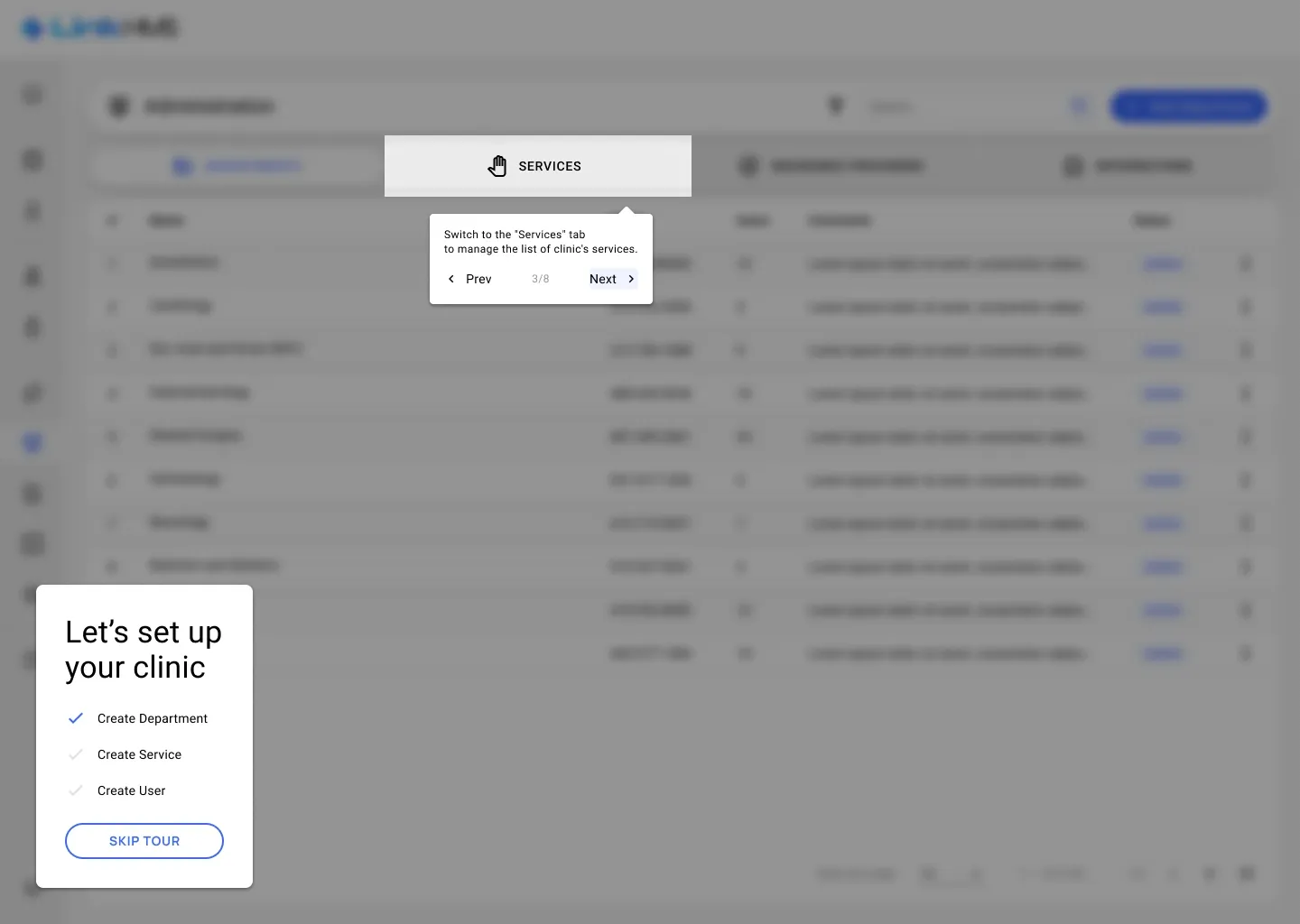
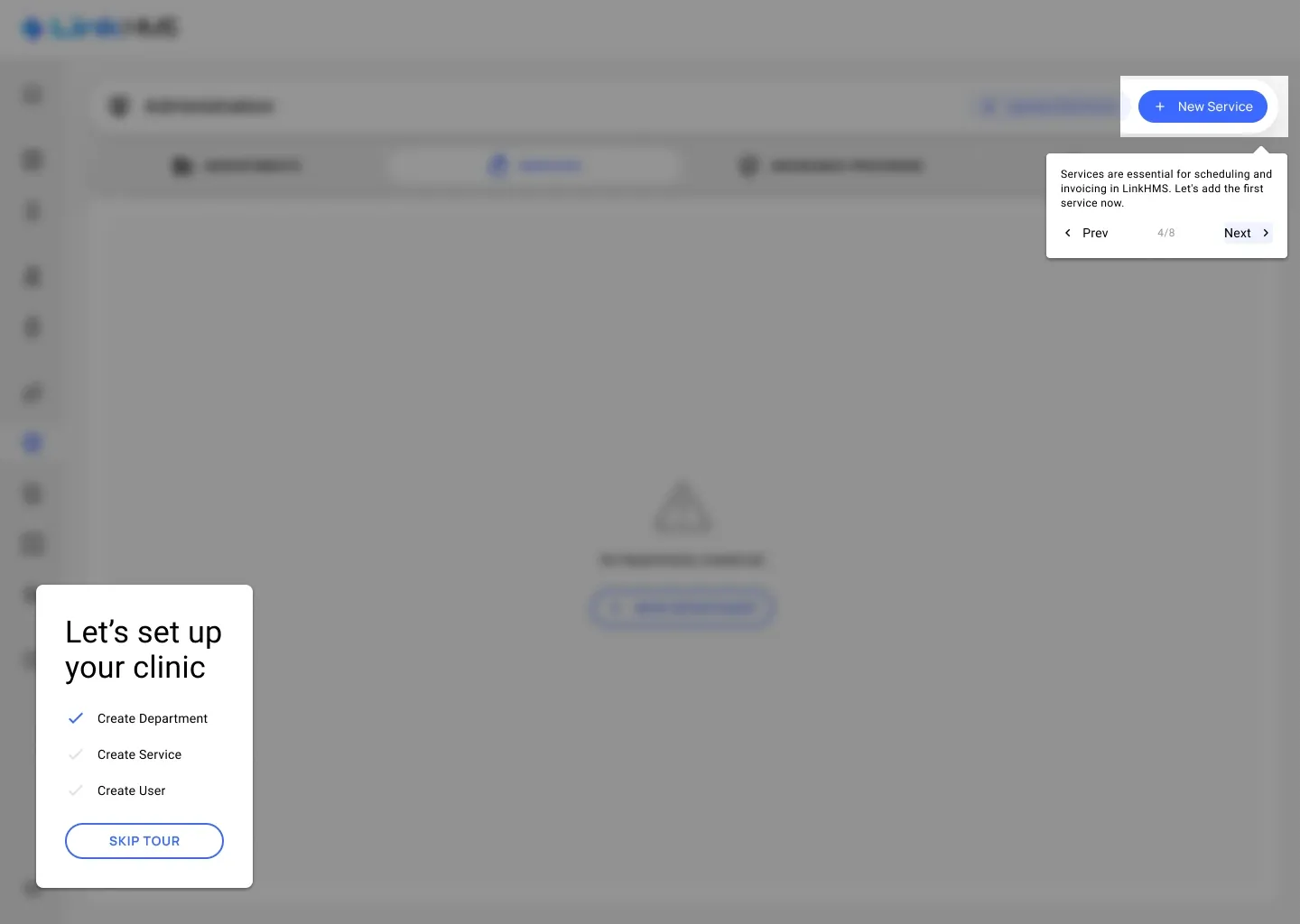
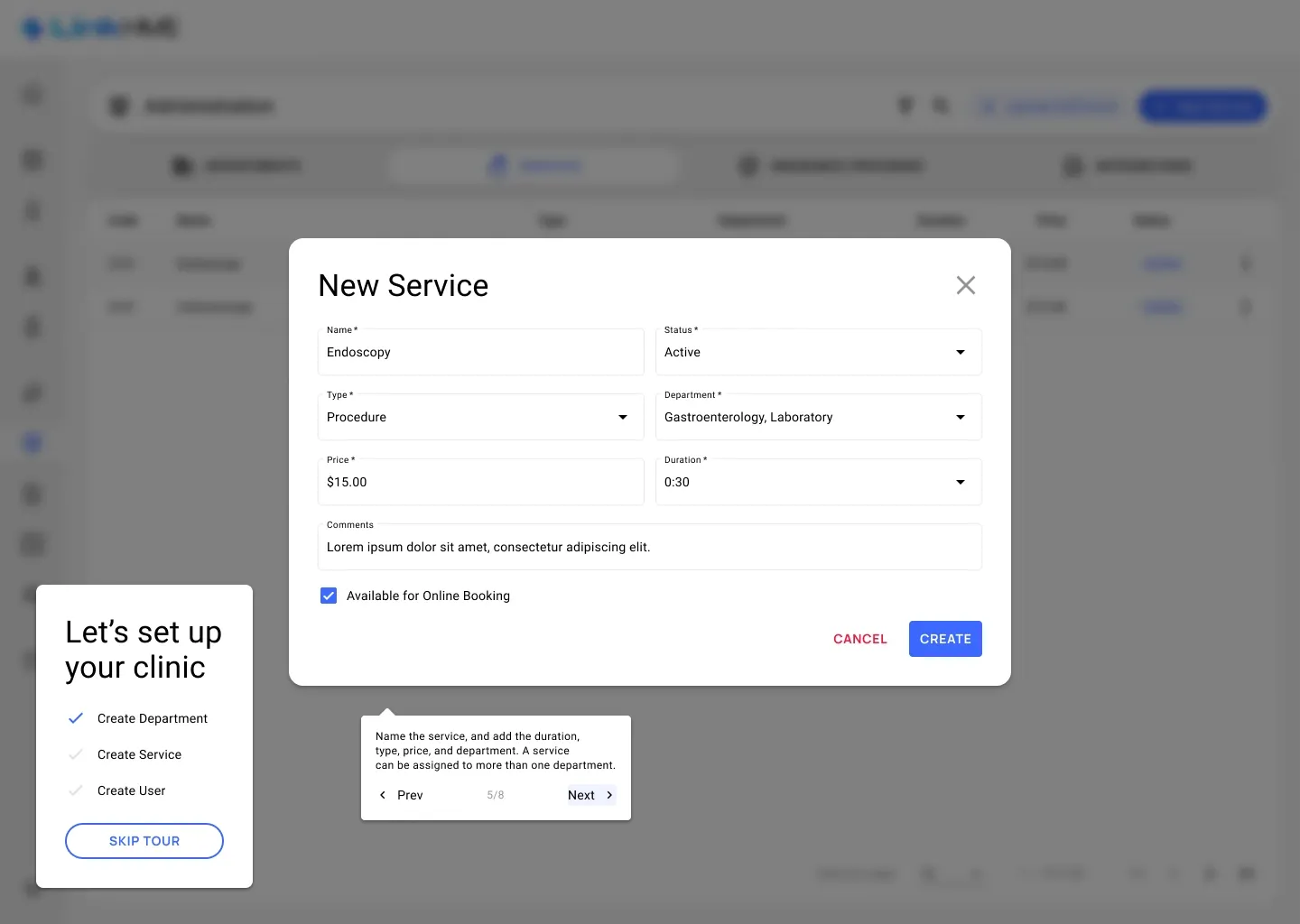
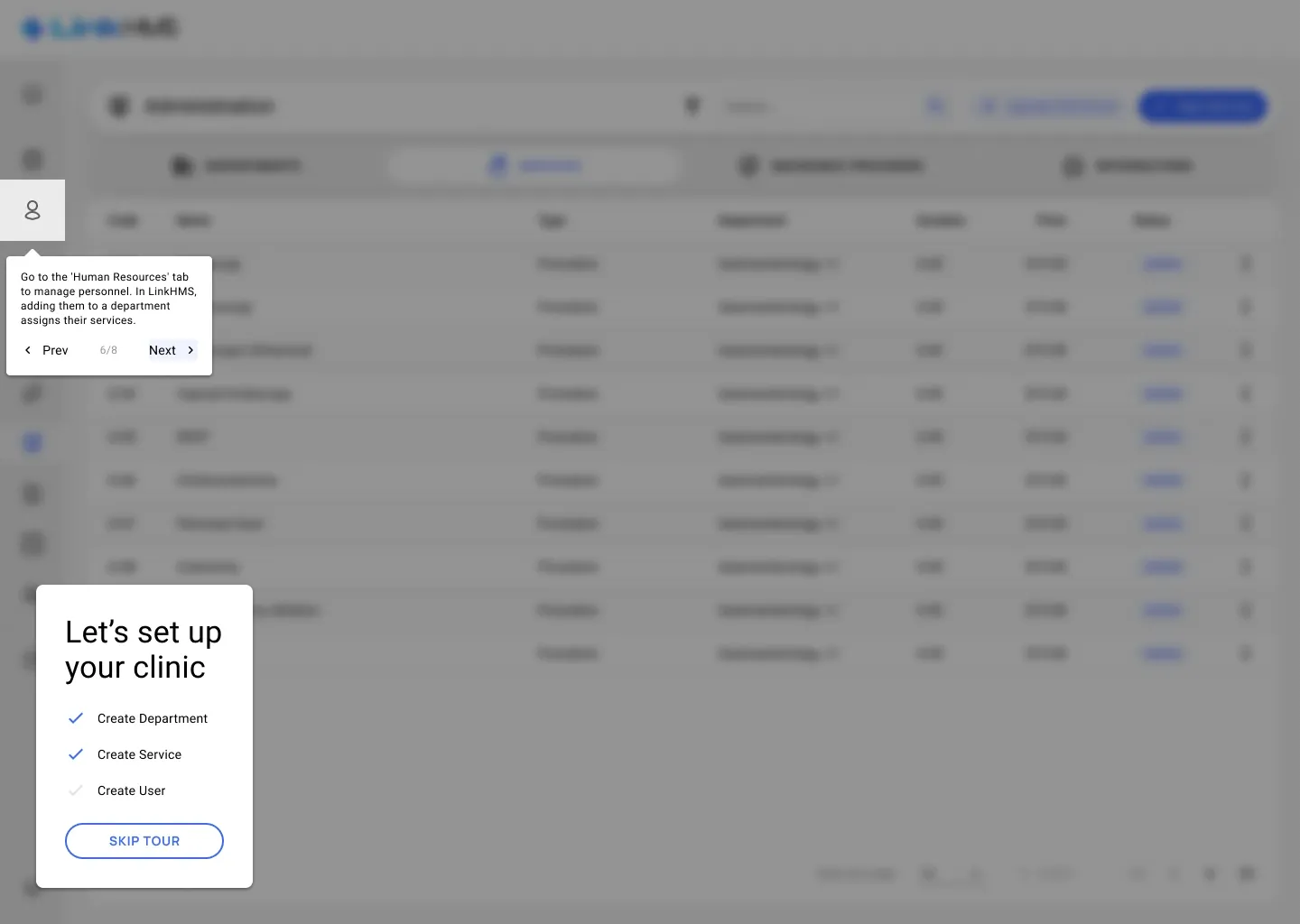
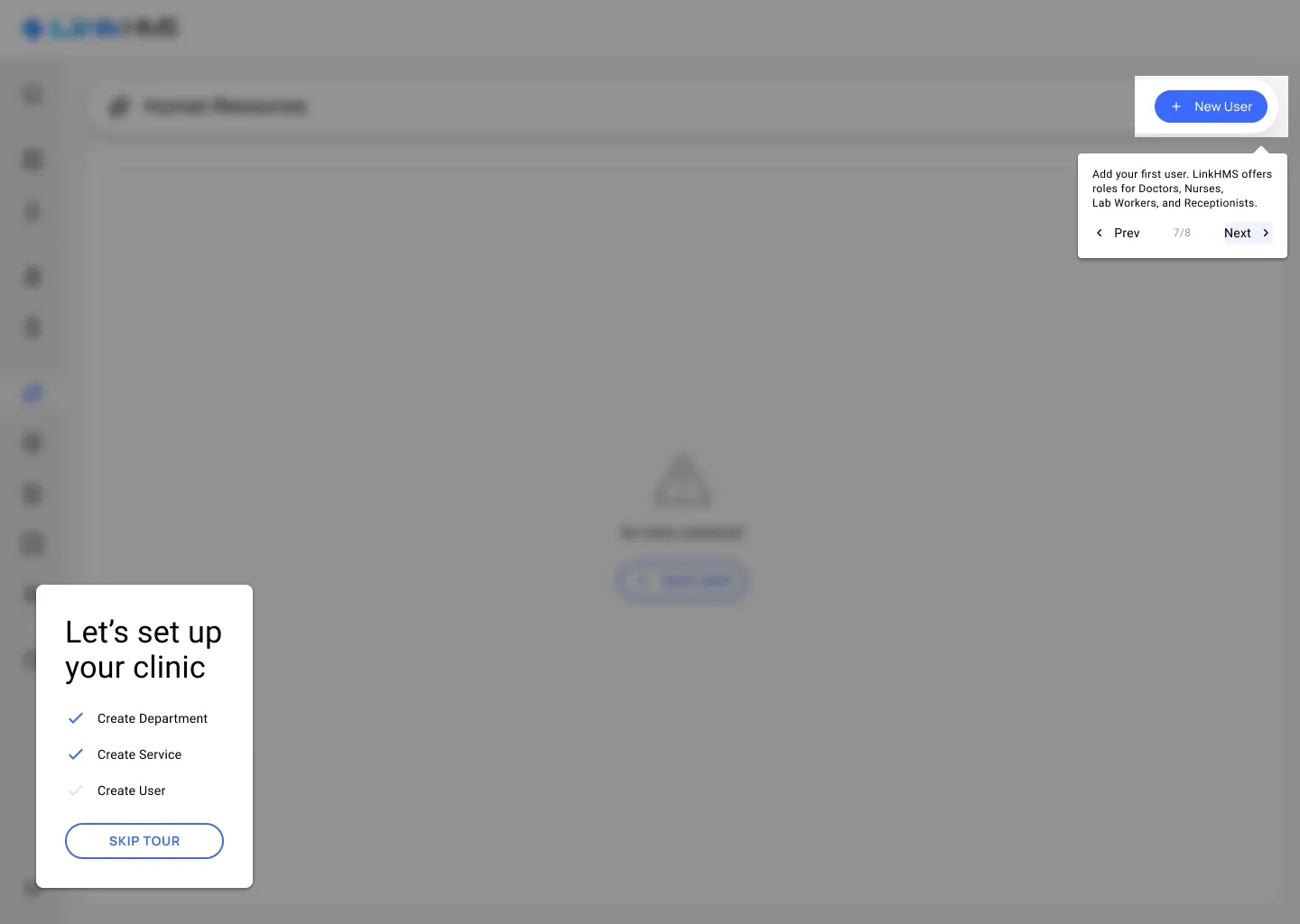
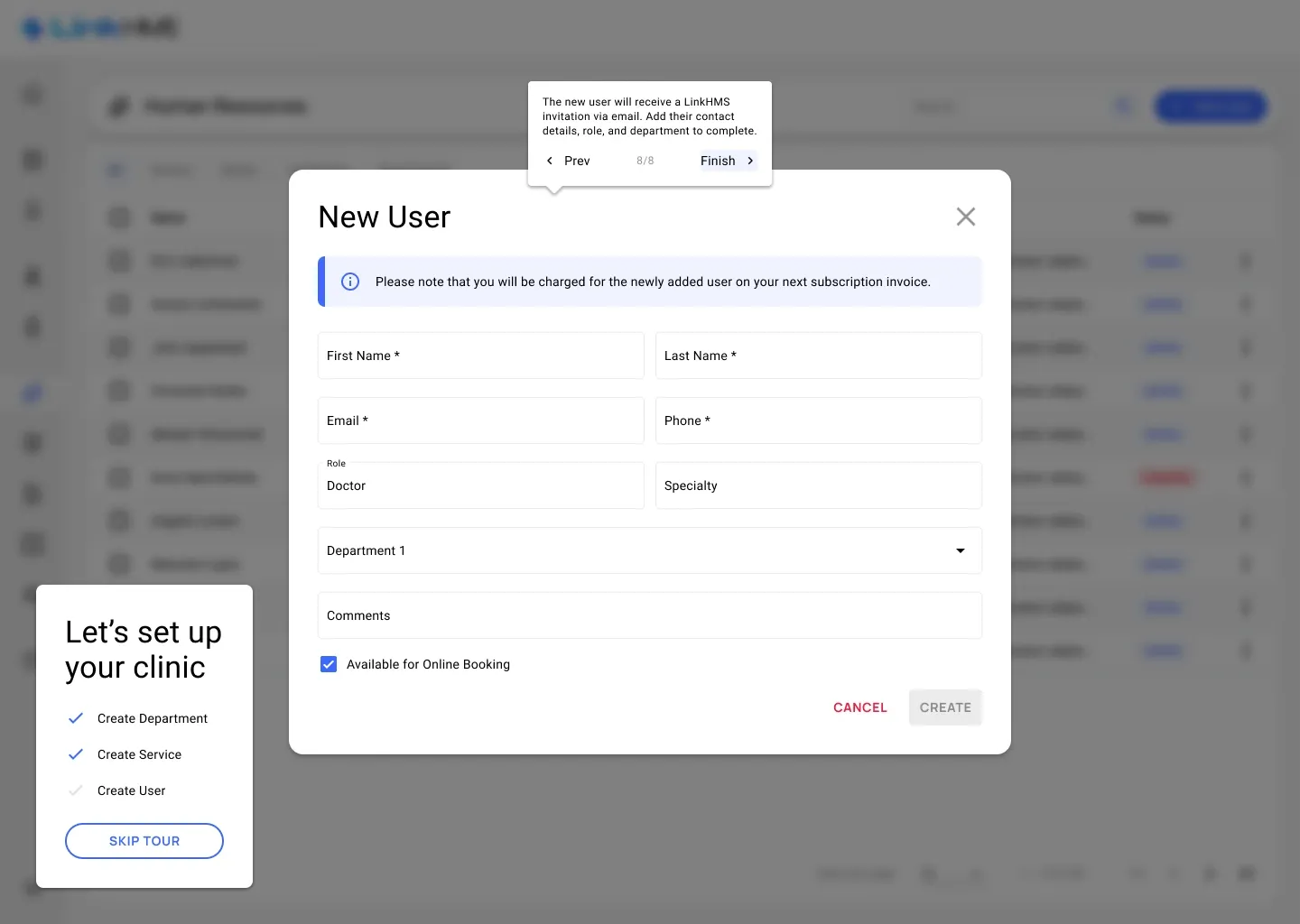
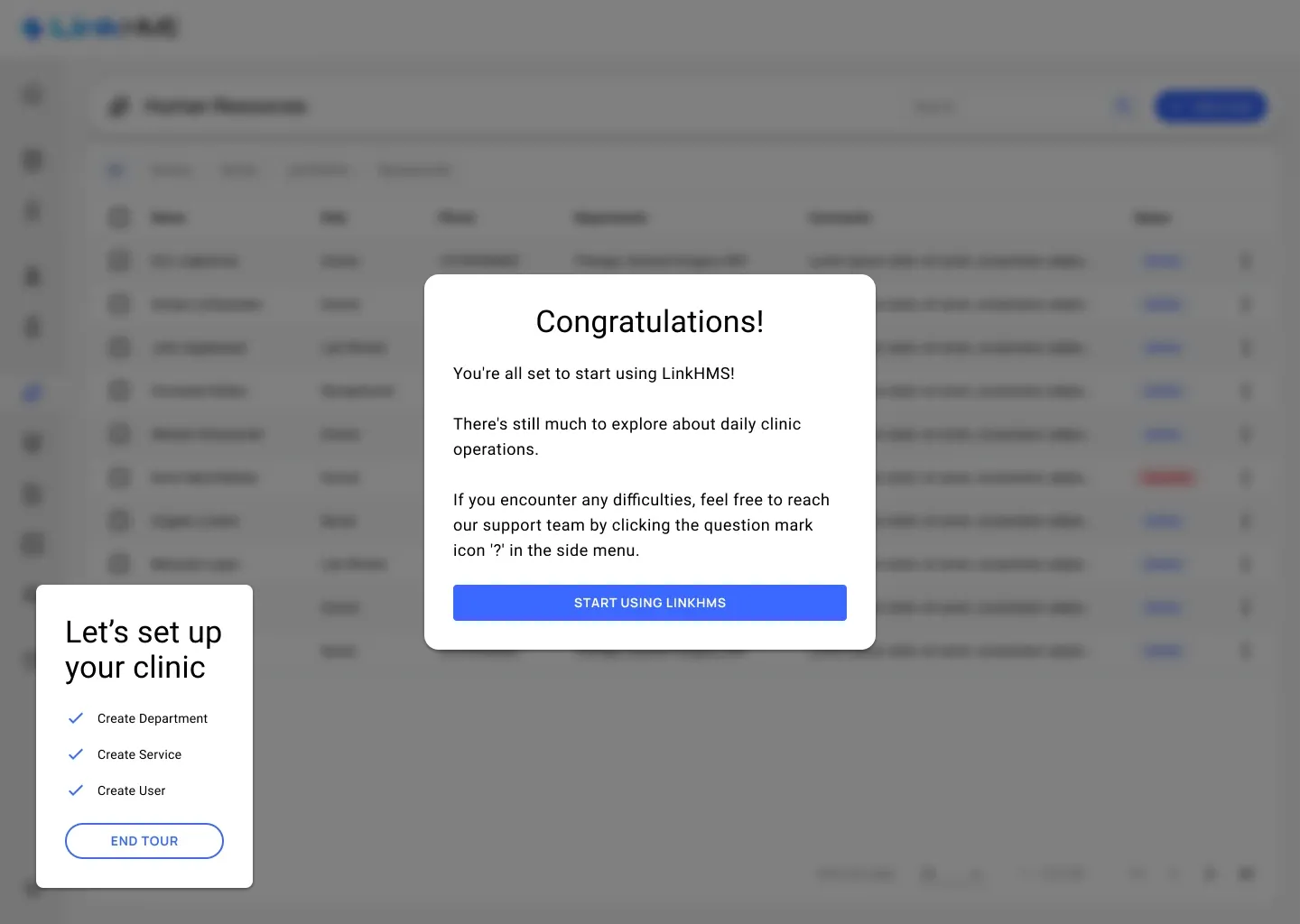
The onboarding tour — departments first, then the services they offer and the people who provide them: from the welcome message to “You’re all set”.
Booking ahead and walk-ins
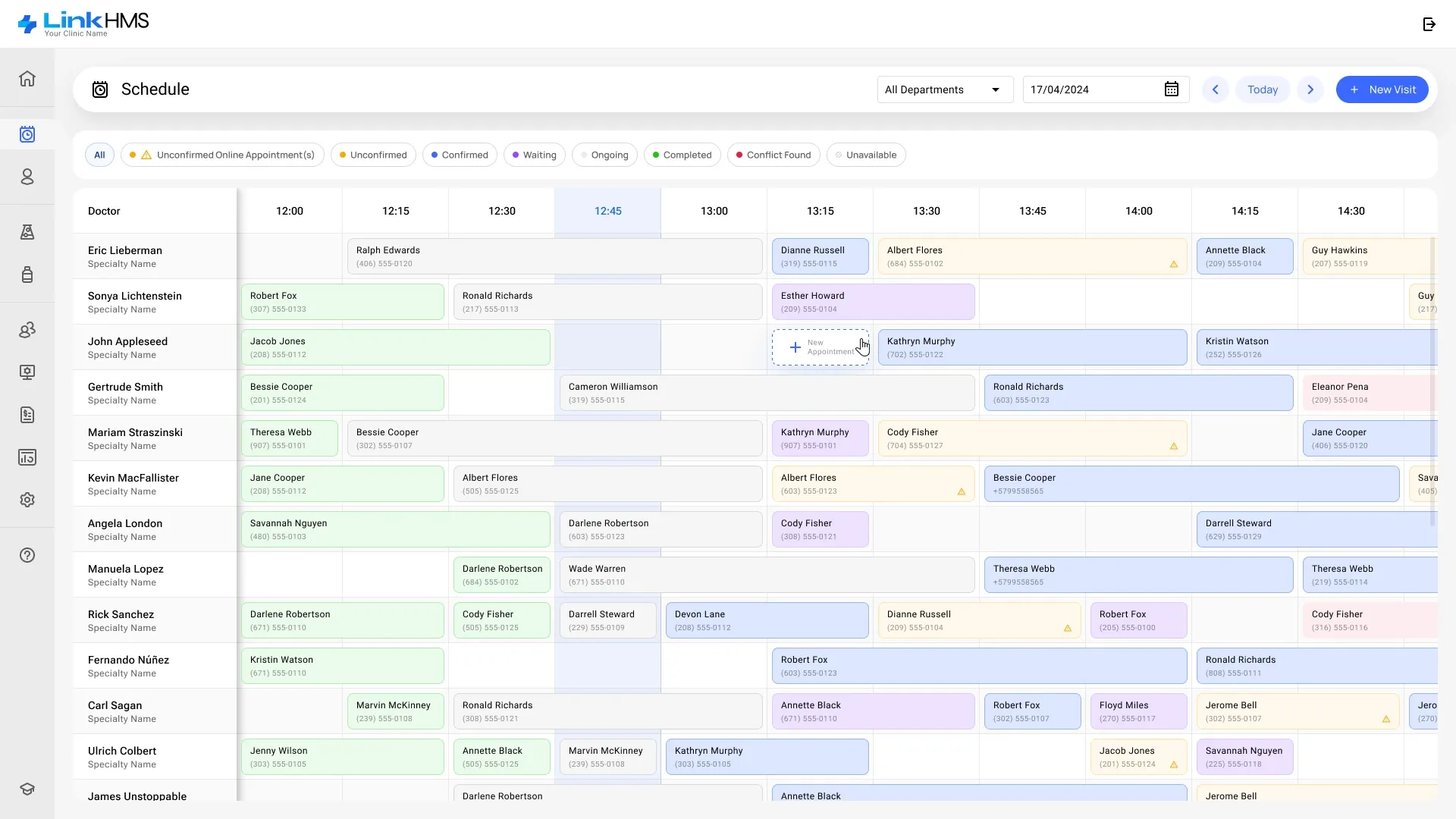
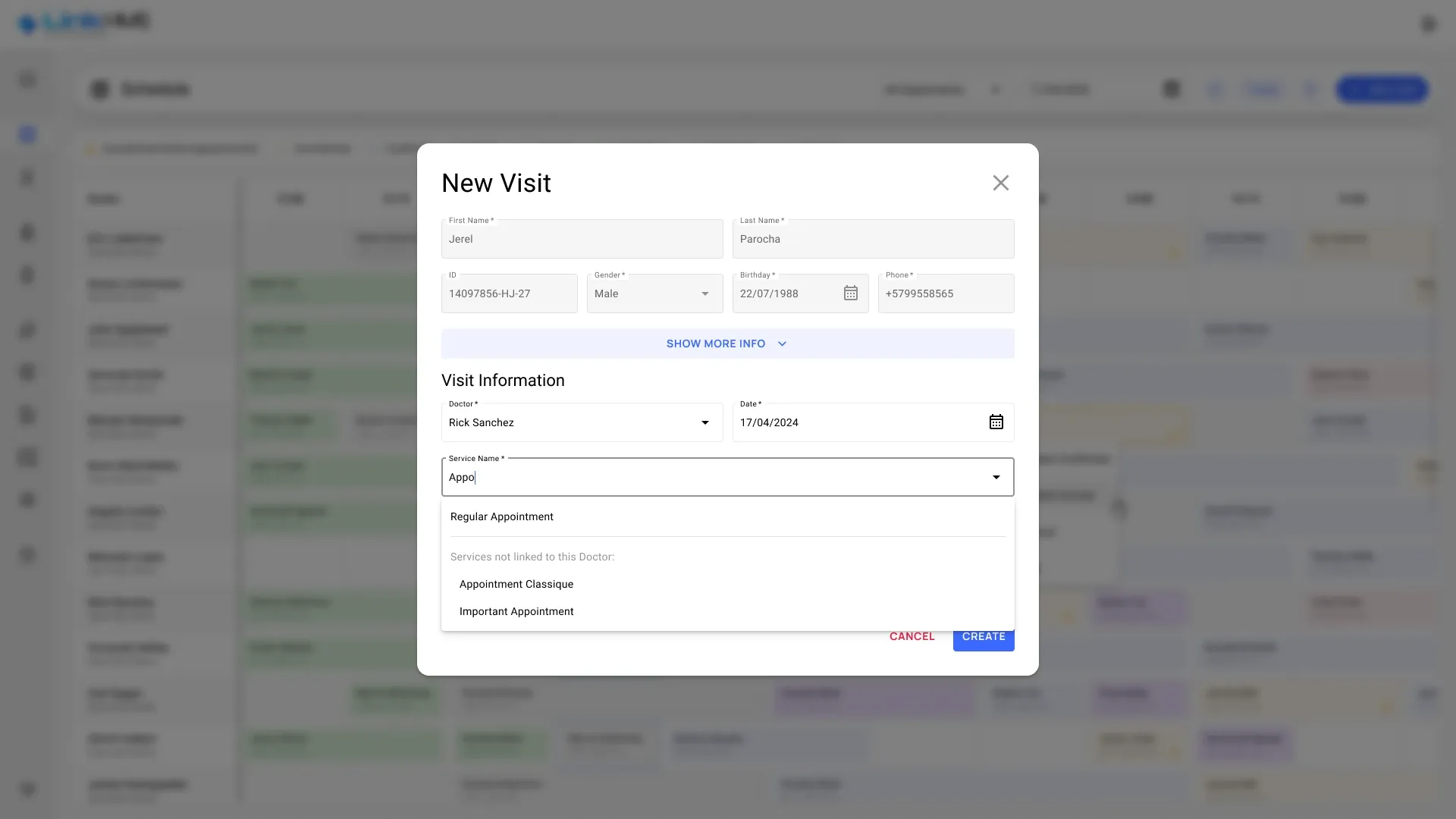
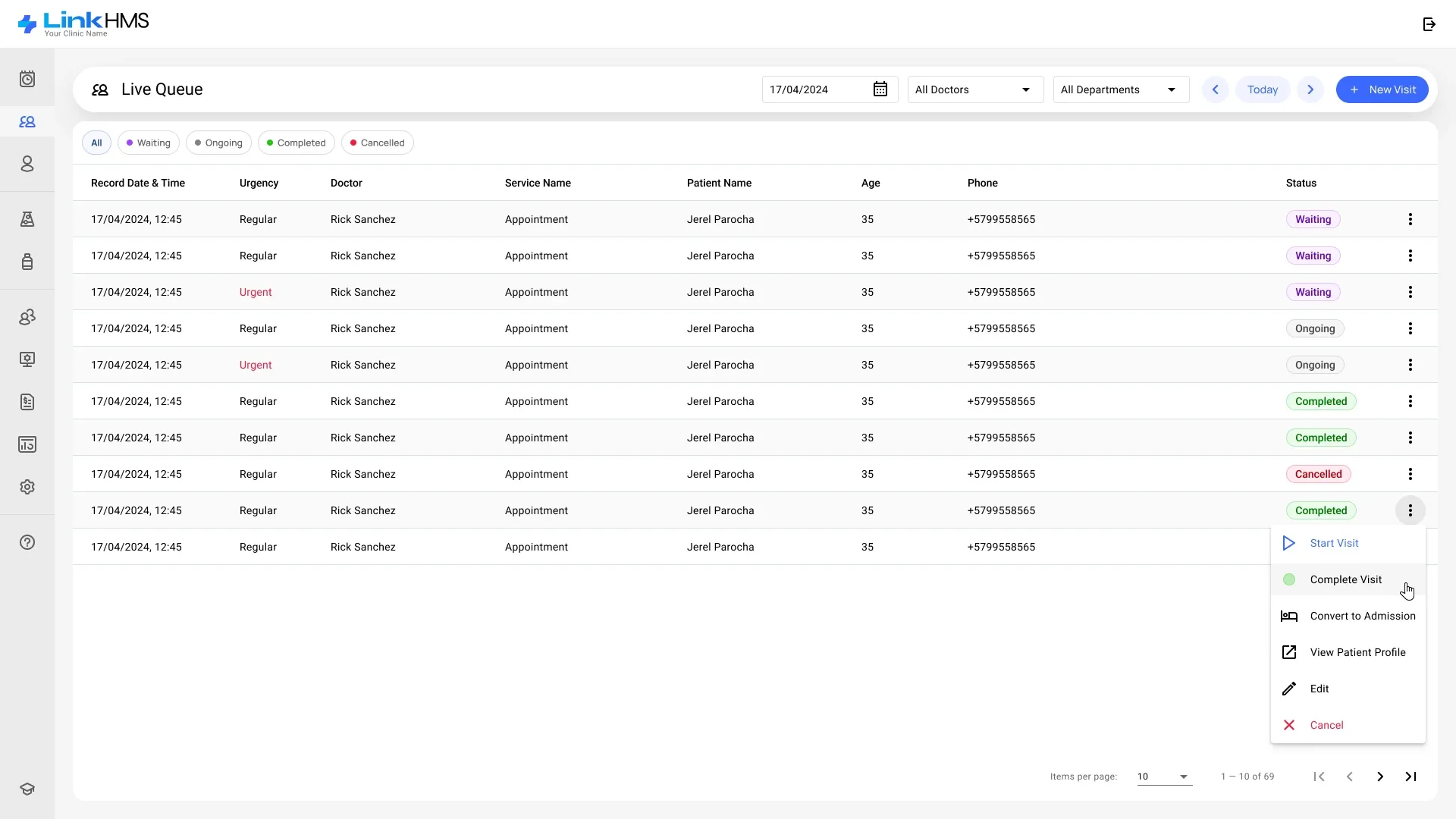
Receptionists create an appointment for a specific doctor in just a few clicks, straight from the schedule. Not every patient books ahead, though: the Live Queue shows the day’s visits by status — waiting, ongoing, completed or cancelled — with urgent cases marked in red, and every row can start or complete a visit, convert it to an admission or open the patient’s profile. A walk-in is added in the same New Visit dialog, which finds the patient by name or phone number.
Patients at the centre, with the right to be forgotten
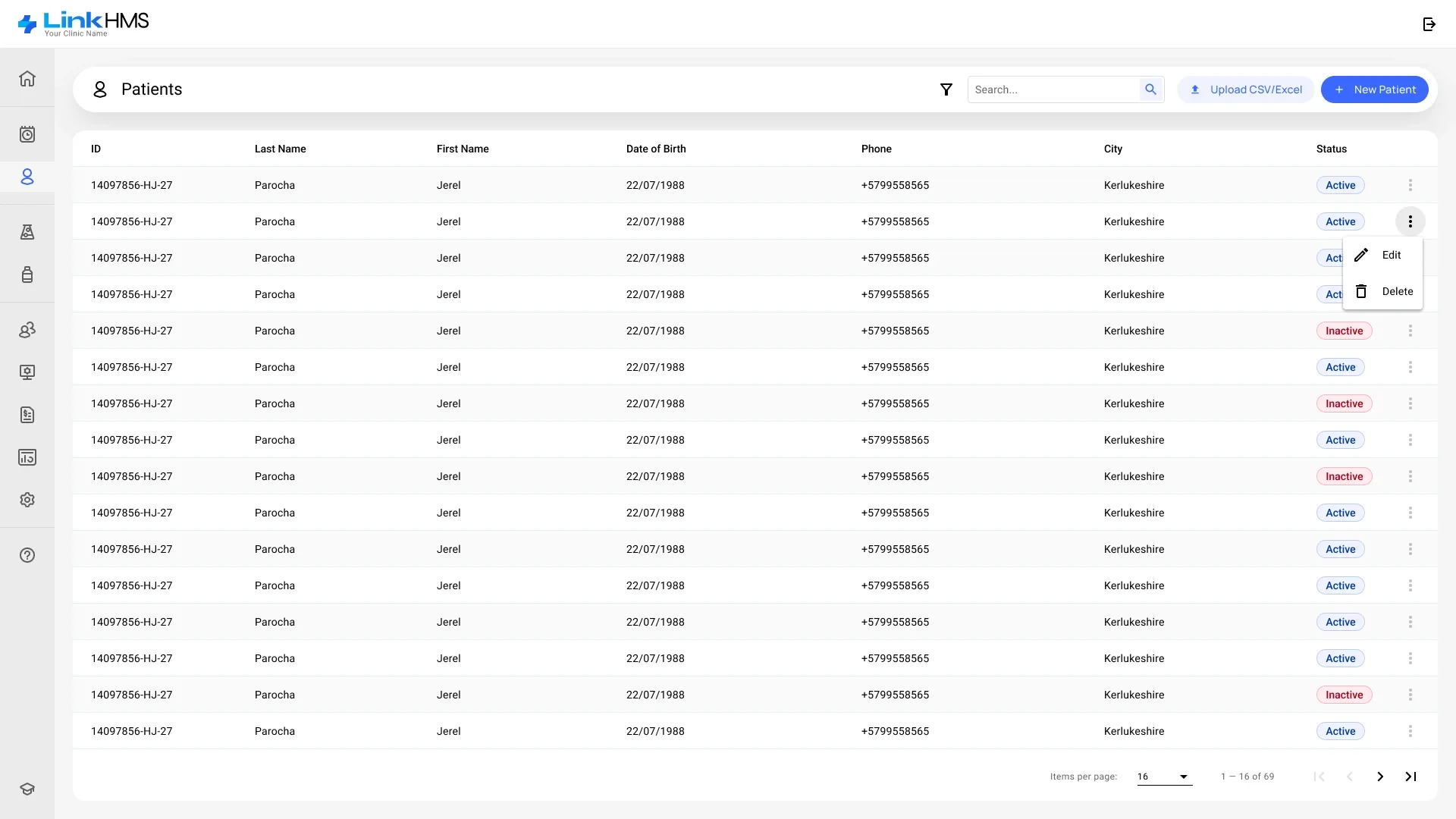
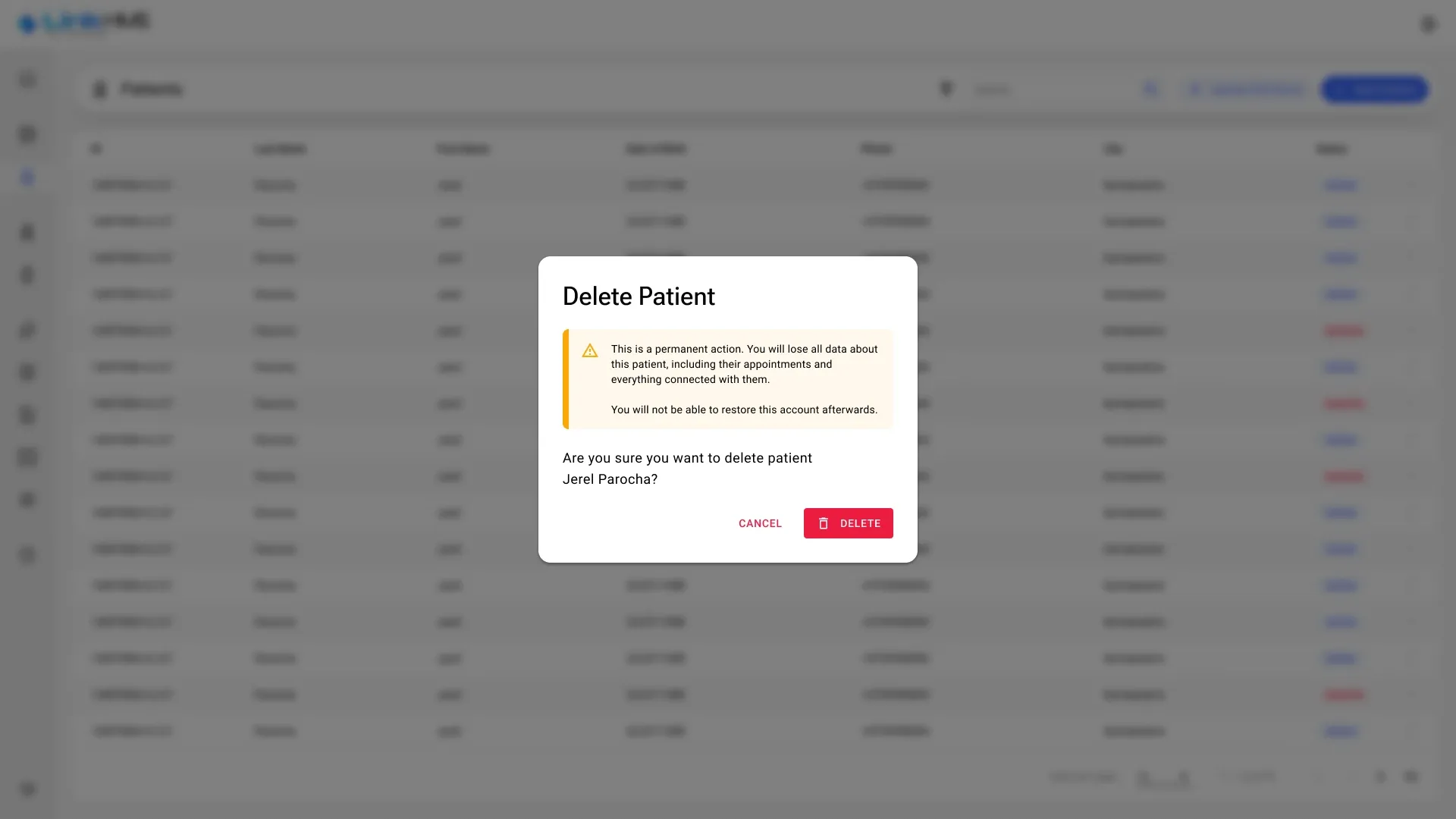
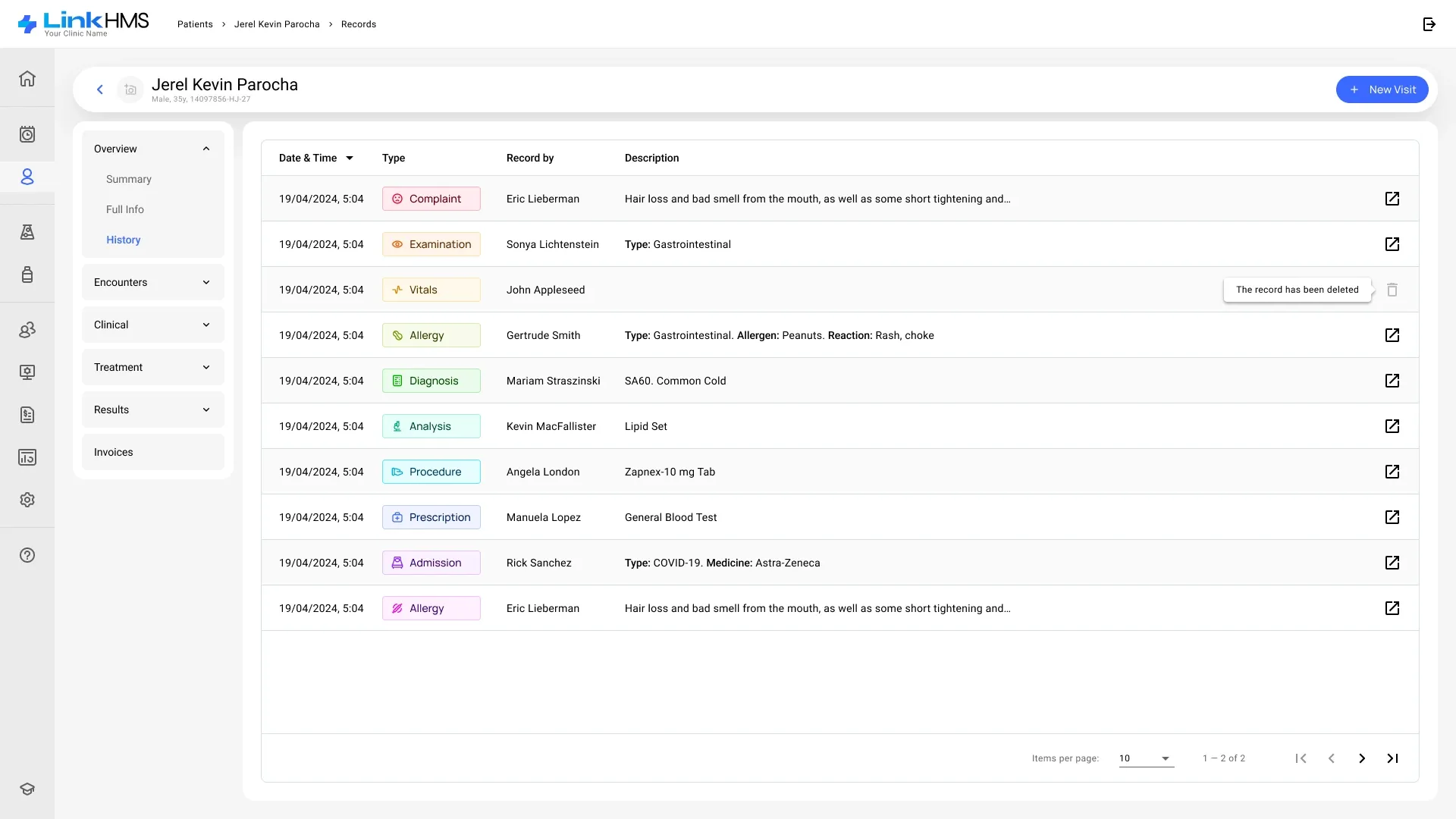
The patient is the main entity of the system. Every record can be removed completely on the patient’s request, in line with the data-privacy needs raised in research.
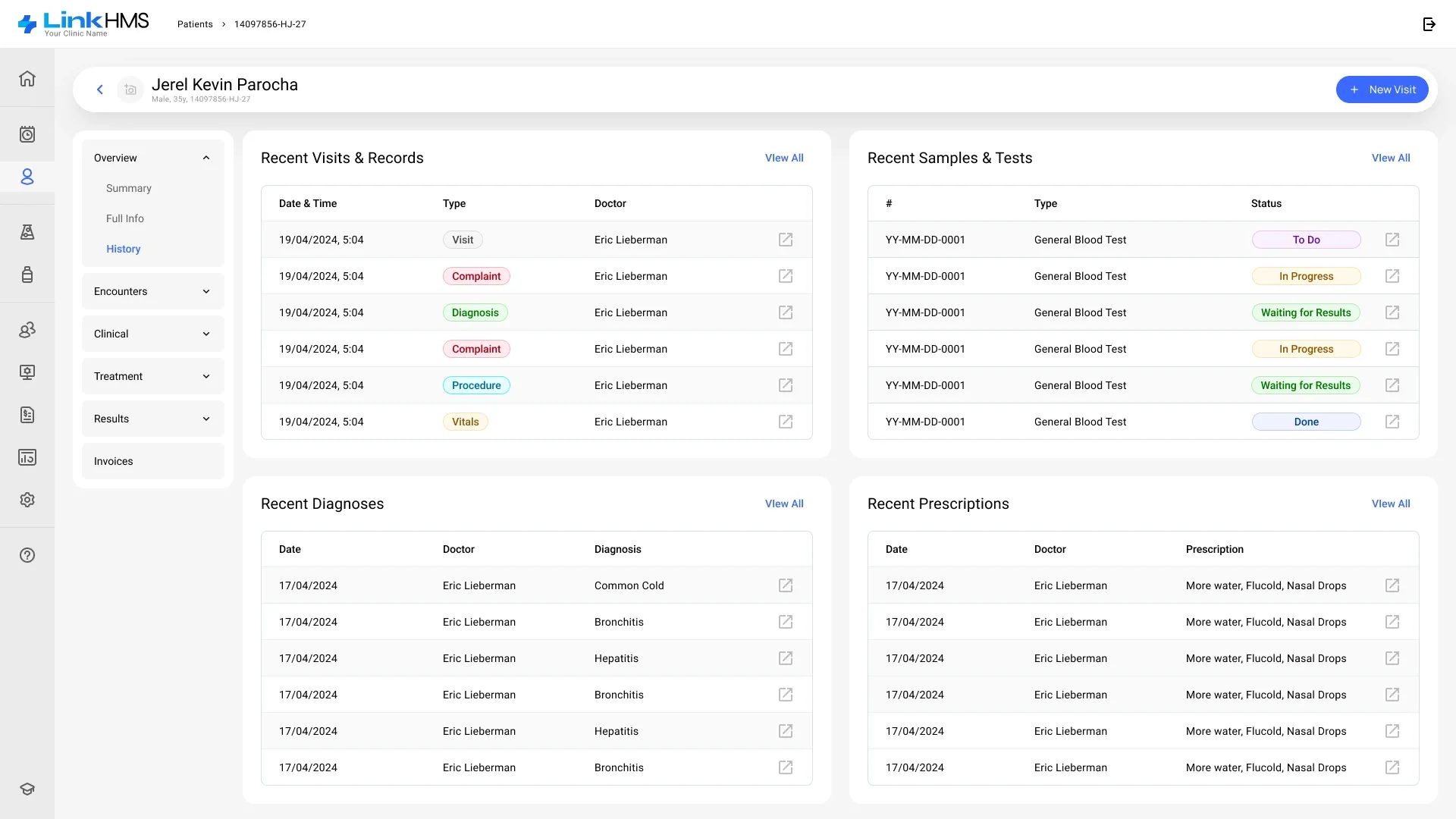
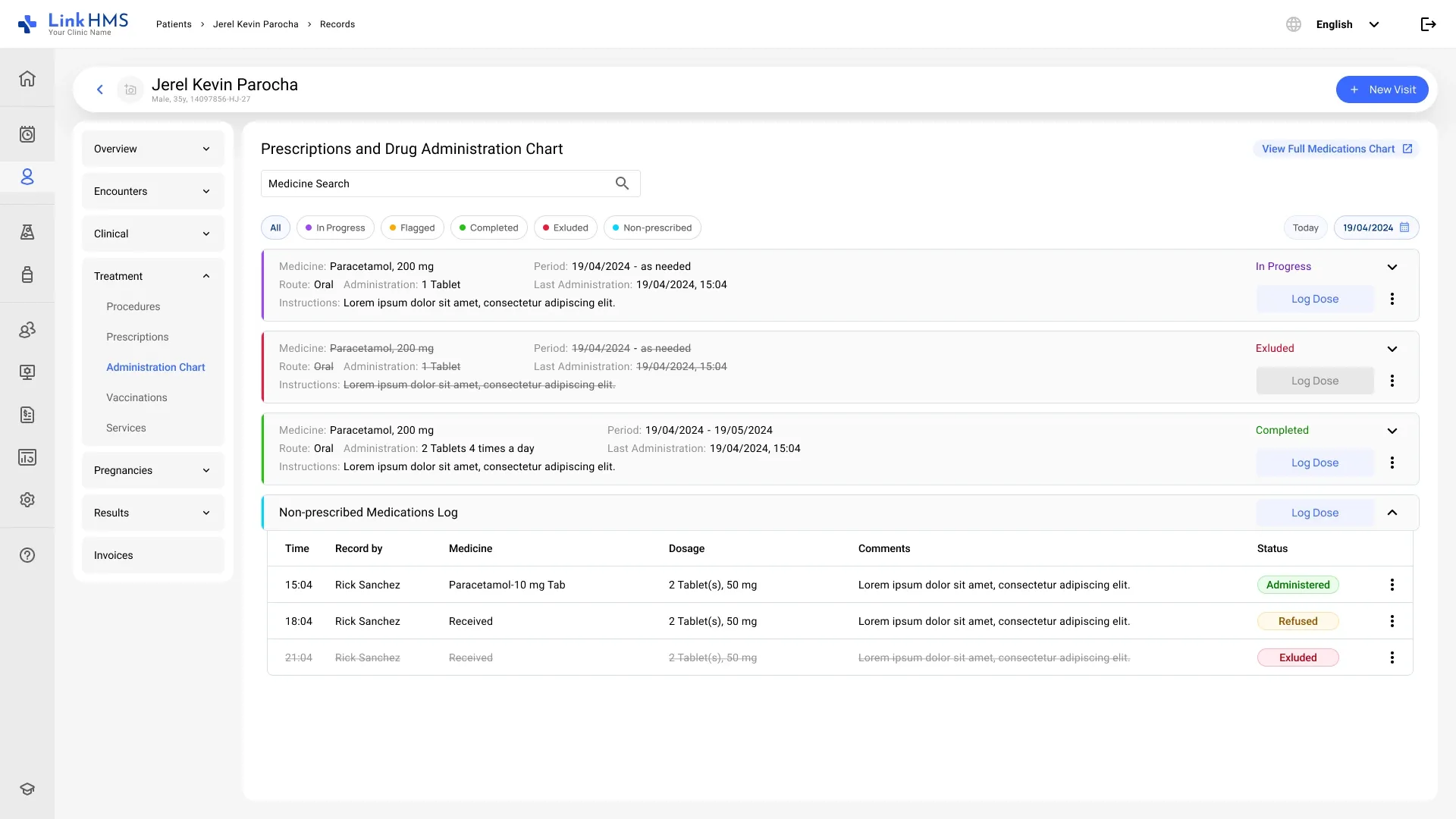
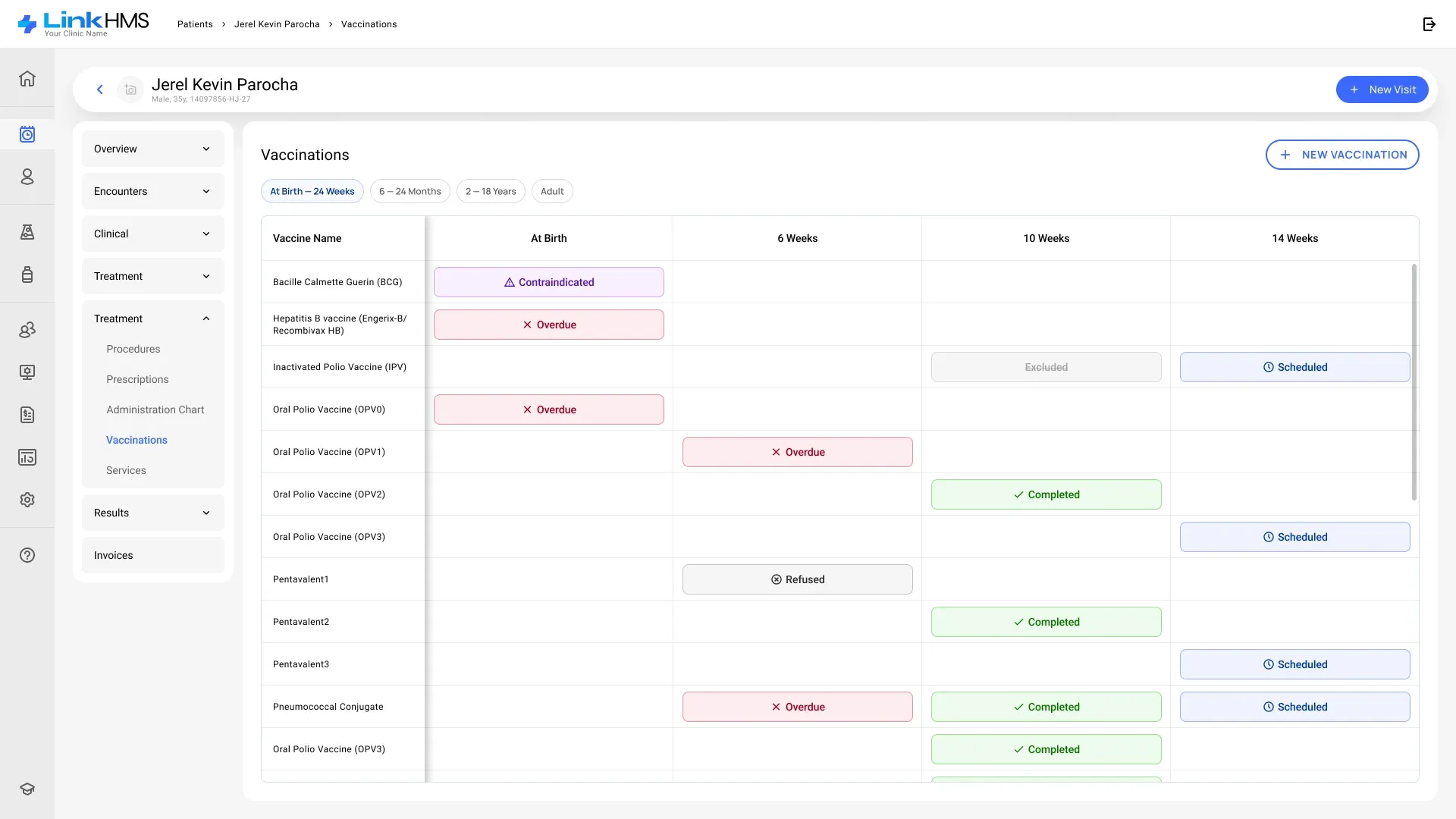
A medical record you can scan in seconds
The electronic medical record is split into sections and subsections, so a doctor jumps straight to what matters in an emergency.
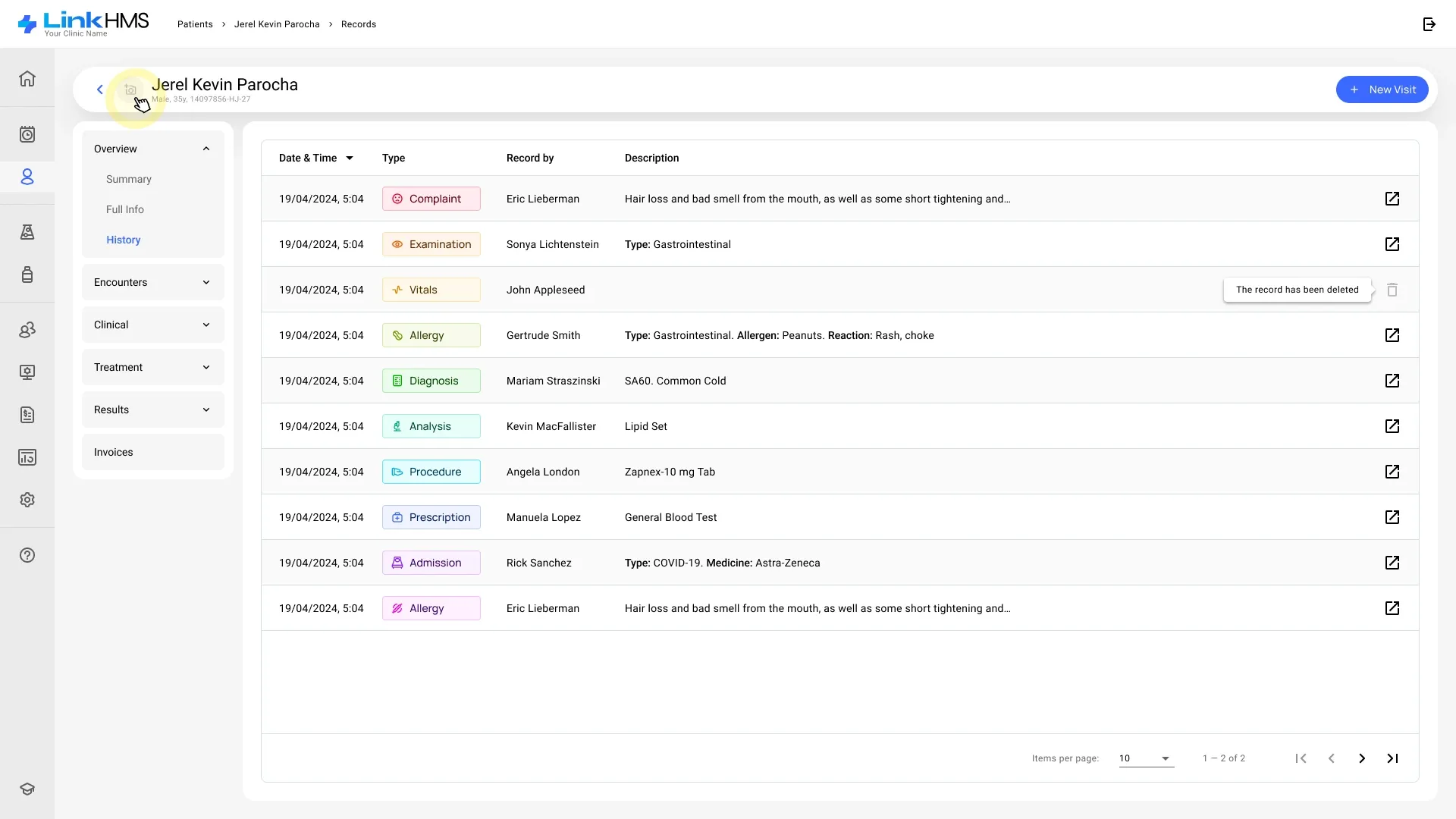
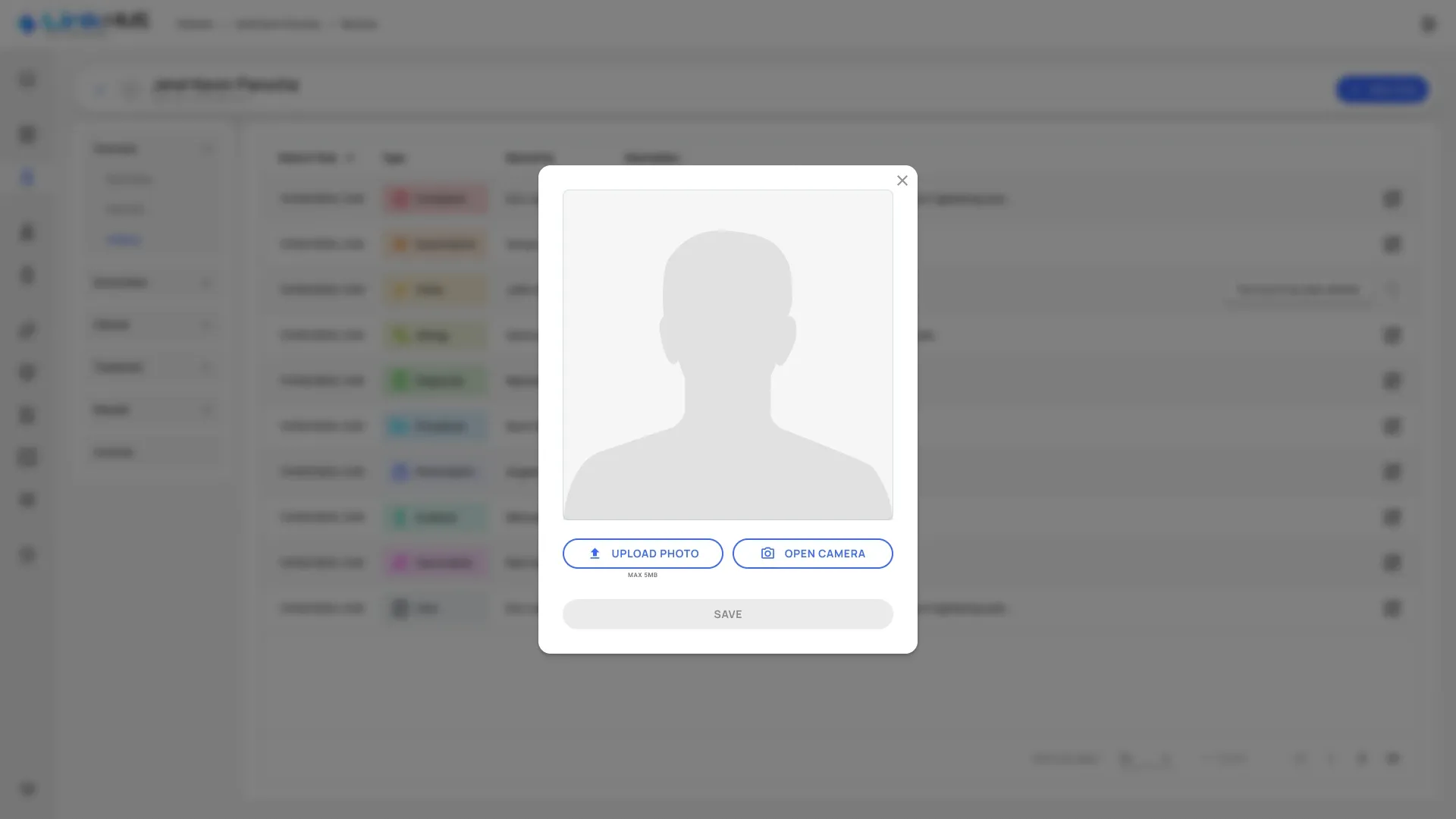
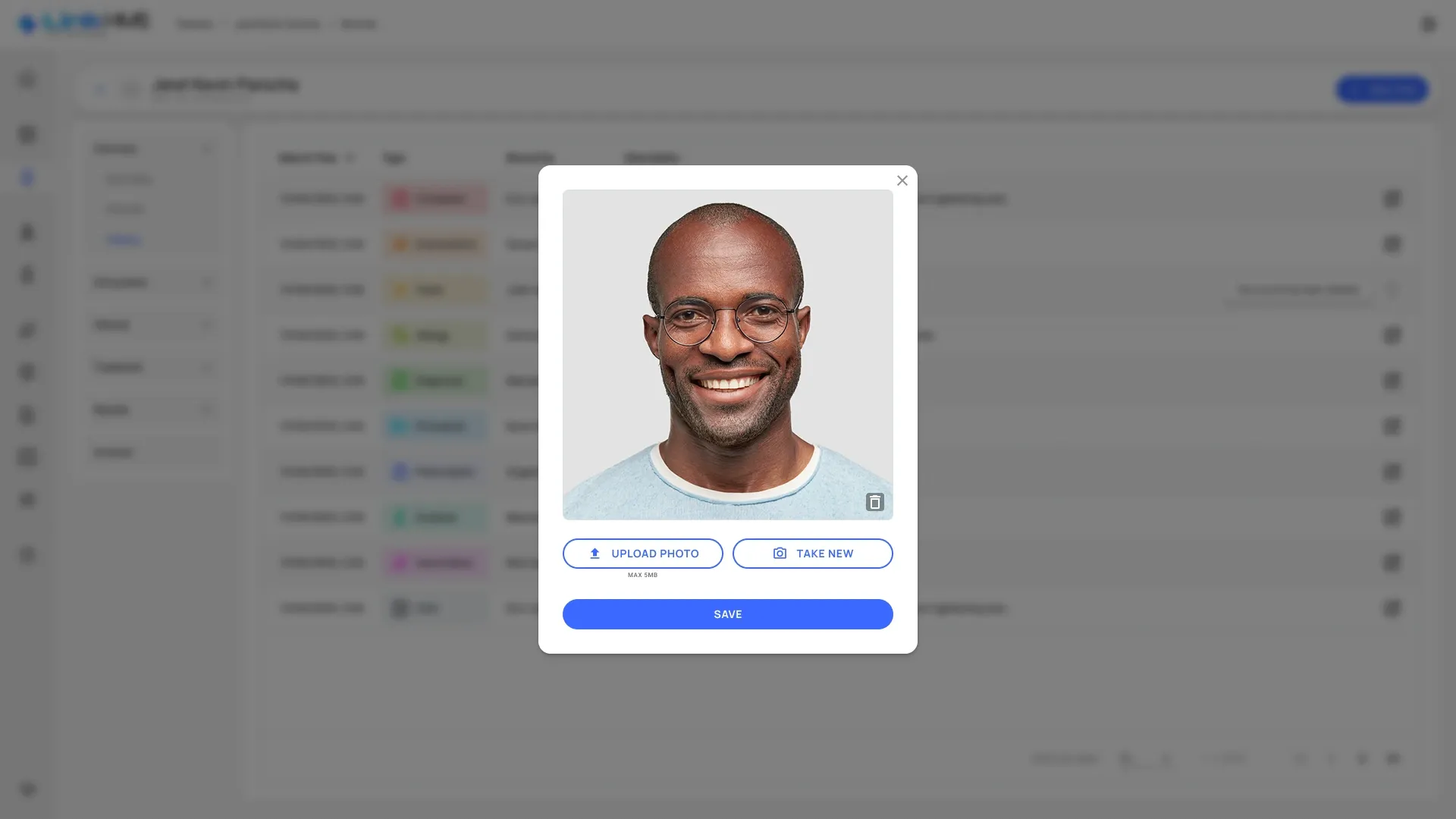
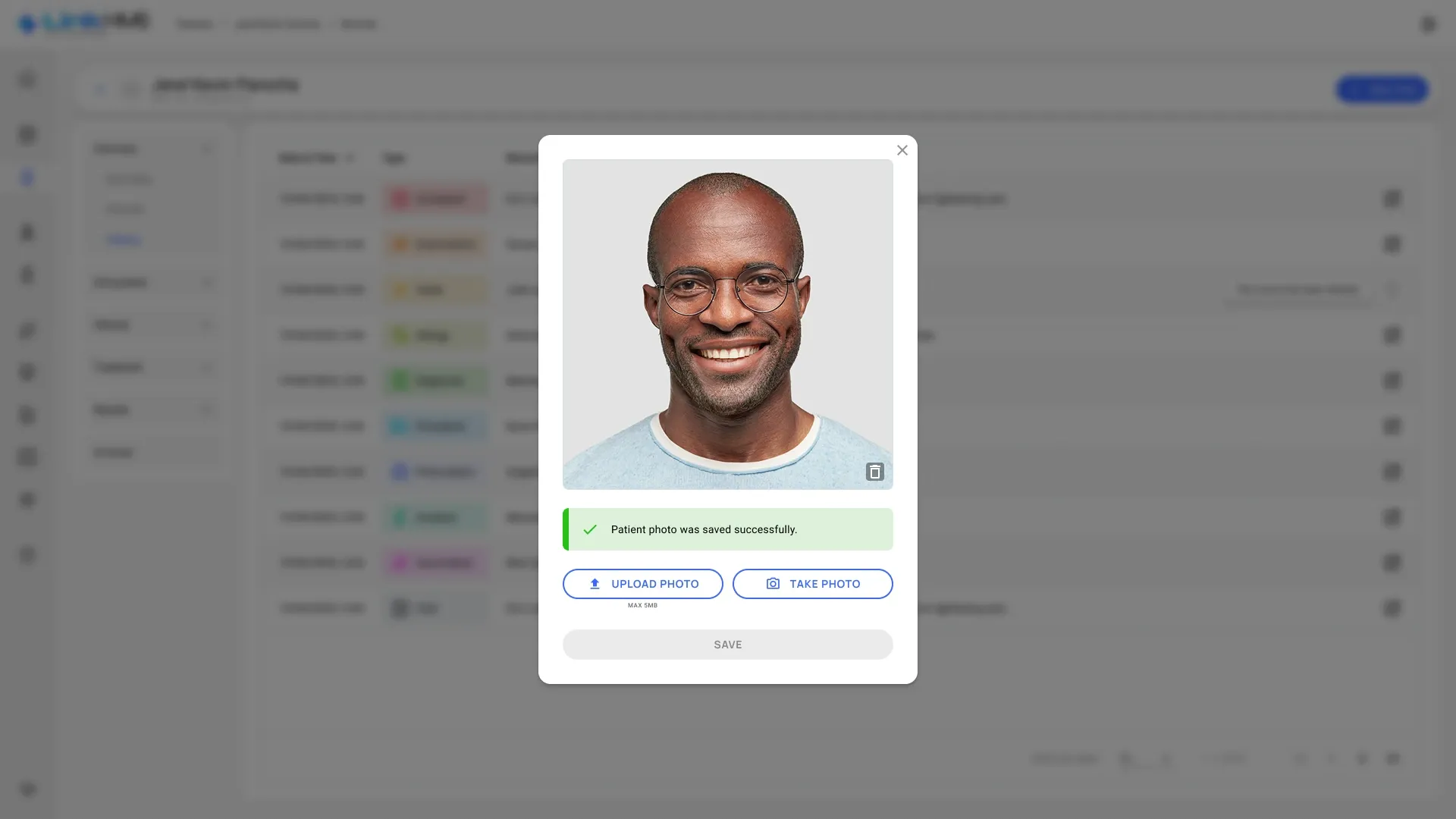
A patient photo without leaving the record
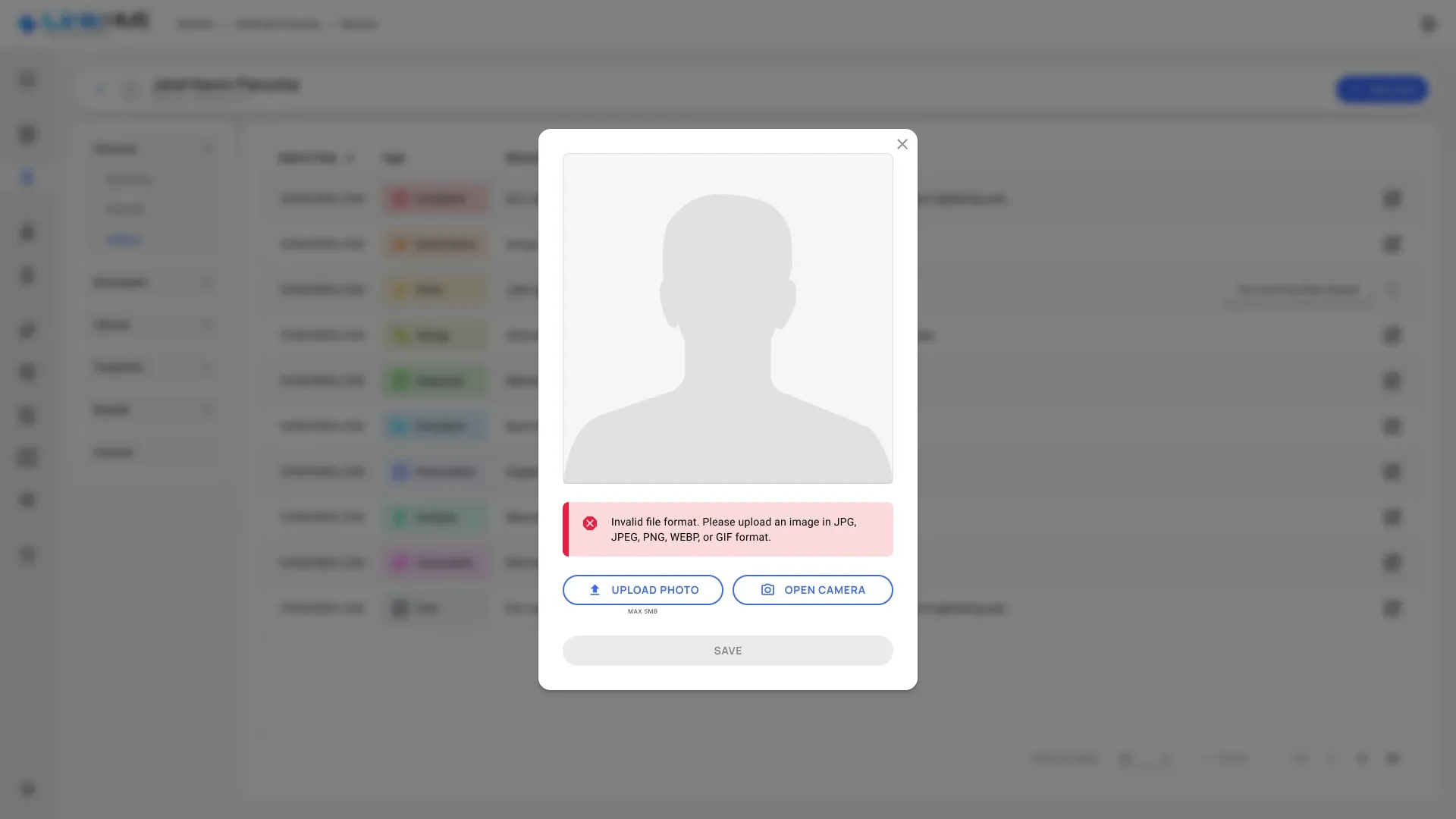
A photo is added right from the patient’s record: upload a file or take one with the device camera, check it, then save. If the file has the wrong format, the dialog says which formats work, and it warns before unsaved changes are lost.
One visit, two bills
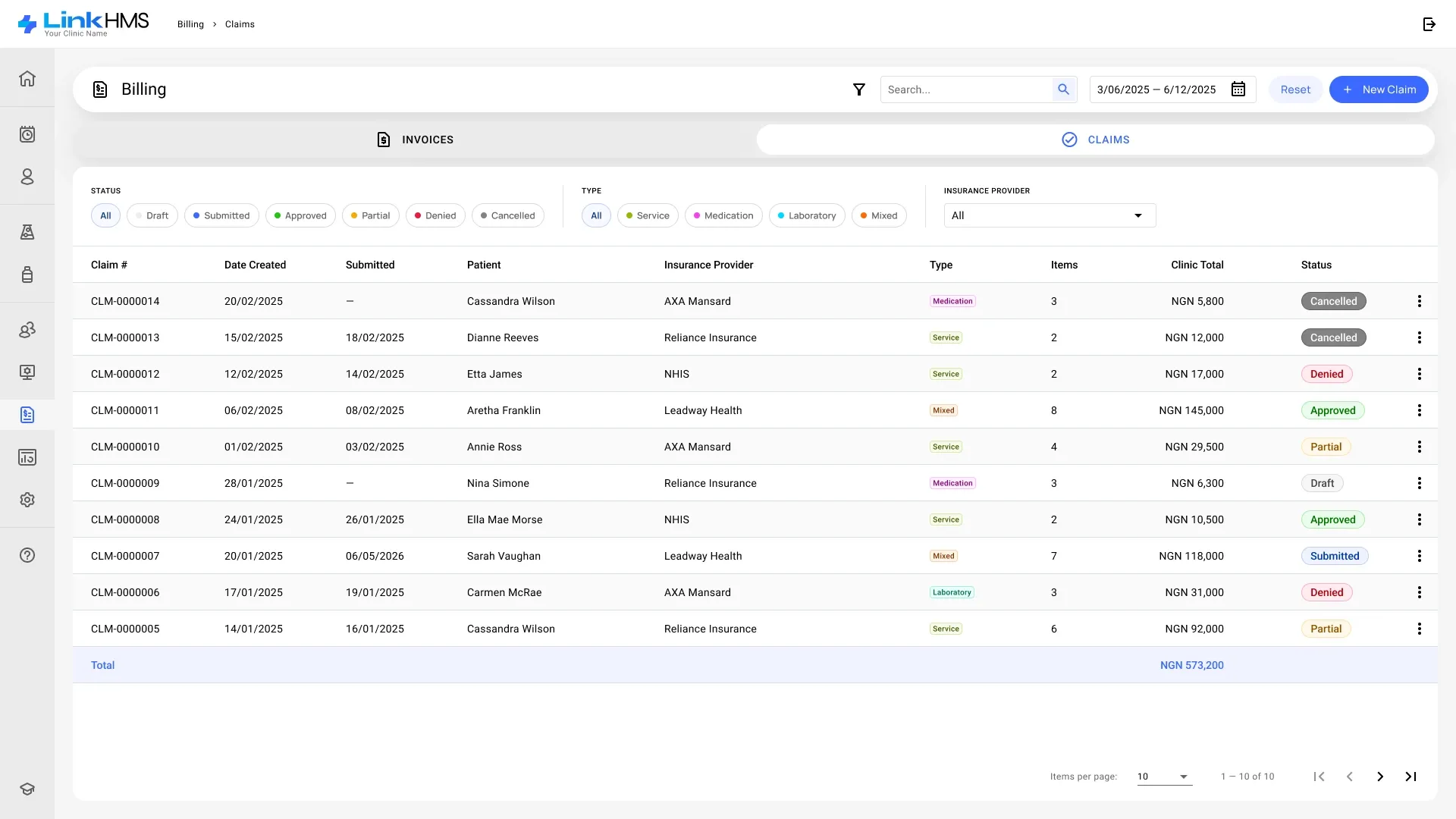
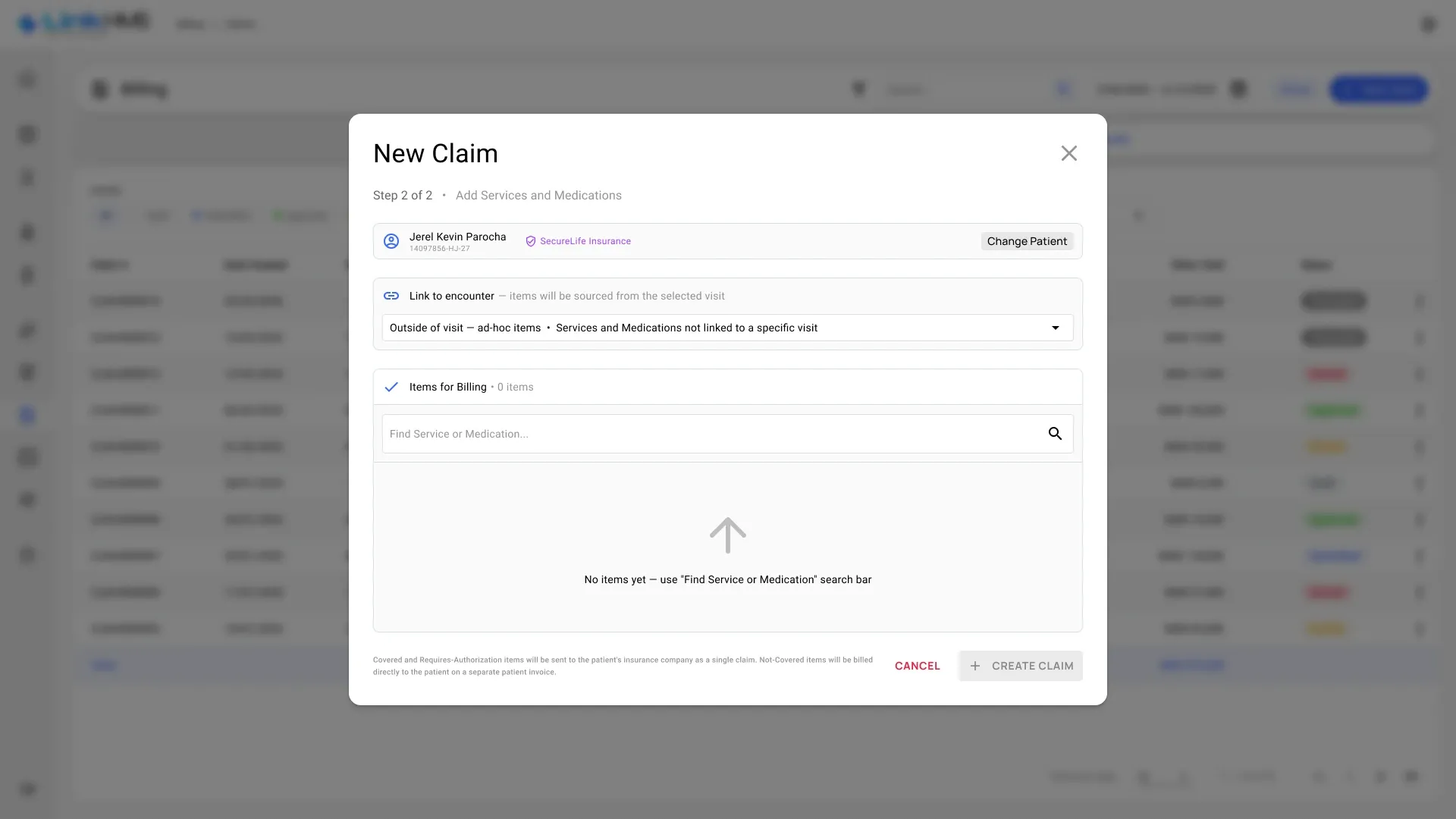
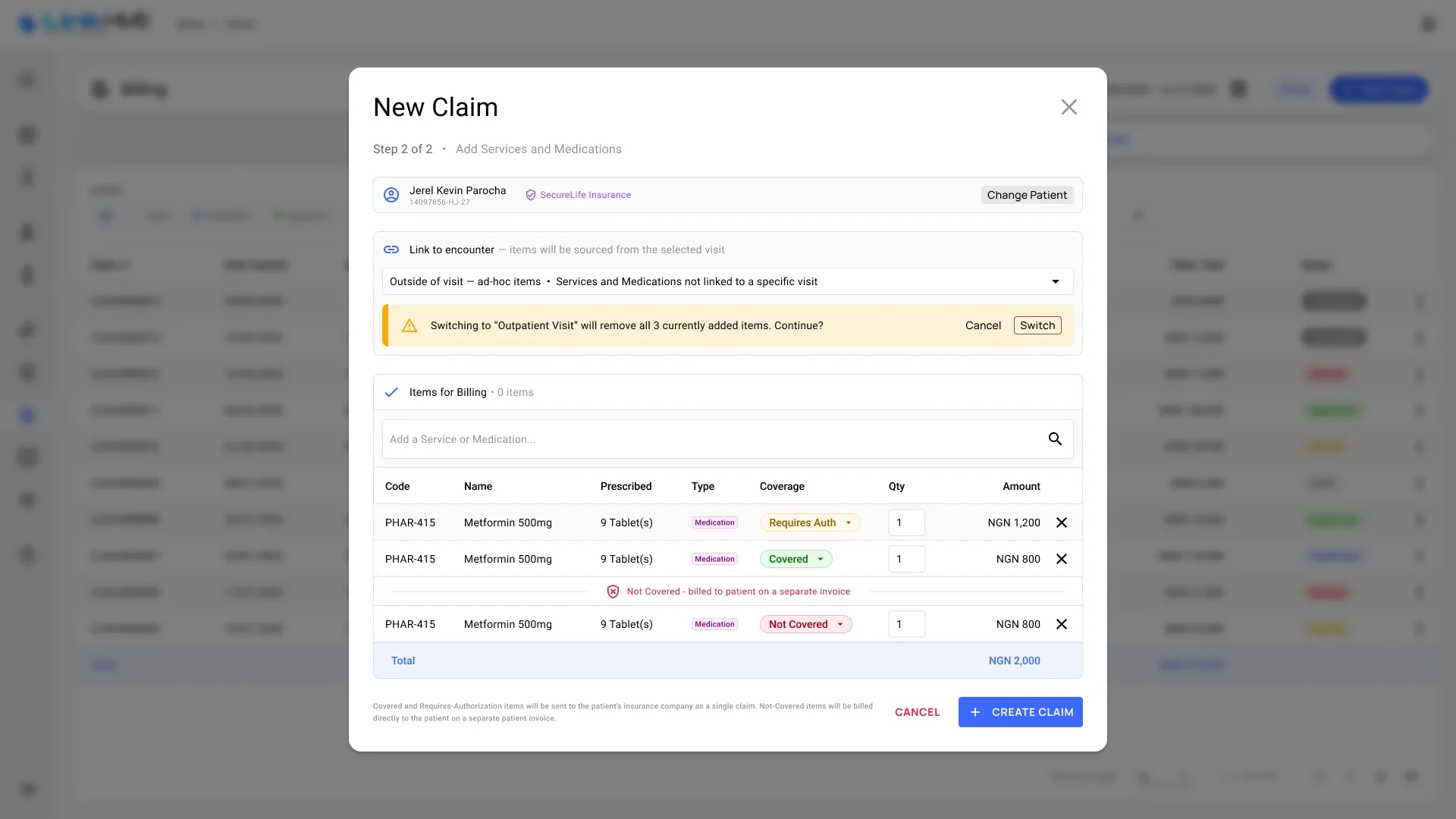
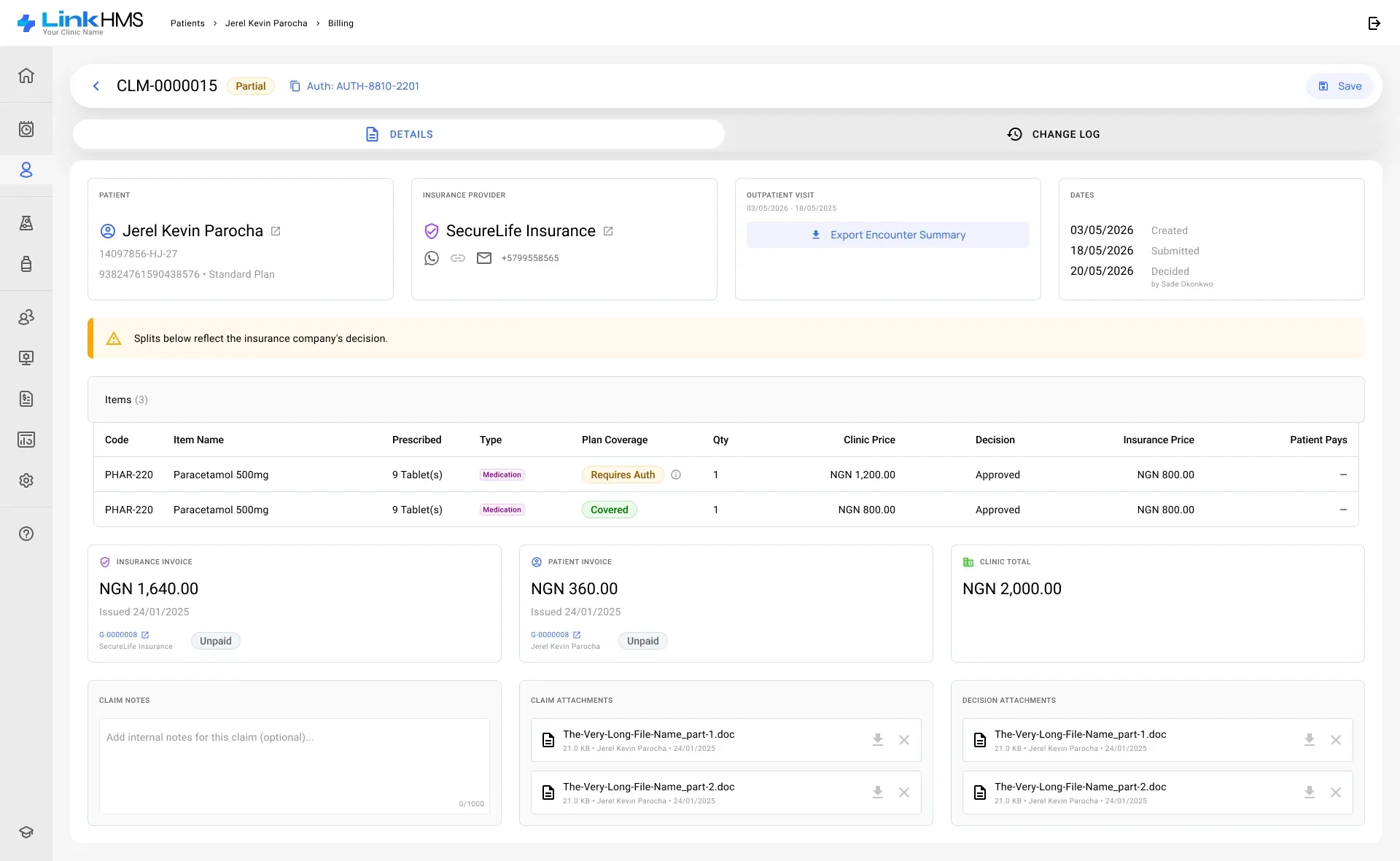
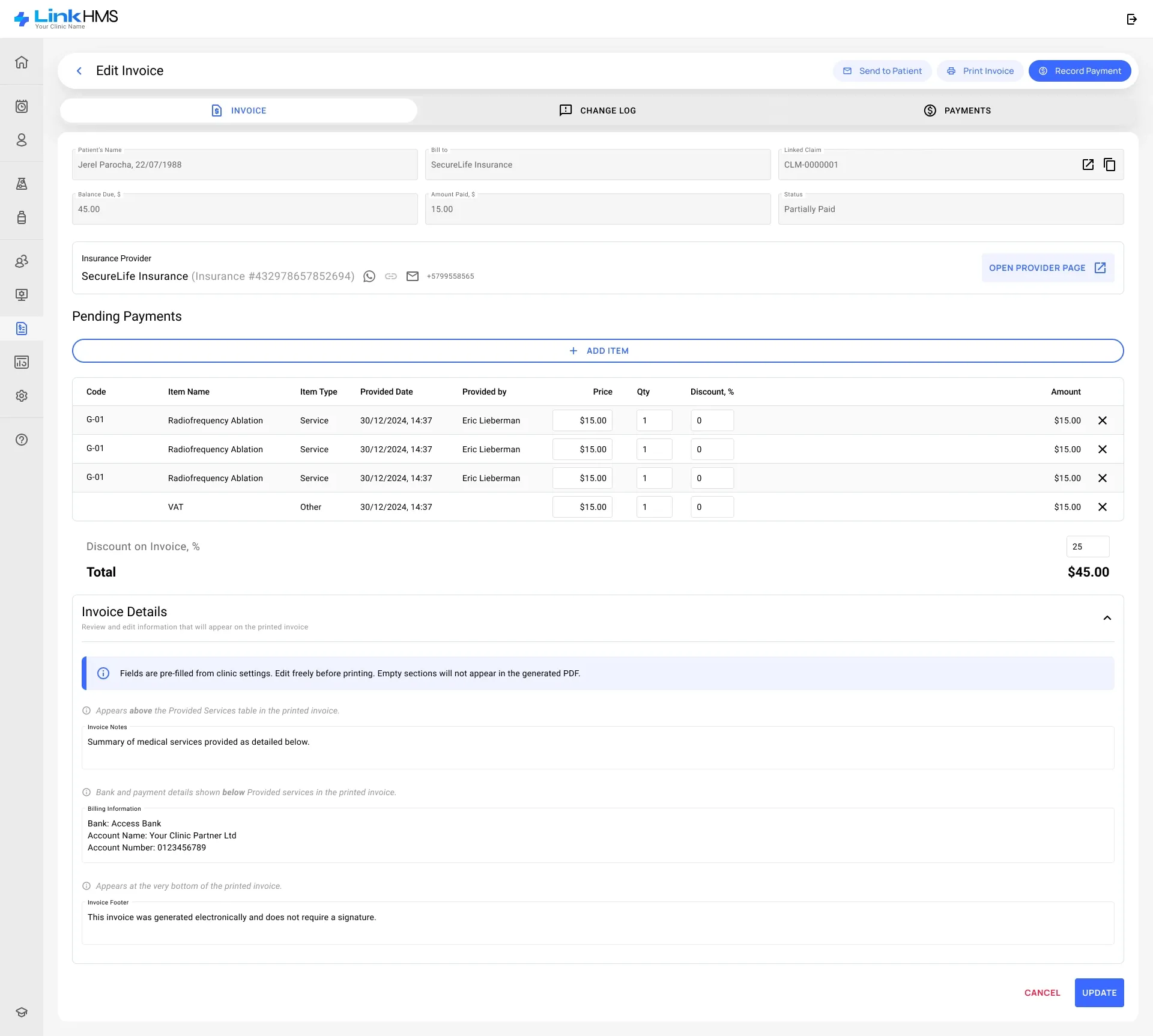
Insurance is handled item by item. When a claim is created, everything the patient’s plan covers or needs to authorise goes to the insurer as a single claim, and anything not covered is billed to the patient on a separate invoice. The insurer’s decision is then recorded line by line, and the claim keeps both invoices and a change log in one place.
Reports that point to the problem
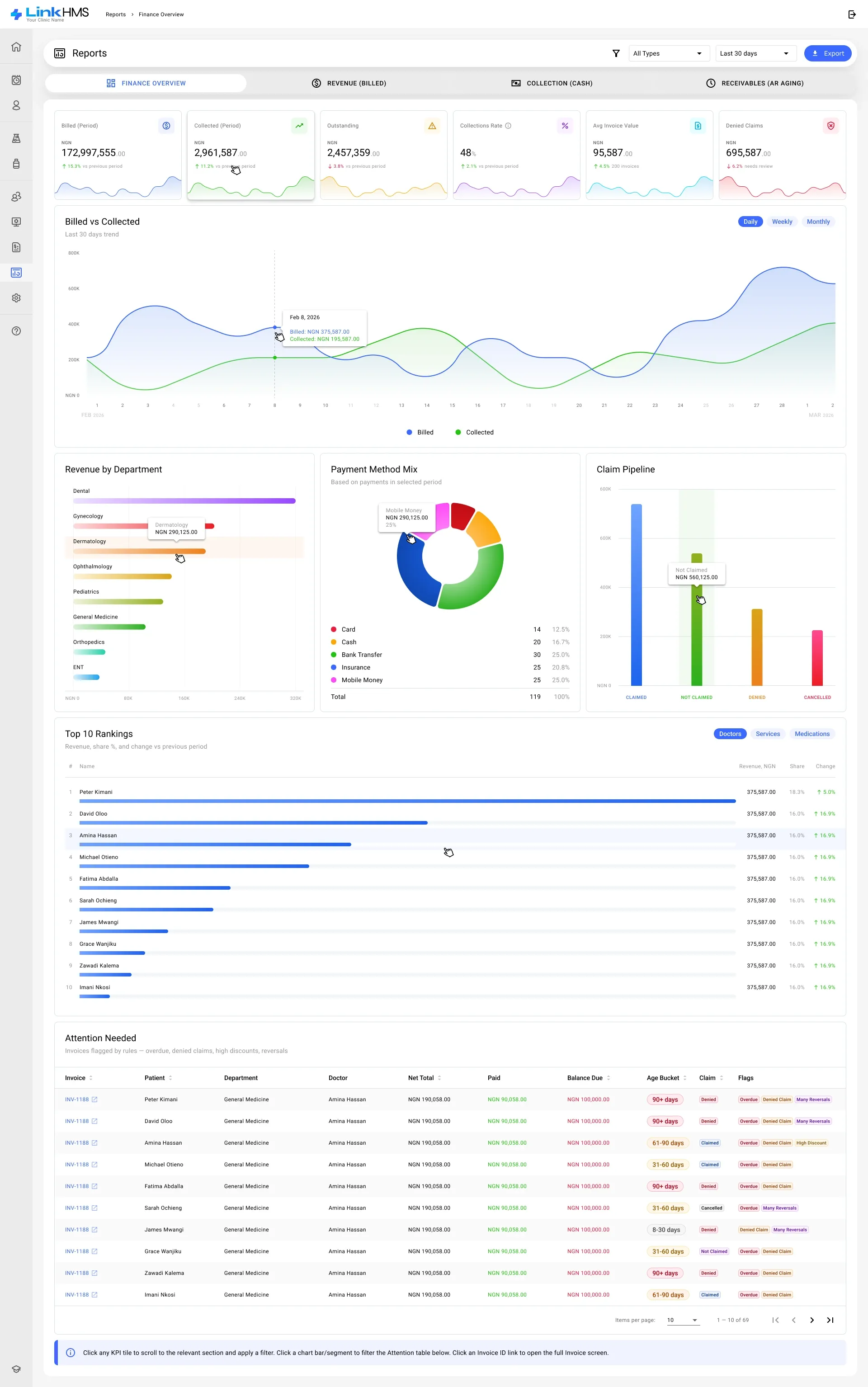
Finance reports open on six numbers — billed, collected, outstanding, collection rate, average invoice and denied claims — followed by the trend, revenue by department, the payment mix and the claim pipeline. Clicking a tile or a chart segment filters the “Attention needed” table of flagged invoices below, and each invoice opens in one click.
Six roles, each with the right access
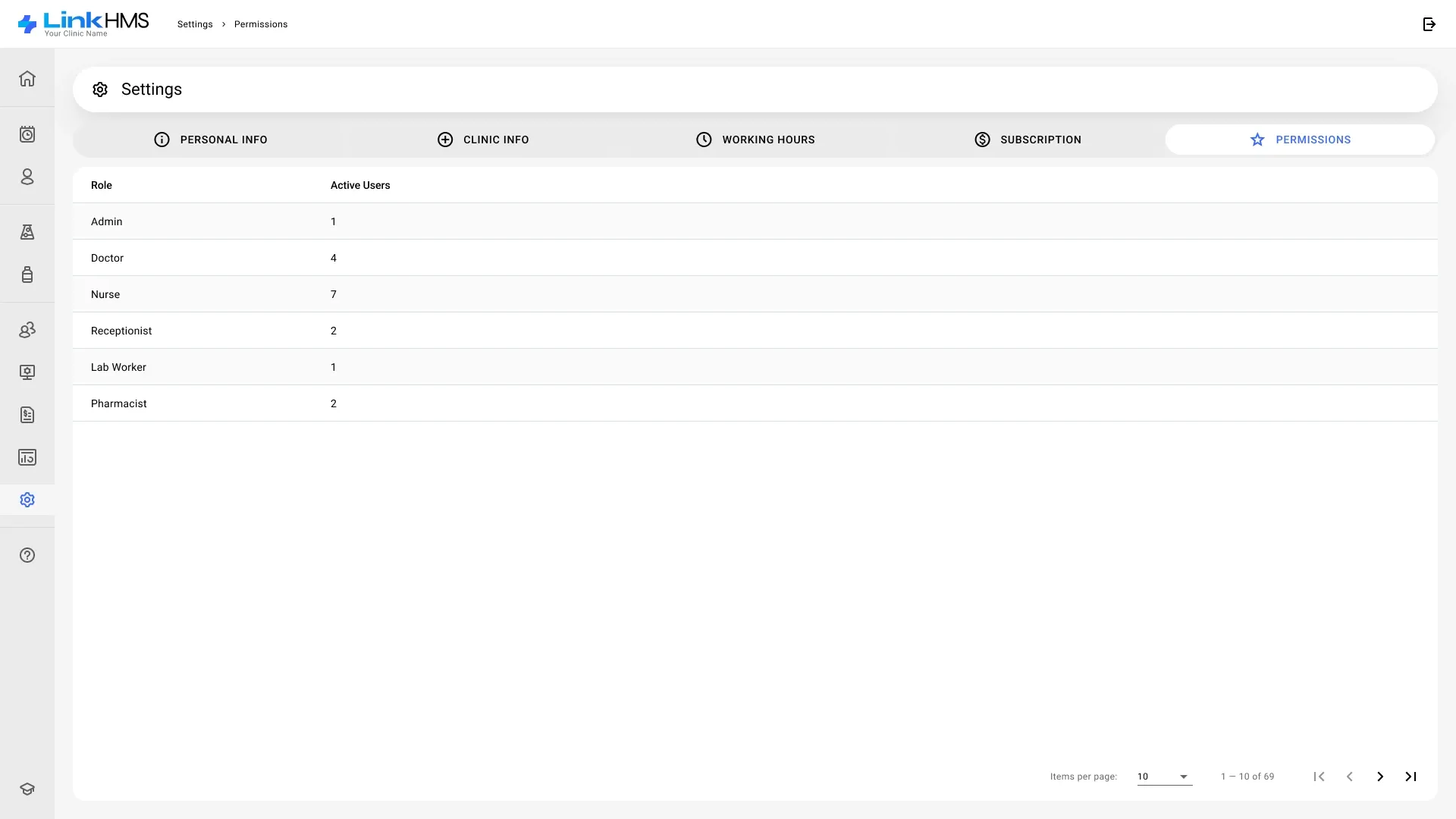
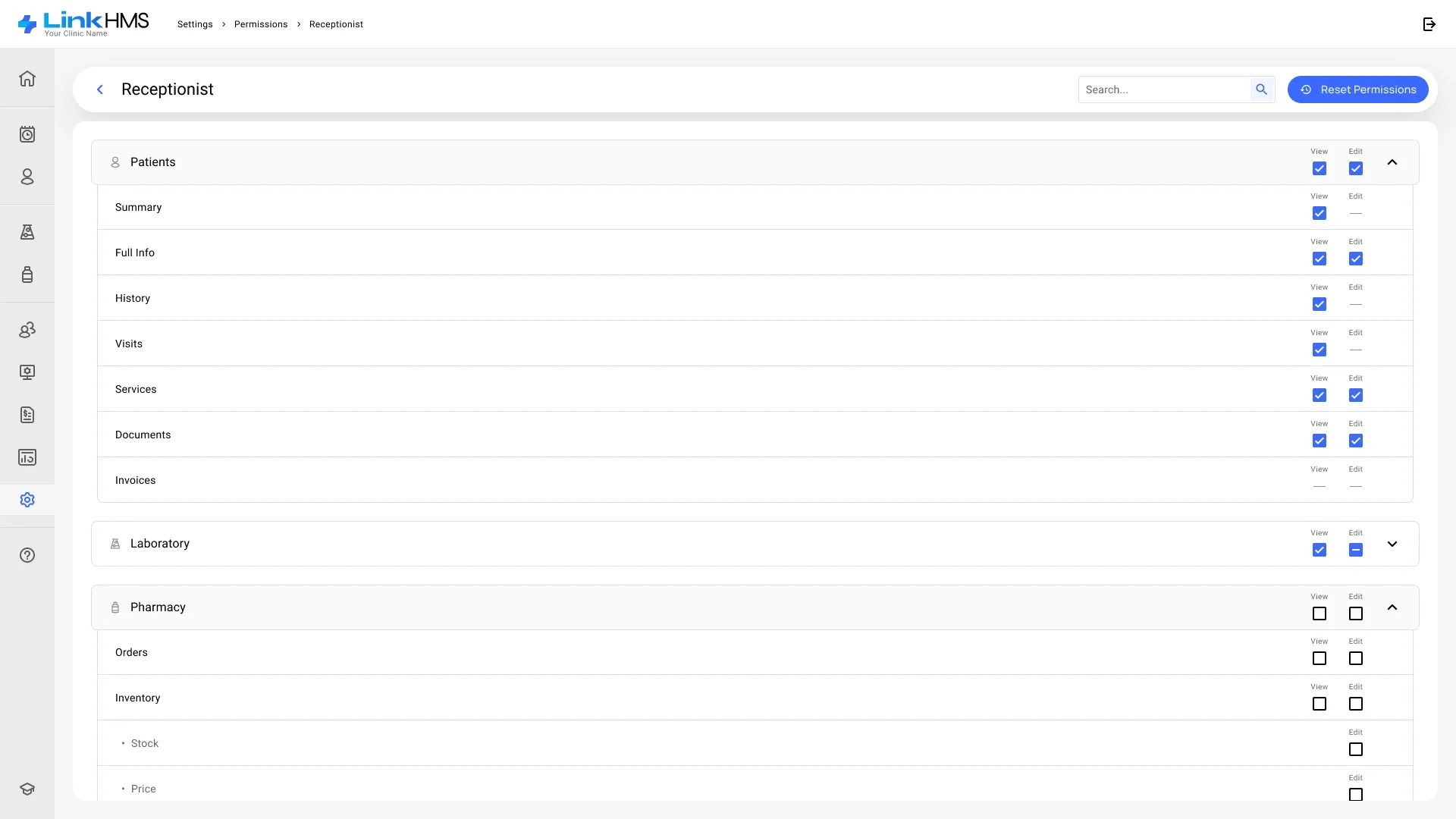
Admins, doctors, nurses, receptionists, lab workers and pharmacists each get their own set of permissions. Access is set per section and sub-section, with view and edit rights apart, and can always be reset to the defaults.
A subscription that grows with the team
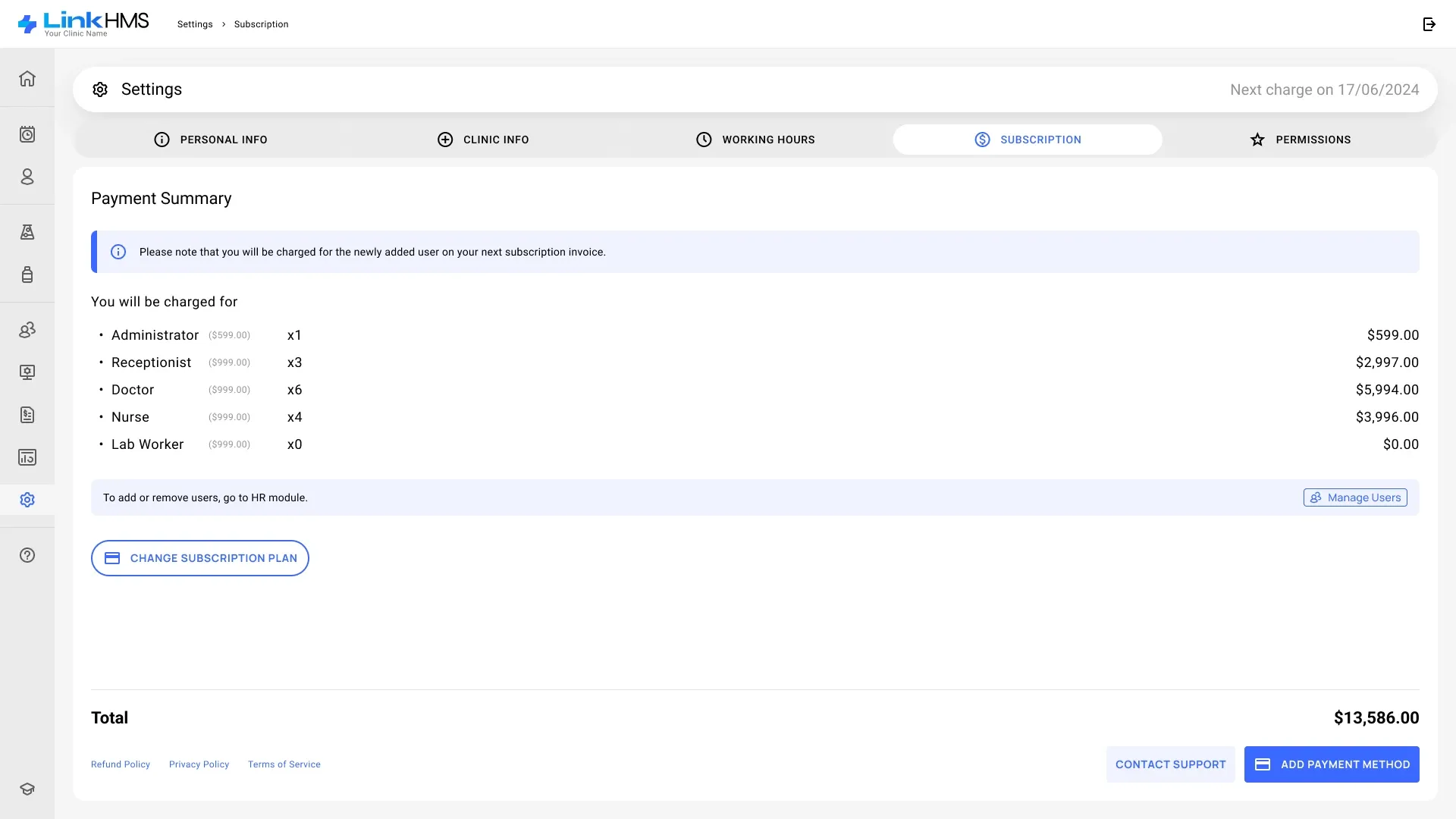
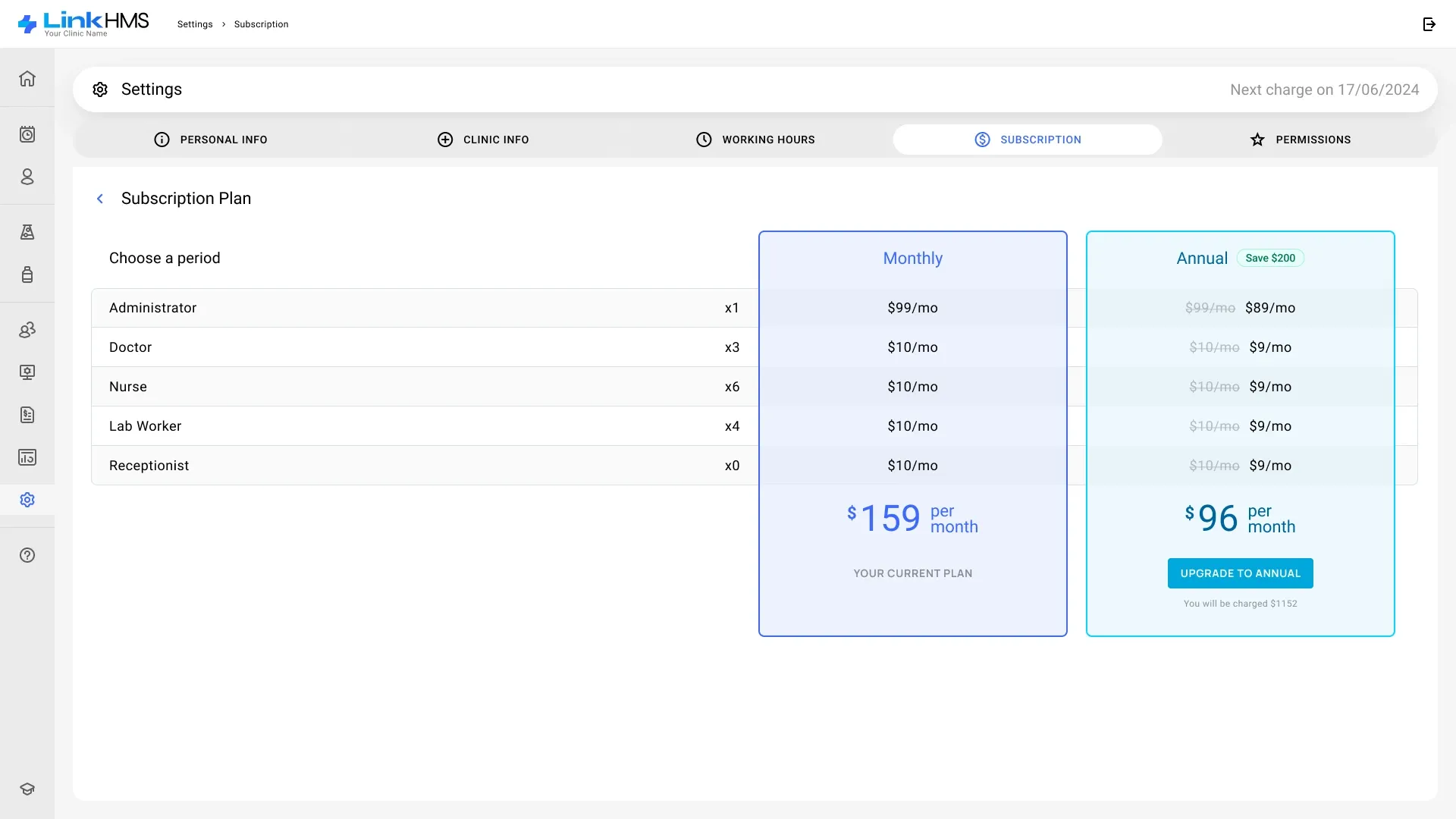
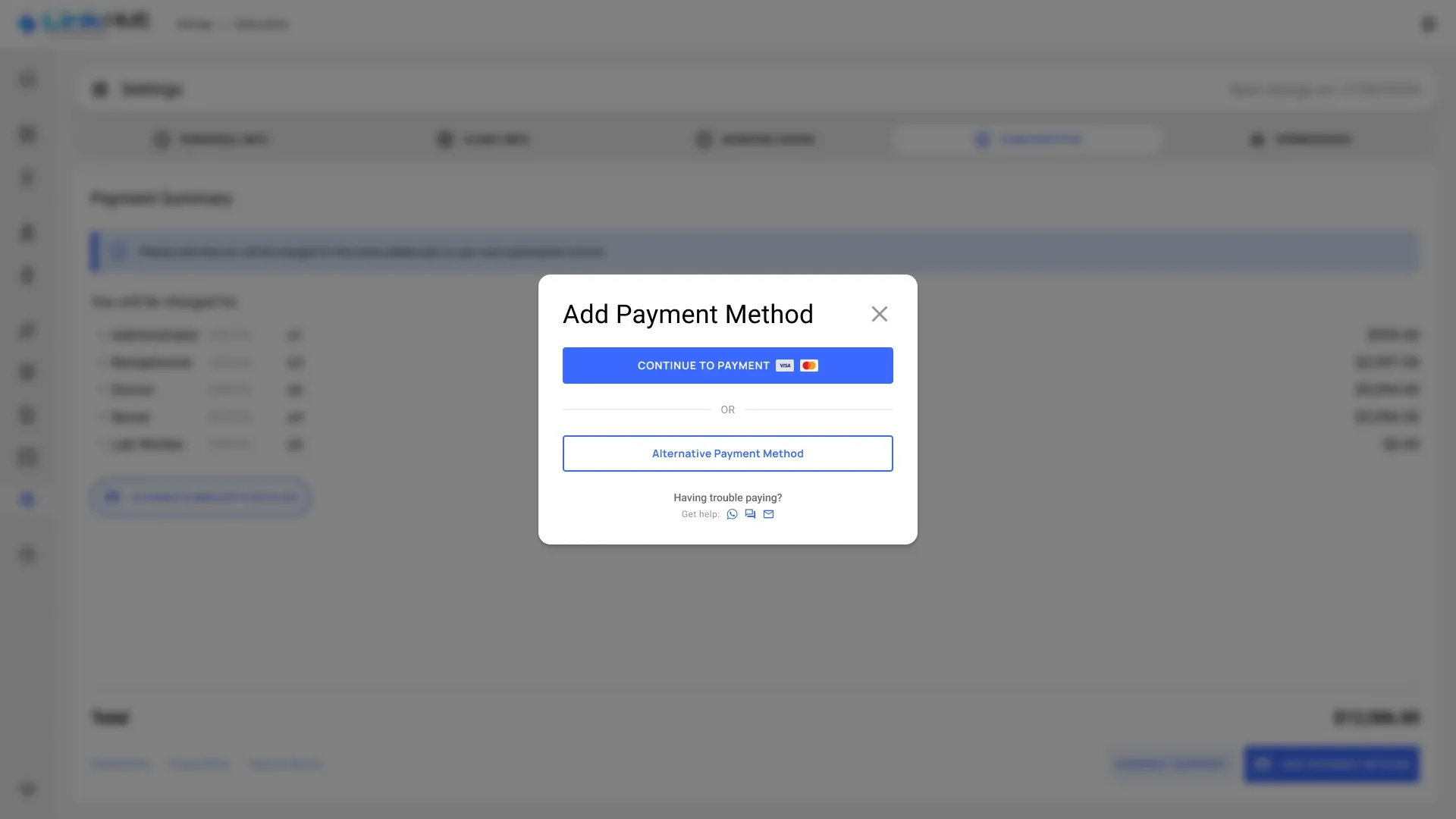
The price is counted per seat: an administrator, plus every doctor, nurse, receptionist or lab worker added in HR. A doctor working alone pays for one seat and still gets every feature; a clinic adds seats as it hires. The plan screen compares monthly and annual billing side by side, and a notice warns that a newly added user is charged on the next invoice.
Patient portal
The same record, from the patient’s side
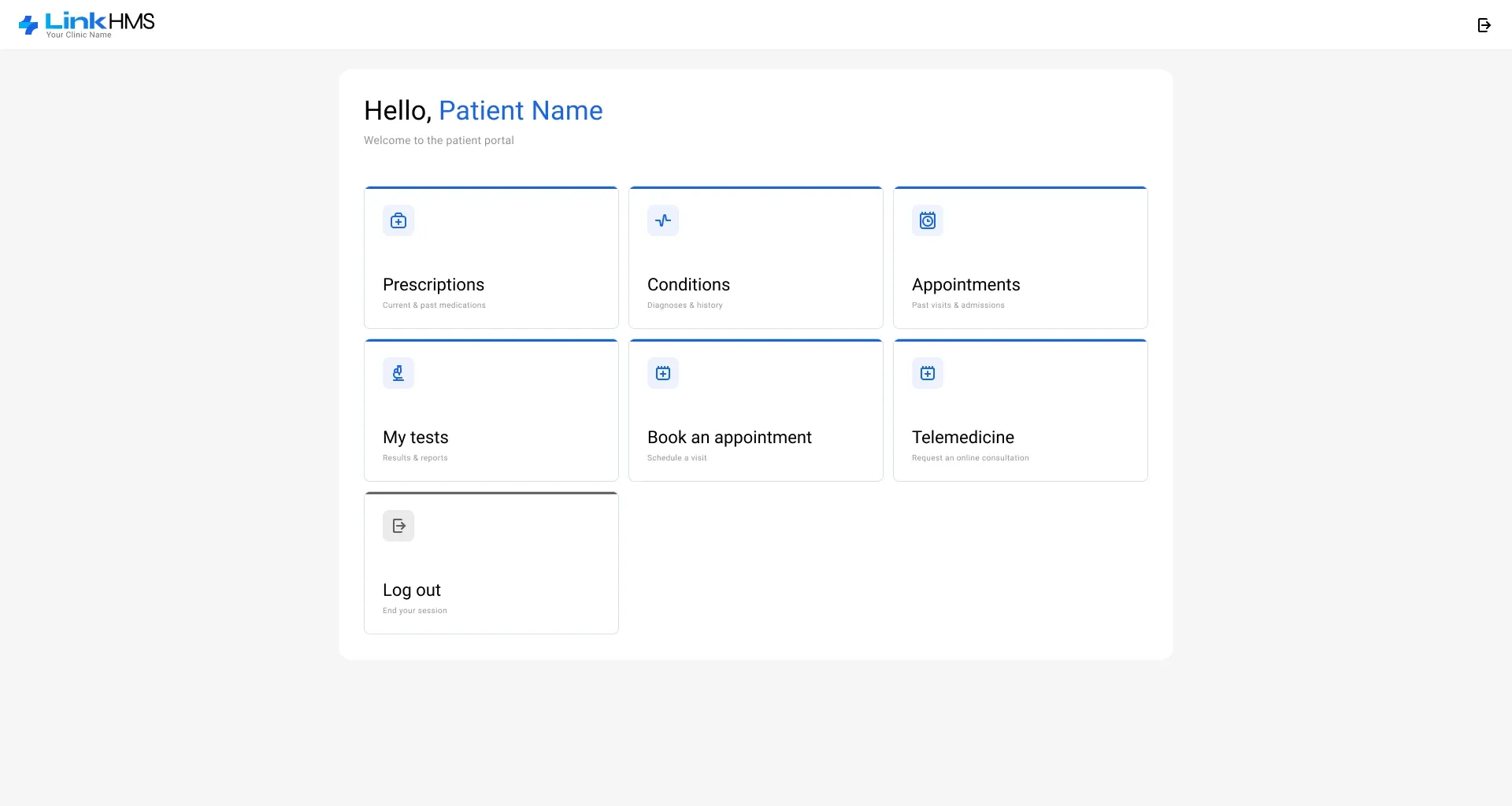
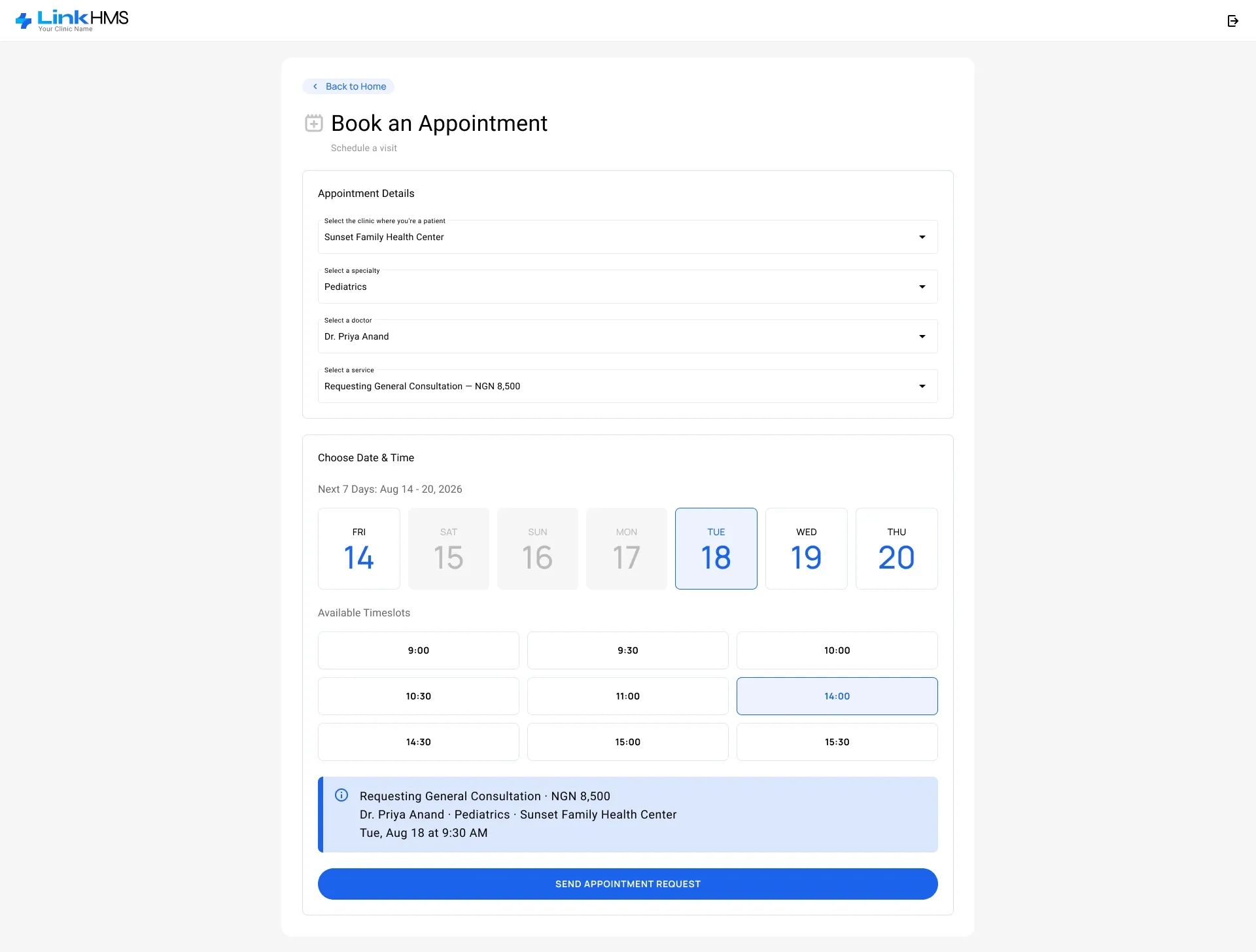
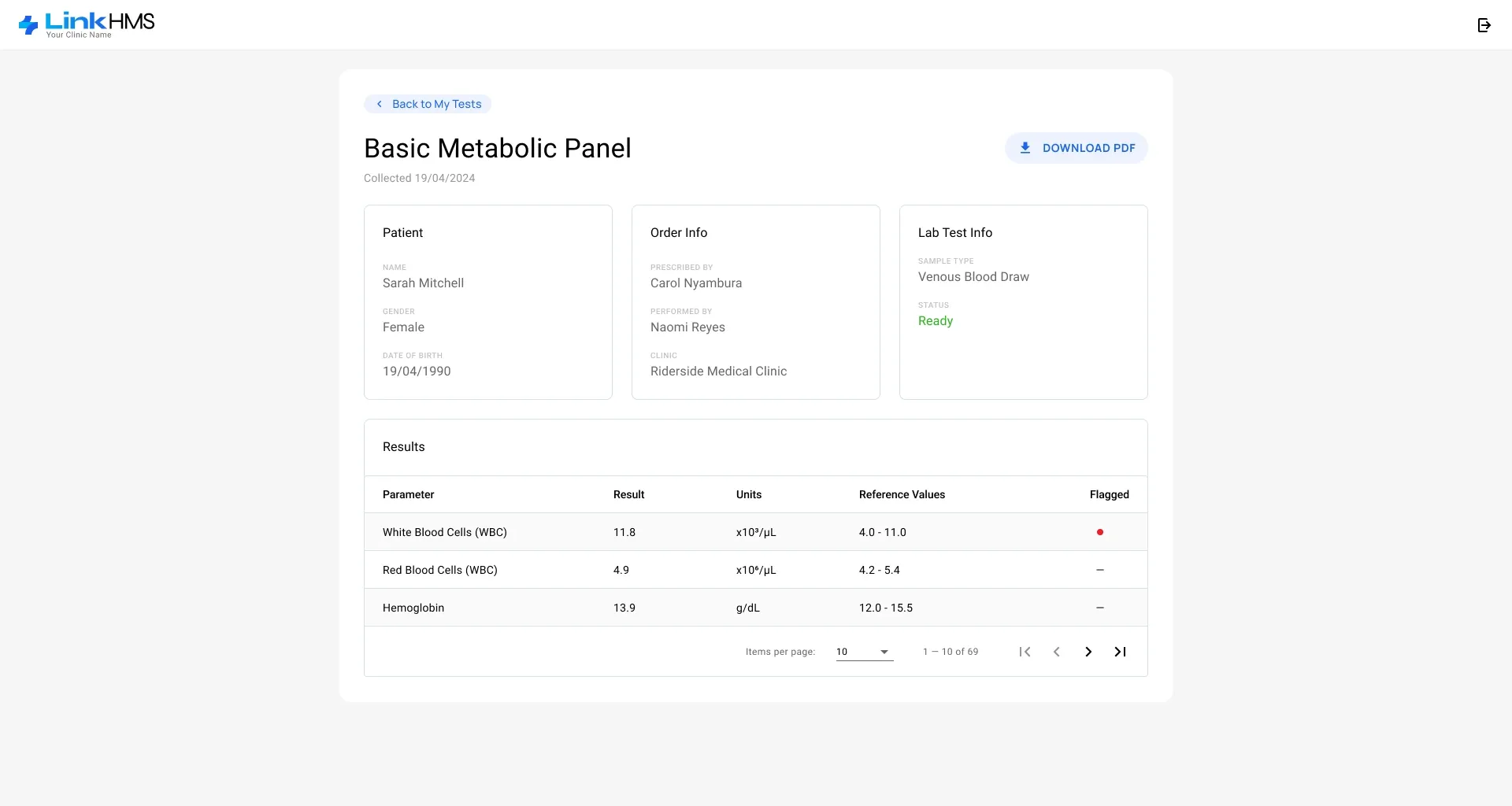
Patients sign in with their email and a six-digit one-time code. The home screen gathers their prescriptions, conditions, appointments and test results, and booking takes a single page: clinic, specialty, doctor and service with its price, then a day in the coming week and a free timeslot. A test result lists every parameter against its reference range, flags what is out of range and downloads as a PDF. The portal works on phones too.
Next steps
There is no limit to perfection
What started with registration, scheduling, patients and the medical record grew over two and a half years into a full clinic system: a live queue, admissions with beds and discharge, billing and insurance claims, a pharmacy, a laboratory, reports and a patient portal. The product can grow in several directions:
- Reminders and online payments — appointment reminders for patients, and invoices paid from the portal instead of at the front desk.
- Insurers connected directly — claims sent to the insurer and decisions received inside LinkHMS, without retyping them by hand.
- Stock that watches itself — low-stock alerts and reorder suggestions based on what the pharmacy actually dispenses.
- Insight beyond reports — trends in patient flow, revenue and diagnoses, with an early warning when something drifts.
- Chains of clinics — one account for several branches, with shared patients, per-branch schedules and consolidated reports.